Skip to Main Content
Sam's Club
Sam's Club
All Departments
All Services
Customer reviews for SAMSUNG 55" Class U7900F Series 4K Crystal UHD Smart TV for
SAMSUNG 55" Class U7900F Series 4K Crystal UHD Smart TV
4.5 out of 5 stars
stars
3,830 ratings3,730 reviews
  1. 5 stars74% (2,820)
  2. 4 stars15% (576)
  3. 3 stars6% (228)
  4. 2 stars2% (89)
  5. 1 star3% (117)

Member photos

  • +1467 images
Sort by |
Showing 551-560 of 3,730 reviews
May 21, 2026
Reviewer name: Brian
1 out of 5 stars
1 out of 5 stars review

Terrible

[This review was collected as part of a promotion.] Have not been able to connect to internet at all with tv. Not wireless anyway. Doesn't find any networks. Already hung it up. Wish I never bought it. Feels cheap. Picture isn't great. Volume constantly creeps up too.

Review from Samsung US
Helpful?3X98WOQFG1UG16471557124
reply from Samsung Advisor

Hi Brian, Thank you for sharing your experience with Wi-Fi connectivity. If your TV is having trouble connecting to the network, the following steps may help resolve the issue: Signal & Setup Tips: 1. Check TV-to-router distance – Your TV should be within 50 feet of the modem or access point for reliable signal strength. 2. Minimize interference – Turn off nearby wireless devices and make sure there are no physical barriers (stone walls, fireplaces, appliances) between the TV and router. Power Cycle Devices: 3. Restart both your TV and router – Unplug both devices for at least 30 seconds, then plug them back in and allow them to reboot fully. Connection Type: 4. Evaluate your connection method – o If using Wi-Fi, move your router closer to the TV and eliminate any obstructions. o For a more stable connection, we strongly recommend using a wired Ethernet cable. o If already using Ethernet, verify the cable is working by testing it with another device. Run Built-In Diagnostic Tools: 5. Network Test: Settings > Support > Device Care > Self Diagnosis > Smart Hub Connection Test 6. Wi-Fi Check: Settings > Support > Device Care > Self Diagnosis > Wi-Fi Last Resort: 7. Perform a Factory Reset (if issues persist): Settings > All Settings > General & Privacy > Reset > Factory Data Reset. Note that this will return all settings to their original defaults. If these steps don’t resolve the issue, please reach out to Samsung Support at 1-800-SAMSUNG, available from 8AM – 9PM EST Mon – Fri, 8AM – 6PM Sat – Sun. You can also visit the Samsung website and click on ‘Support’ for: • Live Chat • Manuals, Software, & Warranty Info ~ Samsung Advisor

May 11, 2026
Reviewer name: DANSOUTHUNTING
5 out of 5 stars
5 out of 5 stars review

Gaming

[This review was collected as part of a promotion.] I really enjoy the picture quality. the color definition is really good. Security seems to be well maintained. Brightened, rightness doesn't seem to be a problem. the resolution on the TV is high quality. The size and the thinness of the TV is really, really remarkable.

Review from Samsung US
Helpful?3X98WOQFG1UG16471557124
Jun 23, 2026
Reviewer name: Donotello
3 out of 5 stars
3 out of 5 stars review

It's OK

[This review was collected as part of a promotion.] it's aesthetically a good looking TV the picture quality it's just a little better than mediocre. Sad to say there's not more clarity. the brightness and contrast still doesn't seem to enhance it very much, but, it's fair enough quality for the price. I bought one of the lower end TVs and so I get what I paid for. I like it I enjoy watching it as it's sound quality is fairly good

Review from Samsung US
Helpful?3X98WOQFG1UG16471557124
reply from Samsung Advisor

Hi Donotello, Thank you for your feedback on the Samsung U7900F TV. If the picture appears unclear, dull, or lacks definition, there are several settings you can adjust to improve clarity and overall image quality. Go to: Settings > All Settings > Picture > Expert Settings, and review these key settings: Picture Clarity Settings: While originally intended for motion handling, these can also impact overall clarity • Off: Disables motion enhancements • Auto: Automatically adjusts based on content • Custom: Lets you fine-tune: o Judder Reduction – Helps smooth out uneven motion o LED Clear Motion – Boosts sharpness in fast-moving content o Noise Reduction – Reduces distortion and enhances detail in lower-resolution sources Core Picture Settings • Brightness – Controls overall screen brightness • Contrast – Enhances the difference between bright and dark areas • Sharpness – Adjusts edge definition; closer to 20 increases detail • Color – Enhances depth and intensity of colors And don’t forget to check for the latest firmware, which may improve performance: Settings > Support > Software Update > Update Now These adjustments can make a noticeable difference in overall clarity. If you need further help tailoring the settings to your preferences or environment, please contact Samsung Support at 1-800-SAMSUNG (8AM – 9PM EST Mon – Fri, 8AM – 6PM Sat – Sun). LiveChat is also available via the ‘Support’ link on our website. ~ Samsung Advisor

May 5, 2026
Reviewer name: Bella
2 out of 5 stars
2 out of 5 stars review

Don't buy !

[This review was collected as part of a promotion.] The tv is nice but when i hooked it up and saw there was a remote with no voice button ? I thought by 2025 all tv's had voice capabilities ! I could go on but I would never buy one of these !! Also,neither Wlmart or Samsung would take it back because i bought it online !

Review from Samsung US
Helpful?3X98WOQFG1UG16471557124
reply from Samsung Advisor

Hi Bella, Thank you for sharing your review. Your TV Works With Alexa, meaning you’ll need to connect a standalone Alexa device such as an Echo speaker, to control compatible smart home devices and some experiences on your TV. Here are the steps: 1. Download both the Amazon Alexa and Samsung SmartThings apps, if you don't already have them. Both are available for iOS or Android devices. 2. Make sure your Alexa device and TV are both connected to the same Wi-Fi network. 3. Your TV must be enabled within the SmartThings app. If not, make sure you are signed in with your Samsung account on the TV: Settings > All Settings > Samsung Account 4. Log in to the SmartThings app with the same Samsung account. Tap Devices, and if your TV isn’t already shown, tap + to add it to the app. 5. In the Alexa app, enable the SmartThings skill and sign into your Samsung account. This will automatically connect your Samsung TV to Alexa and let you use voice commands to control your television. If you need more help, we’re here. Give us a call at 1-800-SAMSUNG (8AM – 9PM EST Mon – Fri, 8AM – 6PM Sat – Sun). You can also connect with a LiveChat agent through the Support link on our website. ~ Samsung Advisor

May 20, 2026
Reviewer name: JT1944
4 out of 5 stars
4 out of 5 stars review

Great TV there are some minor things that I would.
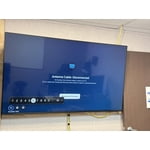
[This review was collected as part of a promotion.] I primarily use this device during meetings. I've thoroughly explored all the settings and can't seem to find the option to disable the automatic switch to live TV. I've tried all the settings I found online, but unfortunately, I can't stop the change. Other than that the device is working great.

Review from Samsung US
Helpful?3X98WOQFG1UG16471557124
Jun 15, 2026
Reviewer name: harley3us
5 out of 5 stars
5 out of 5 stars review

Love the Television

[This review was collected as part of a promotion.] The Crystal UHD Television is very clear it is like looking out your window. I was amazed at the picture , sound ,brightness, and contrast. I am very satisfied with this Television. I dont know why I didn't by this sooner...

Review from Samsung US
Helpful?3X98WOQFG1UG16471557124
May 17, 2026
Reviewer name: Ole1Kenobi
4 out of 5 stars
4 out of 5 stars review

Overall Good Television
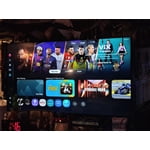
[This review was collected as part of a promotion.] This TV has great picture and great sound. Comes with a mass selection of download able apps and games. It is able to connect to the stereo system, wireless headphones, PS4 controllers, and computers speaking from experience. You're able to jump on the internet browser, just as you would a regular computer. Doesn't have much for connection ports. This particular model doesn't come with a built-in remote microphone, which is disappointing.

Review from Samsung US
Helpful?3X98WOQFG1UG16471557124
May 27, 2026
Reviewer name: Samsung king
5 out of 5 stars
5 out of 5 stars review

Samsung is tops.

[This review was collected as part of a promotion.] Samsung is too of the line as far as overall product anymore. You may be able to purchase a stand alone item that is better than that particular item of Samsung, but if you combine all products then took an average, Samsung it tops. The picture and sound of every type of tv makes you feel like part of the scene. They are sleek and attractive as products as well. Price? Cheaper than those other folks at apple. Being able to sync all your products together as well makes it harder to access passwords or other sensitive information. This TV is gorgeous and makes me wish I would have purchased the 60 inch.

Review from Samsung US
Helpful?3X98WOQFG1UG16471557124
May 11, 2026
Reviewer name: Luie
5 out of 5 stars
5 out of 5 stars review

Affordable quality T.V

[This review was collected as part of a promotion.] I had a budget for purchasing home equipment and I came across this televisión unsure what I was going yo get for the price point but it's way better than I expected. The quality of the picture is amazing and I love how it has all these smart features. Another plus is having Samsung T.V Plus where I have access to thousands of channels.

Review from Samsung US
Helpful?3X98WOQFG1UG16471557124
May 11, 2026
Reviewer name: Meechiee
5 out of 5 stars
5 out of 5 stars review

Wonderful, Amazing Features
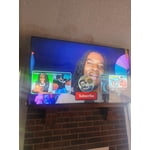
[This review was collected as part of a promotion.] I love everything about this television. I started replacing all the tv's one by one w/ samsung televisions. I also like how my phone connects and I can customize it with pictures of my family. It shows so brightly like we are in a movie theater in my living room. We love everything about this television.

Review from Samsung US
Helpful?3X98WOQFG1UG16471557124