
 Customer reviews for SAMSUNG 55" Class U7900F Series 4K Crystal UHD Smart TV for
Member photos








 +1467 images
Central to entertainment and connected home.
[This review was collected as part of a promotion.] Stunning picture quality with vibrant colors and true black! 🤩 Enjoy endless entertainment with a plethora of apps and expanded device connections. The intelligent light sensor perfectly balances your picture, and the hub feature elevates your smart home experience. #picture #colors #apps #connections #sensor #hub #home
Great Picture
[This review was collected as part of a promotion.] The Samsung 55" Crystal UHD TV delivers an impressive viewing experience with stunning picture quality and vibrant colors that truly bring movies, shows, and games to life. The display is bright and clear, making it easy to watch during the day, while still providing excellent visibility and contrast in darker rooms. One of the standout features of this TV is how balanced the picture looks in any lighting condition. Whether you're watching a late-night movie or streaming your favorite show in a bright living room, the screen remains sharp, colorful, and easy on the eyes. The Crystal UHD technology enhances detail and color accuracy, creating a more immersive experience overall. In addition to the great visuals, the TV is user-friendly and performs smoothly. The setup is simple, and navigating apps and menus is quick and easy. For anyone looking for a reliable 55" TV with beautiful picture quality at a great value, the Samsung Crystal UHD is an excellent choice.
Nice TV
[This review was collected as part of a promotion.] I am enjoying this tv, I didn't realize it doesn't have an optical output for my sound bar, will have to get HDMI cable instead. Tv sound is very good on its own . Picture is slightly darker than expected.
Great picture
[This review was collected as part of a promotion.] “After using the Samsung 55" Crystal UHD 4K Smart TV for a while now, I can honestly say I'm really impressed with everything this TV offers for the price. The picture quality is beautiful — the colors are vibrant, the blacks look deep, and everything looks incredibly sharp in 4K. Watching movies and shows feels so much more immersive, especially with the Crystal UHD display and HDR. Even older content looks better because the upscaling feature really helps improve the picture quality. One of my favorite things is how easy the smart features are to use. The Tizen system runs smoothly, apps load quickly, and streaming services like Netflix, Hulu, Disney+, and YouTube are all super convenient to access. The menu is clean and simple, which made setup quick and stress-free. The sound quality also surprised me. The audio is clear, loud, and balanced without needing a soundbar right away. I also really like how sleek and modern the TV looks — the thin design and minimal bezels make it look much more expensive than it actually is. For gaming, movies, sports, or everyday streaming, this TV does an amazing job. The motion handling is smooth, and everything looks crisp without much blur. Overall, I feel like Samsung did a great job creating a budget-friendly 4K TV that still feels premium. Definitely one of the best purchases I've made for my home entertainment setup.” The TV has strong customer ratings and features like 4K upscaling, Motion Xcelerator, HDR, and Samsung's Tizen smart platform.
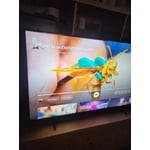
Stunning picture quality
[This review was collected as part of a promotion.] An Absolute Game-Changer Home Entertainment! I couldn't be happier with my **Samsung 75-inch TV**. If you are looking to bring the true theater experience right into your living room, this is exactly how you do it. ### What Makes It Stand Out: * **Stunning Picture Quality:** The clarity, vibrant colors, and deep contrasts make everything look spectacular. Whether it's an action-packed movie, a live sporting event, or a sweeping nature documentary, the visual detail is sharp and incredibly lifelike. * **Massive, Immersive Screen:** Upgrading to the 75-inch size completely changes how you watch TV. It fills your field of view perfectly, making you feel like you're part of the action without overwhelming the room. * **User-Friendly Smart Features:** Samsung's smart platform is fast, smooth, and incredibly intuitive. Navigating between streaming apps like Netflix, YouTube, and live TV is seamless, and the setup was an absolute breeze. * **Sleek Design:** Despite its massive size, the TV has a beautiful, slim profile and thin bezels that look great on the wall or on a media console. ### The Verdict Samsung has delivered a premium viewing experience with excellent reliability. It has turned our living room into the ultimate gathering spot for movie nights and the big game. If you're on the fence about going big—**do it**. It is worth every single penny!
Nice tv, poor remotw
[This review was collected as part of a promotion.] The larger screen size is nice, mostly I need to upgrade to a newer tv that could be updated to work with various apps. The sound from the tv is decent but I opted to go with a sound bar for better overall enjoyment. Picture quality is what you'd expect from Samsung tvs sharp colors and contrast from light to dark. My one dislike is the tiny remote, not sure if this is done to cut cost down or just make it harder to use and navigate systems and channels. If you have hands the size of a toddler then may be suitable but honestly is a joke for such a nice tv. I'm just getting use to the Samsung tv format and Channel selections but it seems to offer a lot of choice yet it's to early to decide if it's worth using much over other streaming options we use regularly.
Streaming
[This review was collected as part of a promotion.] Streaming on my Amazon firestick only works sometimes. Sometimes it starts and freezes up. Other times there is no sound. The only cure is to unplug the TV and plug it back in. The firestick is new with new batteries so I know its not the problem. Love to hear from you.
Hi Sammy, We're sorry you are experiencing issues with your U7900F freezing up. 1. Check for firmware updates – Keeping your TV up to date can resolve many performance issues: Home > left directional key > Settings > Support > Software Update > Update Now 2. Run Device Care – This tool checks system memory, frees up cached data, and closes background apps that could be slowing things down: Home > left directional key > Settings > Support > Device Care > Start Device Care 3. Cold boot your TV – With the TV powered on, press and hold the Power button on your remote for 5+ seconds until the TV restarts. This helps refresh the system. If you're still noticing performance issues after these steps, please contact Samsung Support at 1-800-SAMSUNG, available daily from 8AM – 9PM EST Mon – Fri, 8AM – 6PM Sat – Sun. You can also visit the Samsung website and click on ‘Support’ for: • Live Chat • Manuals, Software, & Warranty Info ~ Samsung Advisor
Poor research on my part
[This review was collected as part of a promotion.] I should have purchased something else because the remote is beyond clunky and the home screen is so cluttered with unusable apps, I just don't get it. Picture and resolution are fine. Sound does not match the lip movement on most channels especially older movies but on my tablet sound is not a problem. Just look at the remote, 50% of it is blank from the YouTube button down to Samsung logo... nothing. There's no fast forward or backwards, you piggy back 3 or 4 functions on a button, and if there are online directions, how would I know about them. Sorry to be critical but you asked. I don't expect you to post this because it is what you want customers to know. I'm stuck with it, though.
Hi Robo, We greatly appreciate your feedback. Please know it will be shared with our internal teams. If you're experiencing lip sync issues: • For external speakers (like a soundbar or receiver), try adjusting: Settings > Sound > Expert Settings > Digital Output Audio Delay. Also set Digital Audio Output Format to Pass-Through to reduce processing delays. • If you're using the TV’s internal speakers, a software update may help improve sync: Settings > Support > Software Update > Update Now If the delay continues across all sources, feel free to reach out to Samsung Support at 1-800-SAMSUNG, available daily from 8AM – 9PM EST Mon – Fri, 8AM – 6PM Sat – Sun. You can also visit the Samsung website and click on ‘Support’ for: • Live Chat • Manuals, Software, & Warranty Info ~ Samsung Advisor
Excellent choice, excellent features!
[This review was collected as part of a promotion.] I really love my Samsung TV. It came with Samsung TV (which is just like cable tv) I can download apps, I can connect my phone, my portable speaker can connect.. it's just an awesome tv. It has lots of settings to change the brightness, the resolution, the vibrancy, also. It has a setting for gaming which makes the graphics clearer, and the security features are great. Really glad I bought it.
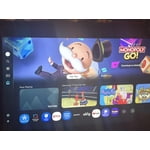
All but the remote
[This review was collected as part of a promotion.] Overall, very good I'm happy with it. The bonus channels are Nice. Reception excellent. However, the remote Sucks and absolutely needs like we always have had the digit 09 so a person can change channels directly from a 62 to 5 without going through all the channels and then you have a channel lag every time change channels You have to wait for the channels twocatch up, it would be a lot more enjoyable viewing experience with a 09 keypad