Skip to Main Content
Sam's Club
Sam's Club
All Departments
All Services
Customer reviews for SAMSUNG 55" Class U7900F Series 4K Crystal UHD Smart TV for
SAMSUNG 55" Class U7900F Series 4K Crystal UHD Smart TV
4.5 out of 5 stars
stars
3,898 ratings3,798 reviews
  1. 5 stars74% (2,870)
  2. 4 stars15% (589)
  3. 3 stars6% (232)
  4. 2 stars2% (90)
  5. 1 star3% (117)

Member photos

  • +1469 images
Sort by |
Showing 1,821-1,830 of 3,798 reviews
Jul 27, 2026
Reviewer name: Mr Albert
5 out of 5 stars
5 out of 5 stars review

Top of the line!

[This review was collected as part of a promotion.] Great SmartTV. Samsung is always top notch with their products

Review from Samsung US
Helpful?3X98WOQFG1UG16471557124
Jul 21, 2026
Reviewer name: Nikk
5 out of 5 stars
5 out of 5 stars review

Great view

[This review was collected as part of a promotion.] Solid TV love how crisp every show looks 100% would recommend to anyone looking to buy a TV

Review from Samsung US
Helpful?3X98WOQFG1UG16471557124
Aug 5, 2026
Reviewer name: Xxoo
5 out of 5 stars
5 out of 5 stars review

Satisfied

So far I'm very happy with the TV it looks great works great remotes so much easier than the old ones with 8000 buttons on it Great deal

Review from Samsung US
Helpful?3X98WOQFG1UG16471557124
Aug 5, 2026
Reviewer name: Anonymous
5 out of 5 stars
5 out of 5 stars review

Great quality
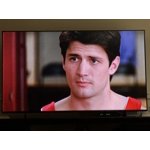
I love the responsiveness and the quality my TV. I’ve been using it for almost a year now, ang nothing has changed since day 1. Amazing!

Review from Samsung US
Helpful?3X98WOQFG1UG16471557124
Jul 30, 2026
Reviewer name: Diva
4 out of 5 stars
4 out of 5 stars review

Need a tv mines went out due to lightening

[This review was collected as part of a promotion.] Lighting hit it, it won't show pictures it only have lines though the screen.

Review from Samsung US
Helpful?3X98WOQFG1UG16471557124
Aug 6, 2026
Reviewer name: Mudbut
5 out of 5 stars
5 out of 5 stars review

Amazing

Great picture and color. So super clear and great sound. Well worth the price. Samsung tvs are the best money can buy.

Review from Samsung US
Helpful?3X98WOQFG1UG16471557124
Jul 20, 2026
Reviewer name: Zooby Dot
2 out of 5 stars
2 out of 5 stars review

Television turns itself on. Very annoying.

[This review was collected as part of a promotion.] Tv sucks. Turns itself on. Have to get up in middle of the night to turn off.

Review from Samsung US
Helpful?3X98WOQFG1UG16471557124
reply from Samsung Advisor

Hi Zooby Dot, Thanks for sharing your experience. If your TV is powering on by itself, there are a few settings and external triggers to review: 1. Power On with Mobile – Your TV may be connected to the SmartThings app or other networked devices. To stop wake signals, turn this feature off: Settings > All Settings > Connection > Network > Expert Settings > Power On with Mobile = Off 2. Check for Active Timers – Go to Settings > All Settings > General & Privacy > System Manager > Time > Timer Settings, then disable any On Timers or Sleep Timers 3. Anynet+ (HDMI-CEC) – If your TV is connected to external HDMI devices, one of them may be triggering power-on behavior. To disable this feature: Settings > All Settings > General & Privacy > External Device Manager > Anynet+ (HDMI-CEC) = Off 4. Software Update – Make sure your TV is up to date: Settings > Support > Software Update > Update Now If you’ve ruled out all the above and your TV still powers on unexpectedly, try unplugging it for 30 seconds. Should the issue continue, please call Samsung Support at 1-800-SAMSUNG (8AM – 9PM EST Mon – Fri, 8AM – 6PM Sat – Sun). LiveChat agents are also available through the ‘Support’ link on our website. ~ Samsung Advisor

Jul 20, 2026
Reviewer name: Dave
3 out of 5 stars
3 out of 5 stars review

Frustrated

[This review was collected as part of a promotion.] It started out great, but tv is constantly having issues going on now.

Review from Samsung US
Helpful?3X98WOQFG1UG16471557124
reply from Samsung Advisor

Hi Dave, Thank you for your feedback. If your U7900F TV freezes or becomes unresponsive: 1. Cold boot – Hold the Power button on your remote for 5+ seconds until the TV restarts. 2. Update firmware – Home > left directional key > Settings > Support > Software Update > Update Now 3. Run Device Care – Home > left directional key > Settings > Support > Device Care > Start Device Care If issues continue, contact Samsung Support at 1-800-SAMSUNG (8AM – 9PM EST Mon – Fri, 8AM – 6PM Sat – Sun). LiveChat is available under the ‘Support’ link on our website. ~ Samsung Advisor

Jul 27, 2026
Reviewer name: Elroy
5 out of 5 stars
5 out of 5 stars review

Great Product

[This review was collected as part of a promotion.] I love all Samsung TVs best on the market! Its not even close!

Review from Samsung US
Helpful?3X98WOQFG1UG16471557124
Jul 27, 2026
Reviewer name: Darksidemach1
5 out of 5 stars
5 out of 5 stars review

Love the TV wouldn't have any other

[This review was collected as part of a promotion.] This is one of the best samsung products I've owned, I also have tablets and cell phones

Review from Samsung US
Helpful?3X98WOQFG1UG16471557124