Skip to Main Content
Sam's Club
Sam's Club
All Departments
All Services
Customer reviews for SAMSUNG 55" Class U7900F Series 4K Crystal UHD Smart TV for
SAMSUNG 55" Class U7900F Series 4K Crystal UHD Smart TV
4.5 out of 5 stars
stars
3,854 ratings3,754 reviews
  1. 5 stars74% (2,838)
  2. 4 stars15% (580)
  3. 3 stars6% (229)
  4. 2 stars2% (90)
  5. 1 star3% (117)

Member photos

  • +1477 images
Sort by |
Showing 1,031-1,040 of 3,754 reviews
Feb 18, 2026
Reviewer name: TruckerChick
5 out of 5 stars
5 out of 5 stars review

HOLY CANOLI WHAT A TV

[This review was collected as part of a promotion.] you want to talk about an amazing television Samsung for the win as always. it's almost like they can't not win at everything that they make. the brightness of this television screen is phenomenal vibrant colors are absolutely amazing. I swear i literally never want to sit and watch any other TV for the rest of my life. Ill be replacing the Samsung that is in bedroom with one of these bad boys next month. 100% TEAM SAMSUNG BABY ALL DAY EVERY DAY IYKYK

Review from Samsung US
Helpful?3X98WOQFG1UG16471557124
Mar 23, 2026
Reviewer name: ParadiseLife
4 out of 5 stars
4 out of 5 stars review

Luxury features for a reasonable price point

[This review was collected as part of a promotion.] Excellent performance and features for a great price. This model has just the right amount of features and the vibrant color and performance when it comes to lots of activity on the screen there is no noticeable ghosting or shadowing of the image. The ability to just stream from the smart TV is also wonderful. Never knew I needed that feature. The television has the typical security for the TV password or something else for a picture too which is also another great feature I never knew I needed

Review from Samsung US
Helpful?3X98WOQFG1UG16471557124
Mar 23, 2026
Reviewer name: Cary2Peg
5 out of 5 stars
5 out of 5 stars review

Great features

[This review was collected as part of a promotion.] The aesthetics of this tv are premium. It has fantastic color and the resolution makes everything look like you're right there! I've tried cutting the cord in favor of streaming and i couldn't be happier with this TV. I'm also quite pleased at the security this unit enables. Definitely a winner for samsung!

Review from Samsung US
Helpful?3X98WOQFG1UG16471557124
Mar 23, 2026
Reviewer name: Flybrkn
5 out of 5 stars
5 out of 5 stars review

Best picture!

[This review was collected as part of a promotion.] Snappy speed through all the apps. Great picture samsung tv plus app is the best for free shows! If you have a samsung smart phone the "smart view" option is amazing for those times you may not have internet at your home, but your phone still does, just cast it to the tv and your in business 😀 . Pairing a samsung smart tv with a smart phone is key to have the best experience.

Review from Samsung US
Helpful?3X98WOQFG1UG16471557124
Feb 5, 2026
Reviewer name: SamanthaF
1 out of 5 stars
1 out of 5 stars review

Terrible for streaming

We purchased this TV on a Black Friday deal and have regretted it ever since. If you are looking for a TV for streaming, this isn't the one. If the people in the show are doing any more than just sitting there, the picture gets very pixelated. I've contact samsung for help and was told the show was just old. However, it happens on even shows that are just released. So frustrating for what uses to be a great brand name.

Review from Samsung US
Helpful?3X98WOQFG1UG16471557124
reply from Samsung Advisor

Hi SamanthaF, Thank you for sharing your experience. Buffering during streaming is typically related to internet speed or signal strength. This can happen when your connection isn’t able to deliver data quickly enough for smooth playback. We recommend the following steps to help improve streaming performance: 1. Use a 5GHz Wi-Fi connection, if available 2. Try a wired LAN connection for more stability 3. Reposition your router to minimize obstacles between it and the TV 4. Make sure your TV is running the latest firmware (Settings > Support > Software Update) 5. Run Device Care to optimize performance: Home > left directional key > Settings > Support > Device Care > Start Device Care If buffering continues, you may want to contact your internet service provider to check your current speed or explore upgrade options. There are also several settings you can adjust to improve motion clarity. Go to: Home > left directional key > Settings > All Settings > Picture > Expert Settings, and review these key settings: Picture Clarity Settings • Off: Disables all motion enhancement • Auto: Automatically adjusts motion clarity based on content • Custom: Enables manual control of: o Judder Reduction: Smooths motion in film-based content o LED Clear Motion: Increases sharpness during fast movement o Noise Reduction: Helps reduce distortion in lower-quality sources We hope these settings help improve your viewing experience, especially with fast-moving content. If you'd like further assistance, feel free to reach out to Samsung Support at 1-800-SAMSUNG, 8AM – 12AM EST, 7 days a week. LiveChat is also available via the ‘Support’ link on our website. ~ Samsung Advisor

Mar 5, 2026
Reviewer name: pudd112
4 out of 5 stars
4 out of 5 stars review

Great picture and streamlined remote but...

[This review was collected as part of a promotion.] What I do not love about my UHD U7900F is the fact that Samsung cannot include a dynamic antenna to pick up the "free" digital channels that are broadcast in my area. Nor are you capable of recommending a compatible after market antenna that works seamlessly with my UHD U7900F. With todays technology one shouldn't have issues with picking up digital channels. I have gone through 8-9 different antennas searching for one that is reliable to no avail. I had gone through the same issue with my previous 70" Samsung that is why I purchased my new UHD U7900F thinking that this issue would've been solved.

Review from Samsung US
Helpful?3X98WOQFG1UG16471557124
Apr 5, 2026
Reviewer name: Fussygirl
3 out of 5 stars
3 out of 5 stars review

Tizen OS Needs Work

[This review was collected as part of a promotion.] It's a TV. Gets the job done. Three stars are because the Tizen operating system is glitchy with respect to our home network. It seems overly sensitive whereas other brand TVs aren't. We have to reset the network often for no reason.

Review from Samsung US
Helpful?3X98WOQFG1UG16471557124
reply from Samsung Advisor

Hi Fussygirl, Thank you for reaching out to us. Please ensure your TV is running the latest Firmware, version 1132.0. Go to Settings> Support> Software Update. If this firmware version is not yet available on your TV, you can download the update on a USB drive and manually update your TV: 1. On Samsung's website (upper right corner), go to: Support > Manual & Software > Find your TV model, and click on the Firmware – Upgrade File. 2. When the file has finished downloading, locate it and then unzip it. There is normally one folder inside but there may be multiple files. 3. Copy or move all of the files that were included in the zip file to a USB flash drive, but do not place them inside any other folders. If you place the software folders inside a folder on the USB flash drive, the TV or monitor will not find them. 4. Connect the USB drive containing the software upgrade into a USB port on your device. 5. Using your device's remote, navigate to and select Settings, then select All Settings, and then select Support. Select Software Update, select Update Now, and then select Yes if prompted. Your device will search the USB drive for update files. Follow the on-screen instructions to install the updated software. Updates usually take a few minutes; please do not turn off the TV until the update is complete. When the update is finished, it will restart automatically. If you need additional support, Samsung is here to help. Please call us -800-SAMSUNG, available daily 8AM – 9PM EST Mon – Fri, 8AM – 6PM Sat – Sun. You can also chat with a LiveChat agent by clicking the ‘Support’ link on our website. ~ Samsung Advisor

Feb 17, 2026
Reviewer name: Anonymous
5 out of 5 stars
5 out of 5 stars review

Just what the Doctor ordered

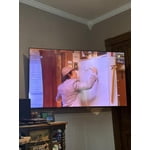
[This review was collected as part of a promotion.] The TV is surprisingly light for its size. It was easy to hang and fit our space perfectly. Its brightness, resolution, and features were exactly what we wanted and needed. So glad we bought a Samsung, excellent choice, and we as a family love how well it plays movies, tv, and the sound for oem speakers is excellent and clear. We love the security of the online features. Overall, the vibrant picture is what we love the most. Thank you Samsung for a great TV.

Review from Samsung US
Helpful?3X98WOQFG1UG16471557124
May 5, 2026
Reviewer name: MPOR
4 out of 5 stars
4 out of 5 stars review

Great Color, Amazing Value, Remote too Streamlined

[This review was collected as part of a promotion.] The positives: Nice looking TV, easy to initially set up. The color and resolution are terrific. The vibrant colors make nature shows seem like you are right there in the forest, desert or mountains. The Samsung TV Plus channels are a welcome bonus and offer a nice variety of programs to choose from. Lastly, this TV is an amazing value for the price. The negatives: The remote and menus for setting are very confusing, as the remote has been streamlined TOO much. The internal speaker does not interact with the sound bar we purchased, even though it was supposed to be compatible with our TV. It loses connection with the sound bar, then when it re-establishes the connection and we go to watch a Samsung TV Plus, a VERY loud and jarring sound effect plays through the sound bar

Review from Samsung US
Helpful?3X98WOQFG1UG16471557124
Feb 24, 2026
Reviewer name: Sid Emani
5 out of 5 stars
5 out of 5 stars review

Excellent Picture Quality and Great Value for Mone

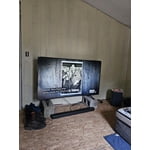
[This review was collected as part of a promotion.] I'm very happy with this TV purchase. The picture quality is excellent — the 4K resolution is sharp, colors look vibrant, and the overall clarity makes movies and streaming content very enjoyable. The Crystal UHD display really stands out, especially while watching high-definition content. The design is sleek and modern, and it looks great mounted on the wall. Setup was quick and straightforward, and the smart TV interface is smooth and easy to navigate. Streaming apps load fast, and switching between apps is seamless. Sound quality is decent for everyday viewing, and overall performance has been reliable so far. For the price, this TV offers outstanding value and delivers a premium viewing experience. Highly recommended for anyone looking for a quality 4K smart TV.

Review from Samsung US
Helpful?3X98WOQFG1UG16471557124