Skip to Main Content
Sam's Club
Sam's Club
All Departments
All Services
Customer reviews for SAMSUNG 58” Class U7900F Series 4K Crystal UHD Smart TV for
SAMSUNG 58” Class U7900F Series 4K Crystal UHD Smart TV
4.5 out of 5 stars
stars
3,758 ratings3,700 reviews
  1. 5 stars74% (2,766)
  2. 4 stars15% (576)
  3. 3 stars6% (219)
  4. 2 stars2% (89)
  5. 1 star3% (108)

Member photos

  • +1455 images
Sort by |
Showing 941-950 of 3,700 reviews
Apr 5, 2026
Reviewer name: Doug
5 out of 5 stars
5 out of 5 stars review

Great TV

[This review was collected as part of a promotion.] I’m a 60 year old and very electronically challenged and setting up an connecting up was relatively simple and I know the picture isn’t the top of the line but I have no issues with it especially for the price point I just hope it last for many years i had two Samsung plasma tvs prior for well over 13 years and they were still working perfectly when I gave them to my needy relatives

Review from Samsung US
Helpful?18J4E5E7OZVG16422722568
Feb 17, 2026
Reviewer name: Luise
5 out of 5 stars
5 out of 5 stars review

Great Vibrant picture

[This review was collected as part of a promotion.] This Tv is one of the best tvs ive had had great vibrant picture kind of seems like an oled but still with a little backlight i love this tv. It also has great resolution and the parental control security it very good! Needs a little work on the brightness and dimming and has a modern looking frame would recommend

Review from Samsung US
Helpful?18J4E5E7OZVG16422722568
Feb 20, 2026
Reviewer name: TheWriteGuy
4 out of 5 stars
4 out of 5 stars review

Great for TV, gaming, and as a laptop monitor
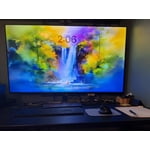
[This review was collected as part of a promotion.] My bedroom is also my office, and I use this TV for both business and pleasure. It makes a terrific monitor for my laptop, with super crisp definition, accurate color, and the brightness and contrast adjustments I need to make my work day easy on the eyes. It's big enough that I can open many windows to multitask on my screen. Then it transitions nicely to my evening TV and movie watching. The brights are nice and bright, the colors are vivid, the shadows are rich and dark, and the definition and refresh rate make video smooth, which I especially appreciate because I also use it for video gaming. I also make and sell t-shirts, and when I create the artwork the images have the color accuracy and detail level I need for my artwork. The TV is light and flat enough that it mounts easily on a standard wall mount, which I need in order to have a large TV in a small space. I took off a half star each for two minor inconveniences. The first is that there are some aspects of the "smart" navigation that I wish I could change, to adapt it more to my preferences. The second is that I hate the remote control - in particular the volume toggle, which I find difficult to work comfortably. I ended up replacing the remote with a compatible universal one that has buttons with a better feel. If not for those two small annoyances, I would have easily given this TV 5 stars.

Review from Samsung US
Helpful?18J4E5E7OZVG16422722568
Feb 20, 2026
Reviewer name: Winner
2 out of 5 stars
2 out of 5 stars review

Hope I WIN

[This review was collected as part of a promotion.] The words don't match the lips. TV looses it's volume alot .TV cuts off on its own.but great picture. The resolution is great and my Ai doesn't work..brightness is slightly off.my neighbors hack into..asking to download. The lips mess with the anesthetics don't match the color

Review from Samsung US
Helpful?18J4E5E7OZVG16422722568
reply from Samsung Advisor

Hi Winner, Thank you for your feedback on the lip sync issues you're experiencing with your Samsung U7900F TV. This may be related to the content source, but if you're noticing the audio delay across all sources or channels, especially when using an external speaker setup (soundbar, receiver, etc.), there are a few settings that may help: 1. Adjust Digital Audio Delay. You can manually increase the audio delay to better match the video: Settings > All Settings > Sound > Expert Settings > Digital Output Audio Delay 2. Enable Audio Pass-Through. Samsung TVs include an audio pass-through option, which sends the audio signal directly to your connected soundbar or receiver without additional processing by the TV. This can reduce delay when using external audio devices: Settings > All Settings > Sound > Expert Settings > Digital Audio Output Format > Pass-Through 3. Check for Firmware Updates. Ensure your TV is running the latest software, which may include performance improvements related to sound or sync: Home > left directional key > Settings > Support > Software Update > Update Now If the issue continues after these steps, please contact Samsung Support for additional troubleshooting or assistance. We’re here to help at 1-800-SAMSUNG, 8AM – 12AM EST, 7 days a week. LiveChat and additional support resources are also available through the Support link on our website. ~ Samsung Advisor

Feb 16, 2026
Reviewer name: Zaethir
5 out of 5 stars
5 out of 5 stars review

Great features and price!
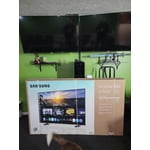
[This review was collected as part of a promotion.] I love this TV! It's slim and light weight. The screen is bright and clear. The picture looks amazing and looks like you could walk right into the screen. It connected smoothly with my internet and phone.

Review from Samsung US
Helpful?18J4E5E7OZVG16422722568
Apr 20, 2026
Reviewer name: Duke 3
2 out of 5 stars
2 out of 5 stars review

Poor picture quality

[This review was collected as part of a promotion.] This is my 5th samsung tv, and the poorest quality of all of them. The picture has no depth to it and the sound do3s not come on sometime when turned on fist time of day, unless I Unplug the power cord! NOT A GREAT TV

Review from Samsung US
Helpful?18J4E5E7OZVG16422722568
reply from Samsung Advisor

Hi Duke 3, We appreciate your feedback on the picture quality of Samsung’s U7900F TV. If the image doesn’t quite match your preferences, there are several adjustments you can make to better suit your viewing environment and content type. First, please ensure your TV is running the latest firmware, as updates may include important picture quality enhancements. Go to: Home > Left directional button > Settings > Support > Software Update > Update Now To explore picture mode options, navigate to: Home > Left directional button > Settings > All Settings > Picture > Picture Mode. Options include: • Standard – Ideal for general viewing • Dynamic – Brighter and more vibrant for well-lit spaces • Eco – Optimized for energy efficiency • Movie – Best for viewing in low light • Filmmaker Mode – Preserves the content creator’s intent and disables motion smoothing for supported content You can further customize your image by going to: Settings > All Settings > Picture > Expert Settings, where you can adjust Brightness, Contrast, Color Tone, Sharpness, Contrast Enhancer and more. If you’d like help finding the best picture settings for your preferences, please don’t hesitate to contact Samsung Support at 1-800-SAMSUNG, available 8AM – 9PM EST Mon – Fri, 8AM – 6PM Sat – Sun. You can also LiveChat with an agent or explore additional resources on our website by clicking the ‘Support’ link. ~ Samsung Advisor

Feb 17, 2026
Reviewer name: Terrencetrent
4 out of 5 stars
4 out of 5 stars review

Great product

[This review was collected as part of a promotion.] This Tv has impressive resolution with very sharp, clear text and images, which makes both work and streaming look great. The brightness is strong enough to handle a well‑lit room without washing out colors, and dimming it for nighttime use is easy and comfortable on the eyes. Aesthetics are sleek and modern, with slim bezels that make it look clean on the desk and help it blend in with other devices. The built‑in security features and on‑screen menus are straightforward to use, so adjusting settings never feels confusing. Colors have good vibrancy right out of the box, with rich tones for movies and games, and only minor fine‑tuning was needed to get everything looking just right.

Review from Samsung US
Helpful?18J4E5E7OZVG16422722568
Feb 26, 2026
Reviewer name: TMOET
5 out of 5 stars
5 out of 5 stars review

Love at First Screen...Delivers Epic Everything!

[This review was collected as part of a promotion.] I absolutely love my 75-inch Samsung TV. It's vibrant and ultra-sleek in size for a TV of its kind. The resolution brings every scene to life with stunning clarity and color depth. Connectivity is fast and user friendly, especially with other Samsung devices, making setup effortless. The sound quality and color depth elevate the entire experience to premium levels. I use the SmartThings app for additional features such as self adjusting brightness and lighting control and mobile remote use via your mobile phone. There are lots of selections to choose from depending on preference. The entire entertainment value is packed within, including games, apps, and music channels. The TV remote has one push buttons to easily access YouTube and Prime if that's your thing. I also love the synchronicity of using Spotify from mobile to TV. It's a great product filled with many extras that I wasn't expecting.

Review from Samsung US
Helpful?18J4E5E7OZVG16422722568
Feb 17, 2026
Reviewer name: Ladysteph210
5 out of 5 stars
5 out of 5 stars review

Love Samsung.

[This review was collected as part of a promotion.] as all Samsung products are that I currently own, this one is above par. song knows exactly what they're doing when they're creating any electronic device the freedom to customize every Samsung item as well is the most amazing thing.

Review from Samsung US
Helpful?18J4E5E7OZVG16422722568
Jan 20, 2026
Reviewer name: Exfed
5 out of 5 stars
5 out of 5 stars review

Far cry from the 21 inch TV of my childhood.

While the TV has great color and sound it does see to have a mind of its own. The remote takes some getting use to. Just when I think I have it figured out something changes. I am a fan of Samsung though and I will keep working with it. This is my third Samsung TV and probably not my last. My children have my older TVs and they are still going strong. I just like to keep up with technology. I am 81 years old.

Review from Samsung US
Helpful?18J4E5E7OZVG16422722568