Skip to Main Content
Sam's Club
Sam's Club
All Departments
All Services
Customer reviews for SAMSUNG 58” Class U7900F Series 4K Crystal UHD Smart TV for
SAMSUNG 58” Class U7900F Series 4K Crystal UHD Smart TV
4.5 out of 5 stars
stars
3,758 ratings3,700 reviews
  1. 5 stars74% (2,766)
  2. 4 stars15% (576)
  3. 3 stars6% (219)
  4. 2 stars2% (89)
  5. 1 star3% (108)

Member photos

  • +1455 images
Sort by |
Showing 641-650 of 3,700 reviews
May 20, 2026
Reviewer name: TMajic
4 out of 5 stars
4 out of 5 stars review

An upgrade on our older Samsung which died on us.

[This review was collected as part of a promotion.] The TV is very streamlined. We love how it looks in the living room. I am a little concerned with the brightness and the contrast levels. I have to tried to adjust but something still seems a little "off". But, only on certain stations.

Review from Samsung US
Helpful?18J4E5E7OZVG16422722568
Jun 5, 2026
Reviewer name: Happy4me
4 out of 5 stars
4 out of 5 stars review

Great apps offered.

[This review was collected as part of a promotion.] When turned on I would like to go straight to the channel I want to watch, instead it takes me to the three options listed ( For you - Live - APPS ) I just want to go to "Live" and continue from there. Let all the other choices be at the bottom or top of the screen.

Review from Samsung US
Helpful?18J4E5E7OZVG16422722568
Jun 23, 2026
Reviewer name: LwkCarl
5 out of 5 stars
5 out of 5 stars review

Beautiful responsiveness
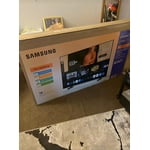
[This review was collected as part of a promotion.] I love the responsiveness and also the color for just a good size, very underrated Tv. It was so good even my mom asked what tv is was and also wanted it! The brightness is the difference maker, due to some low brightness movies where you can't see anything due to the reflection of the sun, its a game changer. And the contrast on the colors makes everything blend together nicely with the upscale.

Review from Samsung US
Helpful?18J4E5E7OZVG16422722568
Jun 15, 2026
Reviewer name: Upsettvbuyer
2 out of 5 stars
2 out of 5 stars review

Won't link to any wifi
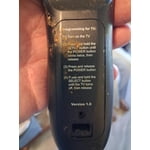
[This review was collected as part of a promotion.] I've been buying Samsung TVS for a long time. Enjoy the quality picture and everything about them. I recently purchased this new TV replacement that had broken on my outside patio I was a little taken back by the new style remote but being I have a roku TV I was able to figure it out quite easily. The problem I have is my tv will not pick up any Wi-Fi anywhere so as it stands, the only thing my TV picks up is digital TV from the antenna will not pick up any internet so I can't get any of my Samsung channels, my Netflix or any other apps that I have set up for my other televisions and it's very discouraging, and I can't figure out why I've done every steps. That I've seen to get remedy of this situation, but nothing seems to happen.I just wish someone could give me a hand with this.So I could get this t v working like I wanted to.

Review from Samsung US
Helpful?18J4E5E7OZVG16422722568
reply from Samsung Advisor

Hi Upsettvbuyer, Thank you for sharing your experience with Wi-Fi connectivity. If your TV is having trouble connecting to the network, the following steps may help resolve the issue: Signal & Setup Tips: 1. Check TV-to-router distance – Your TV should be within 50 feet of the modem or access point for reliable signal strength. 2. Minimize interference – Turn off nearby wireless devices and make sure there are no physical barriers (stone walls, fireplaces, appliances) between the TV and router. Power Cycle Devices: 3. Restart both your TV and router – Unplug both devices for at least 30 seconds, then plug them back in and allow them to reboot fully. Connection Type: 4. Evaluate your connection method – o If using Wi-Fi, move your router closer to the TV and eliminate any obstructions. o For a more stable connection, we strongly recommend using a wired Ethernet cable. o If already using Ethernet, verify the cable is working by testing it with another device. Run Built-In Diagnostic Tools: 5. Network Test: Settings > Support > Device Care > Self Diagnosis > Smart Hub Connection Test 6. Wi-Fi Check: Settings > Support > Device Care > Self Diagnosis > Wi-Fi 7. Please ensure you are running the latest Firmware. Go to Settings> Support> Software Update. Last Resort: 8. Perform a Factory Reset (if issues persist): Settings > All Settings > General & Privacy > Reset > Factory Data Reset. Note that this will return all settings to their original defaults. If these steps don’t resolve the issue, please reach out to Samsung Support at 1-800-SAMSUNG, available 8AM – 12AM EST, 7 days a week. LiveChat support and additional help are available at the ‘Support’ link on our website. ~Samsung Advisor

May 20, 2026
Reviewer name: LibLob
5 out of 5 stars
5 out of 5 stars review

Perfect Size and Price

[This review was collected as part of a promotion.] We thought we wanted a bigger TV to follow the trend, but getting a 50 inch has the same picture and sound as the bigger TVs. We also loved the price compared to other brands with the same abilities.

Review from Samsung US
Helpful?18J4E5E7OZVG16422722568
Jun 20, 2026
Reviewer name: Lala
5 out of 5 stars
5 out of 5 stars review

Best purchase, no regrets
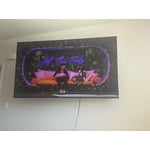
[This review was collected as part of a promotion.] Very happy with my purchase. I constantly get asked what tv I have. The color and resolution is A1. Everything loads super fast and I love that I can control the tv from my phone. Would definitely purchase tv over and over again

Review from Samsung US
Helpful?18J4E5E7OZVG16422722568
Jun 1, 2026
Reviewer name: Bubba_gump
5 out of 5 stars
5 out of 5 stars review

Awesome TV and a fantastic price
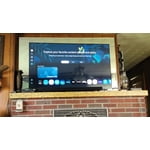
[This review was collected as part of a promotion.] My Samsung TV fits perfectly in my living room. With the thin border and high contrast colors on the screen and incredibly clear resolution it is perfect for movie night. With the built in wifi and ability to sign into my Samsung account I habe no worries about the security of my device while streaming TV.

Review from Samsung US
Helpful?18J4E5E7OZVG16422722568
May 20, 2026
Reviewer name: CAHAT
5 out of 5 stars
5 out of 5 stars review

Stunning picture quality

[This review was collected as part of a promotion.] An Absolute Game-Changer Home Entertainment! I couldn't be happier with my **Samsung 75-inch TV**. If you are looking to bring the true theater experience right into your living room, this is exactly how you do it. ### What Makes It Stand Out: * **Stunning Picture Quality:** The clarity, vibrant colors, and deep contrasts make everything look spectacular. Whether it’s an action-packed movie, a live sporting event, or a sweeping nature documentary, the visual detail is sharp and incredibly lifelike. * **Massive, Immersive Screen:** Upgrading to the 75-inch size completely changes how you watch TV. It fills your field of view perfectly, making you feel like you're part of the action without overwhelming the room. * **User-Friendly Smart Features:** Samsung’s smart platform is fast, smooth, and incredibly intuitive. Navigating between streaming apps like Netflix, YouTube, and live TV is seamless, and the setup was an absolute breeze. * **Sleek Design:** Despite its massive size, the TV has a beautiful, slim profile and thin bezels that look great on the wall or on a media console. ### The Verdict Samsung has delivered a premium viewing experience with excellent reliability. It has turned our living room into the ultimate gathering spot for movie nights and the big game. If you’re on the fence about going big—**do it**. It is worth every single penny!

Review from Samsung US
Helpful?18J4E5E7OZVG16422722568
May 5, 2026
Reviewer name: Bella
2 out of 5 stars
2 out of 5 stars review

Don't buy !

[This review was collected as part of a promotion.] The tv is nice but when i hooked it up and saw there was a remote with no voice button ? I thought by 2025 all tv's had voice capabilities ! I could go on but I would never buy one of these !! Also,neither Wlmart or Samsung would take it back because i bought it online !

Review from Samsung US
Helpful?18J4E5E7OZVG16422722568
reply from Samsung Advisor

Hi Bella, Thank you for sharing your review. Your TV Works With Alexa, meaning you’ll need to connect a standalone Alexa device such as an Echo speaker, to control compatible smart home devices and some experiences on your TV. Here are the steps: 1. Download both the Amazon Alexa and Samsung SmartThings apps, if you don't already have them. Both are available for iOS or Android devices. 2. Make sure your Alexa device and TV are both connected to the same Wi-Fi network. 3. Your TV must be enabled within the SmartThings app. If not, make sure you are signed in with your Samsung account on the TV: Settings > All Settings > Samsung Account 4. Log in to the SmartThings app with the same Samsung account. Tap Devices, and if your TV isn’t already shown, tap + to add it to the app. 5. In the Alexa app, enable the SmartThings skill and sign into your Samsung account. This will automatically connect your Samsung TV to Alexa and let you use voice commands to control your television. If you need more help, we’re here. Give us a call at 1-800-SAMSUNG (8AM – 9PM EST Mon – Fri, 8AM – 6PM Sat – Sun). You can also connect with a LiveChat agent through the Support link on our website. ~ Samsung Advisor

May 12, 2026
Reviewer name: KingMainy716
4 out of 5 stars
4 out of 5 stars review

Amazing TV.

[This review was collected as part of a promotion.] great TV say that I have had a great time with it it works great pictures great Clarity everything and with the SmartThings app and makes it a lot better to use and easier to access a lot of the games apps and other things I like to do on my TV as well as all the smart apps it has very easy to access very easy to use love this TV a lot very great brightness Clarity is great everything is good about the TV I love it .

Review from Samsung US
Helpful?18J4E5E7OZVG16422722568