Skip to Main Content
Sam's Club
Sam's Club
All Departments
All Services
Customer reviews for SAMSUNG 58” Class U7900F Series 4K Crystal UHD Smart TV for
SAMSUNG 58” Class U7900F Series 4K Crystal UHD Smart TV
4.5 out of 5 stars
stars
3,734 ratings3,676 reviews
  1. 5 stars74% (2,747)
  2. 4 stars15% (572)
  3. 3 stars6% (219)
  4. 2 stars2% (88)
  5. 1 star3% (108)

Member photos

  • +1445 images
Sort by |
Showing 1,711-1,720 of 3,676 reviews
May 20, 2026
Reviewer name: Forsho36
5 out of 5 stars
5 out of 5 stars review

Great TV

[This review was collected as part of a promotion.] My TV is GREAT!!!!, the vibrant colors, the fast resolution only thing off is, the volume, I had to buy a soundbar.

Review from Samsung US
Helpful?18J4E5E7OZVG16422722568
Jun 22, 2026
Reviewer name: 1Clover
4 out of 5 stars
4 out of 5 stars review

Exceptional color and brightness

[This review was collected as part of a promotion.] The color and brightness are out of this world, one of the 1st choices and the best out there SAMSUNG!

Review from Samsung US
Helpful?18J4E5E7OZVG16422722568
Jun 6, 2026
Reviewer name: Slayqueen
5 out of 5 stars
5 out of 5 stars review

Great screen

[This review was collected as part of a promotion.] I really like the resolution on the product, the UI is pretty slow but I use an Apple TV anyways so it’s no big deal.

Review from Samsung US
Helpful?18J4E5E7OZVG16422722568
May 20, 2026
Reviewer name: Anonymous
5 out of 5 stars
5 out of 5 stars review

Brightness is great and satisfactory
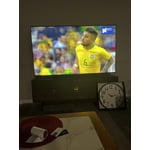
[This review was collected as part of a promotion.] Samsung 75” TV is great, the brightness is great and the picture quality is fantastic, my family always glad to have it in our home. Thanks to Samsung company.

Review from Samsung US
Helpful?18J4E5E7OZVG16422722568
Jun 1, 2026
Reviewer name: AngietheAvonLady
5 out of 5 stars
5 out of 5 stars review

Great product

[This review was collected as part of a promotion.] Love this TV and the Samsung Play feature. The streaming feature offers a great variety of shows and movies.

Review from Samsung US
Helpful?18J4E5E7OZVG16422722568
Jun 22, 2026
Reviewer name: Jlaw
5 out of 5 stars
5 out of 5 stars review

Good tv

[This review was collected as part of a promotion.] This is a good product. It's the second one I've purchased. Excellent picture and I like the fact that samsun tv and others are included.

Review from Samsung US
Helpful?18J4E5E7OZVG16422722568
Apr 29, 2026
Reviewer name: 75 inch TV
5 out of 5 stars
5 out of 5 stars review

Samsung

[This review was collected as part of a promotion.] So far so good. We bought it last year but didn’t open it until recently. It is really nice. We like it so far.

Review from Samsung US
Helpful?18J4E5E7OZVG16422722568
Jul 20, 2026
Reviewer name: CJ Meserve
3 out of 5 stars
3 out of 5 stars review

Tv is fine the limited remote is not user friendly

[This review was collected as part of a promotion.] The remote is hard to navigate. Wish it had numbers On the remote to select a channel by numbers

Review from Samsung US
Helpful?18J4E5E7OZVG16422722568
reply from Samsung Advisor

Hi CJ Meserve, Thank you for your feedback on the U7900F TV remote. Many buttons offer multiple or long-press functions to help simplify the design without sacrificing functionality. For example: • Settings/Number/Color: Allows you to easily access your TV's Quick Settings and input channel numbers. • Volume rocker: Push up/down to adjust volume. Press and release quickly to mute. • Long-press Volume button: Hold for more than 1 second to open Accessibility Shortcuts. • RETURN button: Press to go back to the previous menu or screen. While watching TV, it takes you back to the previous channel. These functions allow for a more streamlined experience without adding extra buttons. Learn TV Remote is a feature designed to help users become familiar with the layout and function of each button on the Samsung remote. When enabled, pressing any button (except the Power button, which will still turn off the TV) will prompt the TV to announce the button’s name and its purpose – without affecting TV operation. This teaching mode is especially useful for users who are visually impaired or new to Samsung remotes. To enable this feature, go to: Settings > All Settings > General & Privacy > Accessibility > Learn TV Remote. To exit, simply press the Return key twice. If you’d like more assistance with this feature, please reach Samsung Support at 1-800-SAMSUNG (8AM – 9PM EST Mon – Fri, 8AM – 6PM Sat – Sun). LiveChat agents are also available through the ‘Support’ link on our website. ~ Samsung Advisor

Jul 5, 2026
Reviewer name: Tv watcher
5 out of 5 stars
5 out of 5 stars review

Easy to watch

[This review was collected as part of a promotion.] The tv comes on very quickly. The apps are easy to get to and easy to add

Review from Samsung US
Helpful?18J4E5E7OZVG16422722568
Jul 4, 2026
Reviewer name: Tuscansun
5 out of 5 stars
5 out of 5 stars review

Great features, amazing picture quality

[This review was collected as part of a promotion.] brightness is good, color is amazing, contrast is good, very responsive, upscaling is very good

Review from Samsung US
Helpful?18J4E5E7OZVG16422722568