Skip to Main Content
Sam's Club
Sam's Club
All Departments
All Services
Customer reviews for SAMSUNG 58” Class U7900F Series 4K Crystal UHD Smart TV for
SAMSUNG 58” Class U7900F Series 4K Crystal UHD Smart TV
4.5 out of 5 stars
stars
3,734 ratings3,676 reviews
  1. 5 stars74% (2,747)
  2. 4 stars15% (572)
  3. 3 stars6% (219)
  4. 2 stars2% (88)
  5. 1 star3% (108)

Member photos

  • +1445 images
Sort by |
Showing 1,651-1,660 of 3,676 reviews
Jun 5, 2026
Reviewer name: Eric B
4 out of 5 stars
4 out of 5 stars review

Television

[This review was collected as part of a promotion.] The television. It was very easy to set up and has excellent brightness and resolution. We are very pleased with the product.

Review from Samsung US
Helpful?18J4E5E7OZVG16422722568
May 11, 2026
Reviewer name: Dani
5 out of 5 stars
5 out of 5 stars review

Samsung tv

[This review was collected as part of a promotion.] Super huge, the colors are beautiful. Easy to set up and to use. Switching to game mode is easy enough also. The picture quality is just amazing.

Review from Samsung US
Helpful?18J4E5E7OZVG16422722568
May 20, 2026
Reviewer name: Greg t
5 out of 5 stars
5 out of 5 stars review

U7900f

[This review was collected as part of a promotion.] The rv gives you a nice crisp picture great features, and is easy to navigate, even your 80 year grandmother can do it!

Review from Samsung US
Helpful?18J4E5E7OZVG16422722568
May 11, 2026
Reviewer name: cfilly
4 out of 5 stars
4 out of 5 stars review

Nice image in the background

[This review was collected as part of a promotion.] Like the way to navigate through the apps, and is pretty fast the interface. The open browser was remove, something that I like with the old interface. But overall I am sastified.

Review from Samsung US
Helpful?18J4E5E7OZVG16422722568
Jun 5, 2026
Reviewer name: Riley123
5 out of 5 stars
5 out of 5 stars review

LOVE IT

[This review was collected as part of a promotion.] I just LOVE my Samsung TV. The picture quality is amazing. The sound is awesome. I highly recommend Samsung products.

Review from Samsung US
Helpful?18J4E5E7OZVG16422722568
May 14, 2026
Reviewer name: The surprise
5 out of 5 stars
5 out of 5 stars review

Great Features easy to go with apps

[This review was collected as part of a promotion.] I like the fact that I can use apps to do anything with it and the fact that's it will guide u on the screen as well kool!!!

Review from Samsung US
Helpful?18J4E5E7OZVG16422722568
May 8, 2026
Reviewer name: Danielle
4 out of 5 stars
4 out of 5 stars review

Love the tv

[This review was collected as part of a promotion.] The only two downsides is that there is only one usb port and not enough memory. Otherwise we love the tv.

Review from Samsung US
Helpful?18J4E5E7OZVG16422722568
Jun 5, 2026
Reviewer name: Grandma Becky
5 out of 5 stars
5 out of 5 stars review

Samsung TV Rave 🙌🏻
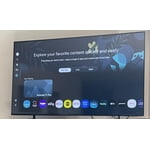
[This review was collected as part of a promotion.] I’m very pleased with my Samsung TV purchase. Very clear picture and sound. Easy to set up 🙌🏻 and use the features! 😊 I actually referred this tv to my best friend who also purchased one!

Review from Samsung US
Helpful?18J4E5E7OZVG16422722568
Jun 5, 2026
Reviewer name: LAS9
3 out of 5 stars
3 out of 5 stars review

Complicated

[This review was collected as part of a promotion.] To me it's too difficult to operate and I wanted to return it, but my husband wants to figure it out.

Review from Samsung US
Helpful?18J4E5E7OZVG16422722568
reply from Samsung Advisor

Hi LAS9, Thank you for sharing your feedback with us. To help you get the most from your TV, you can download the full e-Manual and more by visiting Samsung’s website, then navigating to: Support > Manual & Software > TVs & Home Theater. From there, you can search for and select your U7900F TV model to view or download the available guides. The e-Manual & User Guide are also conveniently built into your TV: Settings > Support > Tips and User Guides. Your TV includes Learn Menu Screen, an accessibility feature that provides audio guidance for on-screen menus. When enabled, your TV will announce the name and function of each menu item as you scroll, without making any changes. This feature is particularly helpful for users who are visually impaired or new to Smart TV menus. To enable, go to: Settings > All Settings > General & Privacy > Accessibility > Learn Menu Screen. To exit, press the Return key twice. If you’d like more assistance with this feature, please reach Samsung Support at 1-800-SAMSUNG (8AM – 9PM EST Mon – Fri, 8AM – 6PM Sat – Sun). LiveChat agents are also available through the ‘Support’ link on our website. ~ Samsung Advisor

Jun 10, 2026
Reviewer name: Activ1st__
5 out of 5 stars
5 out of 5 stars review

Amazing display
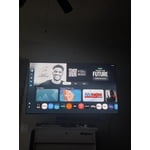
[This review was collected as part of a promotion.] The esthetics and contrast while watching and playing video games is amazing especially for the prize

Review from Samsung US
Helpful?18J4E5E7OZVG16422722568