Skip to Main Content
Sam's Club
Sam's Club
All Departments
All Services
Customer reviews for SAMSUNG 58” Class U7900F Series 4K Crystal UHD Smart TV for
SAMSUNG 58” Class U7900F Series 4K Crystal UHD Smart TV
4.5 out of 5 stars
stars
3,734 ratings3,676 reviews
  1. 5 stars74% (2,747)
  2. 4 stars15% (572)
  3. 3 stars6% (219)
  4. 2 stars2% (88)
  5. 1 star3% (108)

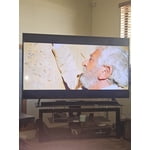
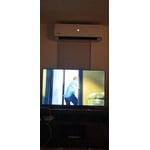
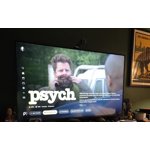
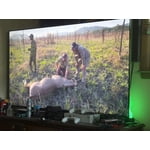
Member photos

  • +1445 images
Sort by |
Showing 1,571-1,580 of 3,676 reviews
Jun 25, 2026
Reviewer name: Kimhorseluvr
5 out of 5 stars
5 out of 5 stars review

Great Features

[This review was collected as part of a promotion.] Love my Samsung TV! Second one we have had and if needed will be again. Long lasting. Great picture and sound.

Review from Samsung US
Helpful?18J4E5E7OZVG16422722568
Jun 26, 2026
Reviewer name: Anonymous
1 out of 5 stars
1 out of 5 stars review

Bad TV for elderly folks

[This review was collected as part of a promotion.] I am planning to return Samsung (crystal UHD U7900F) 75” TV. It is Very hard to operate. Remote is very complicated and very hard to operate specially for older folks

Review from Samsung US
Helpful?18J4E5E7OZVG16422722568
reply from Samsung Advisor

Hi Prabhat chander, We appreciate your thoughts on the U79000F TV’s remote. While it may appear minimal at first glance, many of the buttons are designed with dual or long-press functions to help reduce clutter without sacrificing functionality. For example: • Volume rocker: Push UP/DOWN to adjust volume; press and release quickly to MUTE. • Long-press Volume button: Hold for more than 1 second to access Accessibility Shortcuts. • RETURN button: Press to go back to the previous screen or menu; when watching TV, it takes you back to the previous channel. These combined functions help create a cleaner design while keeping everything you need just a button away. If you ever need help with your remote or want to learn more shortcuts, we’re here to assist. You can reach us at 1-800-SAMSUNG (8AM – 9PM EST Mon – Fri, 8AM – 6PM Sat – Sun), or reach us via text anytime. You can also visit ‘Support’ on our website for: • Live Chat • Manuals, Software, & Warranty Info ~ Samsung Advisor

May 16, 2026
Reviewer name: Chichi
5 out of 5 stars
5 out of 5 stars review

Great product, Great features

[This review was collected as part of a promotion.] this product is so great the Futures are good arrived on time. I would buy it again, pictures clear. love it I love my TV.

Review from Samsung US
Helpful?18J4E5E7OZVG16422722568
May 11, 2026
Reviewer name: MikeD
4 out of 5 stars
4 out of 5 stars review

Awesome picture

[This review was collected as part of a promotion.] Really like how it connects to your Samsung account. Great picture and sound. And the games are awesome too.

Review from Samsung US
Helpful?18J4E5E7OZVG16422722568
Jun 7, 2026
Reviewer name: Luke G
5 out of 5 stars
5 out of 5 stars review

Happy Customer!
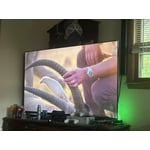
[This review was collected as part of a promotion.] I love the clarity and sound. Also it is awesome how many channels are on this tv just because it is a Samsung. I am satisfied to say the least.

Review from Samsung US
Helpful?18J4E5E7OZVG16422722568
May 15, 2026
Reviewer name: jjmeeks4
5 out of 5 stars
5 out of 5 stars review

Easy to Mount

[This review was collected as part of a promotion.] Sleek, Lightweight Design: Despite its massive footprint, the "MetalStream" chassis is remarkably thin and lightweight, making wall-mounting a straightforward process.

Review from Samsung US
Helpful?18J4E5E7OZVG16422722568
Jun 5, 2026
Reviewer name: LAS9
3 out of 5 stars
3 out of 5 stars review

Complicated

[This review was collected as part of a promotion.] To me it's too difficult to operate and I wanted to return it, but my husband wants to figure it out.

Review from Samsung US
Helpful?18J4E5E7OZVG16422722568
reply from Samsung Advisor

Hi LAS9, Thank you for sharing your feedback with us. To help you get the most from your TV, you can download the full e-Manual and more by visiting Samsung’s website, then navigating to: Support > Manual & Software > TVs & Home Theater. From there, you can search for and select your U7900F TV model to view or download the available guides. The e-Manual & User Guide are also conveniently built into your TV: Settings > Support > Tips and User Guides. Your TV includes Learn Menu Screen, an accessibility feature that provides audio guidance for on-screen menus. When enabled, your TV will announce the name and function of each menu item as you scroll, without making any changes. This feature is particularly helpful for users who are visually impaired or new to Smart TV menus. To enable, go to: Settings > All Settings > General & Privacy > Accessibility > Learn Menu Screen. To exit, press the Return key twice. If you’d like more assistance with this feature, please reach Samsung Support at 1-800-SAMSUNG (8AM – 9PM EST Mon – Fri, 8AM – 6PM Sat – Sun). LiveChat agents are also available through the ‘Support’ link on our website. ~ Samsung Advisor

Jun 7, 2026
Reviewer name: sdot
5 out of 5 stars
5 out of 5 stars review

Samsung tv

[This review was collected as part of a promotion.] The tv is very good it has very good brightness swelling the quality is very good I got it recommended by a friend and I got to say it was a very good purchase

Review from Samsung US
Helpful?18J4E5E7OZVG16422722568
May 20, 2026
Reviewer name: Golfnut
5 out of 5 stars
5 out of 5 stars review

Excellent TV

[This review was collected as part of a promotion.] I have thoroughly enjoyed this 65-in Samsung TV. The TV was easy to set up plus being very user friendly. In my opinion, the contrast and colors are excellent!

Review from Samsung US
Helpful?18J4E5E7OZVG16422722568
May 11, 2026
Reviewer name: Chill
5 out of 5 stars
5 out of 5 stars review

Greatest picture ever, looks 3d.
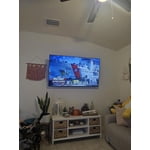
[This review was collected as part of a promotion.] This TV has amazing picture quality the sound is loud and clear. The processing speed is very fast and it has exceeded our expectations .

Review from Samsung US
Helpful?18J4E5E7OZVG16422722568