Skip to Main Content
Sam's Club
Sam's Club
All Departments
All Services
Customer reviews for SAMSUNG 58” Class U7900F Series 4K Crystal UHD Smart TV for
SAMSUNG 58” Class U7900F Series 4K Crystal UHD Smart TV
4.5 out of 5 stars
stars
3,758 ratings3,700 reviews
  1. 5 stars74% (2,766)
  2. 4 stars15% (576)
  3. 3 stars6% (219)
  4. 2 stars2% (89)
  5. 1 star3% (108)

Member photos

  • +1455 images
Sort by |
Showing 1,001-1,010 of 3,700 reviews
Feb 17, 2026
Reviewer name: Babycake
5 out of 5 stars
5 out of 5 stars review

Awesome Colors

[This review was collected as part of a promotion.] I am very happy that I purchase this TV set because the resolution is amazing looks as though you can stick your hand inside the TV I love all the neat features that it has on it I love Samsung product my cell phone is a Samsung, Samsung is the greatest ever thank you for your beautiful products.

Review from Samsung US
Helpful?18J4E5E7OZVG16422722568
Mar 3, 2026
Reviewer name: Samsing
5 out of 5 stars
5 out of 5 stars review

Awesome TV!

[This review was collected as part of a promotion.] It is just a little annoying that when turning on a connected console, you have to go change the input instead of it automatically switching over. Other than that it is awesome and connects flawlessly with my other Samsung products. It even comes with Samsung TV plus, so no need for cable!

Review from Samsung US
Helpful?18J4E5E7OZVG16422722568
Feb 28, 2026
Reviewer name: MyTV
3 out of 5 stars
3 out of 5 stars review

Great TV if you don't have older sound systems
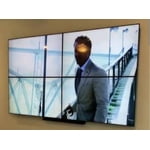
[This review was collected as part of a promotion.] The picture and color are good, and it functions well. Remote even operates other devices and this convenient. There's no addition audio sound hook up so you can only utilize HDMI or Bluetooth to add extra sound options.

Review from Samsung US
Helpful?18J4E5E7OZVG16422722568
reply from Samsung Advisor

Hi MyTV, It's great to hear you are enjoying U7900F TV. If you ever have questions or need support, we’re here to help. Call us at 1-800-SAMSUNG, available from 8AM - 12AM EST, seven days a week. You can also connect with a LiveChat agent by clicking the ‘Support’ link on our website. ~ Samsung Advisor

Feb 17, 2026
Reviewer name: Moravation
3 out of 5 stars
3 out of 5 stars review

Great T.V. but

[This review was collected as part of a promotion.] The TV keeps losing wifi signal and does not allow for the phone to screen mirror. I have to completely restart the T.V. and aswell as the Bluetooth. I have a speaker that I have to keep reinstalling due to the Bluetooth being lost.

Review from Samsung US
Helpful?18J4E5E7OZVG16422722568
reply from Samsung Advisor

Hi Moravation, Thank you for reaching out to us. Please ensure your TV is running the latest Firmware. Go to Settings> Support> Software Update. Please ensure your TV is running the latest Firmware, version 1132.0. Go to Settings> Support> Software Update. If this firmware version is not yet available on your TV, you can download the update on a USB drive and manually update your TV: 1. On Samsung's website (upper right corner), go to: Support > Manual & Software > Find your TV model, and click on the Firmware – Upgrade File. 2. When the file has finished downloading, locate it and then unzip it. There is normally one folder inside but there may be multiple files. 3. Copy or move all of the files that were included in the zip file to a USB flash drive, but do not place them inside any other folders. If you place the software folders inside a folder on the USB flash drive, the TV or monitor will not find them. 4. Connect the USB drive containing the software upgrade into a USB port on your device. 5. Using your device's remote, navigate to and select Settings, then select All Settings, and then select Support. Select Software Update, select Update Now, and then select Yes if prompted. Your device will search the USB drive for update files. Follow the on-screen instructions to install the updated software. Updates usually take a few minutes; please do not turn off the TV until the update is complete. When the update is finished, it will restart automatically. If you need additional support, Samsung is here to help. Please call us at 1-800-SAMSUNG, available daily from 8AM - 12AM EST. You can also chat with a LiveChat agent by clicking the ‘Support’ link on our website. ~ Samsung Advisor

Mar 23, 2026
Reviewer name: Dugg 57
5 out of 5 stars
5 out of 5 stars review

Good quality picture and sound good with soun

[This review was collected as part of a promotion.] I'm not able to stream like I need to and I have a lot of channels that's already programmed in the TV but I'm not able to stream on them they want me to sign up for subscription on them I can't afford it that's all I have to say I don't have anything else it's just a good TV and I love you

Review from Samsung US
Helpful?18J4E5E7OZVG16422722568
Apr 20, 2026
Reviewer name: Hatter
5 out of 5 stars
5 out of 5 stars review

Don't want to break the budget this is your TV
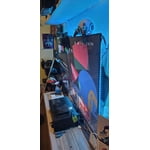
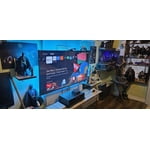
[This review was collected as part of a promotion.] Aesthetically this TV fits in with my entire home entertainment system including my PS5 and all of my lights. The brightness is beautiful from any angle as well as the color. The resolution was great right out the box but with a couple of tweaks made it even better. As far as security the privacy and security features within the TV itself are on par with even More expensive TVs. I definitely recommend this to anyone who's trying to get their hands on a big beautiful TV without breaking the budget.

Review from Samsung US
Helpful?18J4E5E7OZVG16422722568
Feb 17, 2026
Reviewer name: Nita
5 out of 5 stars
5 out of 5 stars review

Great features, would recommend

[This review was collected as part of a promotion.] The quality in sound of being clear, vibrant, and typically high-pitched. Our Samsung TV has truly stood the best of time.It’s easy to use, easy to navigate, and has definitely proven to be a great investment for our home.

Review from Samsung US
Helpful?18J4E5E7OZVG16422722568
Feb 17, 2026
Reviewer name: Mojo57
4 out of 5 stars
4 out of 5 stars review

Great.\nPicture sounds a little off.It seems to be

[This review was collected as part of a promotion.] Chronic test excellent picture ease of operation, though, difficult to use your remote from Fire TV. Especially the microphone, it doesn't want to work on that t. V, so that's the only down thing I found about the TV was that it didn't connect to my microphone on my fire stick. That we just got to be received

Review from Samsung US
Helpful?18J4E5E7OZVG16422722568
Feb 7, 2026
Reviewer name: FloReview
5 out of 5 stars
5 out of 5 stars review

Great TV

[This review was collected as part of a promotion.] This is a great product, Samsung TV with beautiful colors, very bright. It has all the features of a smart TV including 3 HDMI ports and all other things that you need to watch everything that adapts to the latest technology nowadays.

Review from Samsung US
Helpful?18J4E5E7OZVG16422722568
Feb 27, 2026
Reviewer name: Nathan
5 out of 5 stars
5 out of 5 stars review

Immaculate display

[This review was collected as part of a promotion.] The screen is bright with vibrant colors that makes watching it so much more immersing. The screen mirroring is also a sight to behold as it allows you to showcase pictures and memories to all your friends at once.

Review from Samsung US
Helpful?18J4E5E7OZVG16422722568