Skip to Main Content
Sam's Club
Sam's Club
All Departments
All Services
Customer reviews for SAMSUNG 85" Class U8000F Series 4K Crystal UHD Smart TV for
SAMSUNG 85" Class U8000F Series 4K Crystal UHD Smart TV
4.5 out of 5 stars
stars
3,309 ratings3,277 reviews
  1. 5 stars71% (2,355)
  2. 4 stars16% (517)
  3. 3 stars7% (218)
  4. 2 stars3% (100)
  5. 1 star4% (119)

Member photos

  • +1031 images
Sort by |
Showing 1,761-1,770 of 3,277 reviews
May 12, 2026
Reviewer name: Gory
5 out of 5 stars
5 out of 5 stars review

Great features!
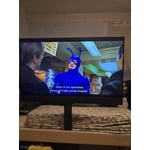
[This review was collected as part of a promotion.] Great TV. The sound is amazing and the picture is clear as day. I can connect my other devices and not worry about anyone hacking my

Review from Samsung US
Helpful?3CTS2O15ZY1416007408101
May 19, 2026
Reviewer name: Modiodi
5 out of 5 stars
5 out of 5 stars review

Love my Samsung TV

[This review was collected as part of a promotion.] I love my Samsung TV It's my 2nd. I love all of Samsung's products! I also own the Fold 5 and the S25 ultra just to name a couple. Samsung never disappoints!

Review from Samsung US
Helpful?3CTS2O15ZY1416007408101
May 20, 2026
Reviewer name: J Mac 20
5 out of 5 stars
5 out of 5 stars review

Amazing feature

[This review was collected as part of a promotion.] My Samsung OLED is amazing. The picture is so clear. I feel like I'm watching it live through my eyes. Love Samsung in the OE stand behind their product.

Review from Samsung US
Helpful?3CTS2O15ZY1416007408101
Mar 23, 2026
Reviewer name: Gigi7172
5 out of 5 stars
5 out of 5 stars review

Beautiful!

[This review was collected as part of a promotion.] The picture is amazing! I've always been a huge Samsung fan, love the TV's, phones, and washers and drivers!

Review from Samsung US
Helpful?3CTS2O15ZY1416007408101
Mar 20, 2026
Reviewer name: Vann
3 out of 5 stars
3 out of 5 stars review

Disappointed

[This review was collected as part of a promotion.] Remote sucks. I have used a remote like this one before and it broke within the first year. Not enough HDMI or USB Ports.

Review from Samsung US
Helpful?3CTS2O15ZY1416007408101
reply from Samsung Advisor

Hi Vann, Thank you for your feedback. Please know your opinion is important to us and will be shared with your internal teams. If you ever have questions or need support, we’re here to help. Call us at 1-800-SAMSUNG, available from 8AM - 12AM EST, seven days a week. You can also connect with a LiveChat agent by clicking the ‘Support’ link on our website. ~ Samsung Advisor

May 21, 2026
Reviewer name: Rowdy
2 out of 5 stars
2 out of 5 stars review

NNOT IMPRESSED

[This review was collected as part of a promotion.] Not at all impressed. Mostly due to the high cost for an average TV that could be bought for much less money on another brand.

Review from Samsung US
Helpful?3CTS2O15ZY1416007408101
reply from Samsung Advisor

Hi Rowdy, We appreciate your feedback on the quality of Samsung’s U8000F TV. If the image you’re seeing isn’t to your liking, there are several picture settings you may want to adjust. First, make sure your TV is up to date. To check for the latest version, go to: Home > Left directional button > Settings > Support > Software Update > Update Now. If the image doesn’t quite match your preferences after updating/checking for updates, there are several settings you can adjust to better suit your viewing environment. To explore picture mode options, go to: Home > Left directional button > Settings > All Settings > Picture > Picture Mode. Available modes include: 1. Standard – Default mode for general viewing 2. Dynamic – Brighter and sharper for well-lit rooms 3. Eco – Optimized for energy saving 4. Movie – Best for dark room viewing 5. Filmmaker Mode – Preserves the director’s intended look and feel (automatically enabled for supported content) You can also fine-tune settings like brightness, contrast, sharpness, and more by navigating to: All Settings > Picture > Expert Settings If you’d like help finding the best setup for your preferences or if there are other features that are leaving you unsatisfied, please don’t hesitate to contact Samsung Customer Support at 1-800-SAMSUNG, available from 8AM – 9PM EST Mon – Fri, 8AM – 6PM Sat – Sun. You can also visit the Samsung website and click on ‘Support’ for: • Live Chat • Manuals, Software, & Warranty Info ~ Samsung Advisor

Mar 23, 2026
Reviewer name: Blu1914Gamer
5 out of 5 stars
5 out of 5 stars review

Awesome menu and Smart TV SYSTEM

[This review was collected as part of a promotion.] I love my TV Great Picture quality no Blurr, when I run my Ps5 and great image while watching Movies. I love it

Review from Samsung US
Helpful?3CTS2O15ZY1416007408101
Apr 21, 2026
Reviewer name: Oliver
3 out of 5 stars
3 out of 5 stars review

no microphone or voice activation..

[This review was collected as part of a promotion.] have called, no satisfaction. Wanted voice/microphone, told yes this model has it. NOPE it does not, even though your info on model number says it does. Very disapointing.

Review from Samsung US
Helpful?3CTS2O15ZY1416007408101
reply from Samsung Advisor

Hi Oliver, Thank you for your feedback. We apologize for any confusion. Your TV Works With Alexa, meaning you’ll need to connect a standalone Alexa device such as an Echo speaker, to control compatible smart home devices and some experiences on your TV. Here are the steps: 1. Download both the Amazon Alexa and Samsung SmartThings apps, if you don't already have them. Both are available for iOS or Android devices. 2. Make sure your Alexa device and TV are both connected to the same Wi-Fi network. 3. Your TV must be enabled within the SmartThings app. If not, make sure you are signed in with your Samsung account on the TV: Settings > All Settings > Samsung Account 4. Log in to the SmartThings app with the same Samsung account. Tap Devices, and if your TV isn’t already shown, tap + to add it to the app. 5. In the Alexa app, enable the SmartThings skill and sign into your Samsung account. This will automatically connect your Samsung TV to Alexa and let you use voice commands to control your television. If you need more help, we’re here. You can reach us at 1-800-SAMSUNG (8AM – 9PM EST Mon – Fri, 8AM – 6PM Sat – Sun), or connect with a LiveChat agent by selecting ‘Support’ on our website. ~ Samsung Advisor

Feb 5, 2026
Reviewer name: Sark
5 out of 5 stars
5 out of 5 stars review

Great pictures and features Samsung tvs are reliab

[This review was collected as part of a promotion.] Samsung tvs are reliable with great pictures, clear, sharp enjoyable to watch spots, movies and shows.

Review from Samsung US
Helpful?3CTS2O15ZY1416007408101
May 20, 2026
Reviewer name: None
5 out of 5 stars
5 out of 5 stars review

Good quality

[This review was collected as part of a promotion.] Love that you can interface with my phone and use it as a "hotspot" to get hulu disney in other apps.

Review from Samsung US
Helpful?3CTS2O15ZY1416007408101