Skip to Main Content
Sam's Club
Sam's Club
All Departments
All Services
Customer reviews for SAMSUNG 85" Class U8000F Series 4K Crystal UHD Smart TV for
SAMSUNG 85" Class U8000F Series 4K Crystal UHD Smart TV
4.5 out of 5 stars
stars
3,309 ratings3,277 reviews
  1. 5 stars71% (2,355)
  2. 4 stars16% (517)
  3. 3 stars7% (218)
  4. 2 stars3% (100)
  5. 1 star4% (119)

Member photos

  • +1031 images
Sort by |
Showing 1,661-1,670 of 3,277 reviews
Apr 5, 2026
Reviewer name: pete the great
5 out of 5 stars
5 out of 5 stars review

great TV's

[This review was collected as part of a promotion.] Love The TV picture is awesome not too bright and it connects very easily to the internet for us if we want to stream. Love samsung televisions

Review from Samsung US
Helpful?3CTS2O15ZY1416007408101
Feb 5, 2026
Reviewer name: MJor
3 out of 5 stars
3 out of 5 stars review

Sound

[This review was collected as part of a promotion.] Keep losing sound and having to unplug and plug back to get sound. Wish I could return the television

Review from Samsung US
Helpful?3CTS2O15ZY1416007408101
reply from Samsung Advisor

Hi MJor, Thank you for your review. If you're not hearing sound from your U8000F TV, please try the following: • Check your volume and mute settings, and confirm external speakers are powered on. • If using HDMI ARC/eARC, make sure you’re using a certified HDMI cable and go to: Settings > All Settings > Sound > Expert Settings > HDMI eARC Mode = Auto. Also enable Anynet+ (HDMI-CEC) under External Device Manager. • For Optical, be sure the external audio device is on before connecting, and set Sound Output = Optical. • For Bluetooth, try unpairing and reconnecting: Settings > Sound > Sound Output > Bluetooth Speaker List • For Wi-Fi speakers, use: Sound Output > Wi-Fi Speaker Surround Setup and make sure both devices are on the same network. You can also try running a Sound Test: Settings > Support > Device Care > Self Diagnosis > Sound Test If your issue continues, we’re happy to help at 1-800-SAMSUNG, 8AM – 12AM EST, 7 days a week. Our LiveChat agents are also available by clicking the ‘Support’ link at Samsung.com. ~ Samsung Advisor

Feb 17, 2026
Reviewer name: Lilbit
4 out of 5 stars
4 out of 5 stars review

Great Picture

[This review was collected as part of a promotion.] Great picture and overall good tv. Have two and they both work great. Sometimes have problems with having to reboot it we have a antenna for local channels.

Review from Samsung US
Helpful?3CTS2O15ZY1416007408101
May 12, 2026
Reviewer name: Cuz6
4 out of 5 stars
4 out of 5 stars review

Nice features

[This review was collected as part of a promotion.] I've been wanting some song for a long time I have to get the TV and the phone work great really no complaining and shows real good sounds good work well

Review from Samsung US
Helpful?3CTS2O15ZY1416007408101
May 20, 2026
Reviewer name: Lito
5 out of 5 stars
5 out of 5 stars review

Watch the news

[This review was collected as part of a promotion.] Everything is good to my Samsung tv… I've got 70 inches at the living room and the other room with my parents 32 inches Samsung at mine 50 inches Samsung tv.. that's why I love Samsung..

Review from Samsung US
Helpful?3CTS2O15ZY1416007408101
May 23, 2026
Reviewer name: Noonecares
1 out of 5 stars
1 out of 5 stars review

Hate it. Wish i had my lg back

[This review was collected as part of a promotion.] Will not stay connected to the internet, jumps in and out of game mode while playing a game (screen goes black in the middle of games and come back on brighter than before.

Review from Samsung US
Helpful?3CTS2O15ZY1416007408101
reply from Samsung Advisor

Hi Noonecares, Thank you for sharing your experience with the internet connection on your Samsung U8000F TV. Whether you're using Wi-Fi or a wired (LAN) connection, there are a few steps you can take to help resolve the issue: 1. Power Cycle Your Equipment. Unplug both your TV and router/modem from the wall outlet. Wait at least 30 seconds, then plug them back in and allow both devices to fully restart. 2. Check the Network Status. On your TV, go to: Home > left directional key > Settings > All Settings > Connection > Network > Network Status. This will help determine if the issue lies with the network or the TV. 3. Try a Different Connection Type. If you're using Wi-Fi, try connecting an Ethernet (LAN) cable directly from your router to the TV to test the connection. If you're using a wired connection, try switching to Wi-Fi to see if the issue persists. 4. Reestablish the Network Connection. Go to: Settings > All Settings > Connection > Network > Open Network Settings, and follow the prompts to reconnect to your Wi-Fi or wired network. 5. Update Firmware. Software updates can often resolve network bugs. To check for the latest version: Settings > Support > Software Update > Update Now If these steps don't resolve the issue, we’d be happy to provide further assistance. Please call Samsung Support at 1-800-SAMSUNG, (8AM – 9PM EST Mon – Fri, 8AM – 6PM Sat – Sun). LiveChat is also available at the ‘Support’ link on our website. ~Samsung Advisor

Feb 10, 2026
Reviewer name: BAnderson
5 out of 5 stars
5 out of 5 stars review

Quality Product

[This review was collected as part of a promotion.] Had a samsung for as long as I remember and have never had an issue with it as well as it standing the test of time

Review from Samsung US
Helpful?3CTS2O15ZY1416007408101
Feb 17, 2026
Reviewer name: Jason
5 out of 5 stars
5 out of 5 stars review

Great watching tv with high end options!

[This review was collected as part of a promotion.] I bought this tv to replace my old Samsung and I'm definitely a Samsung guy now. The picture is crystal clear and the sound is magical!!!

Review from Samsung US
Helpful?3CTS2O15ZY1416007408101
Apr 20, 2026
Reviewer name: Tiny
5 out of 5 stars
5 out of 5 stars review

Great features

[This review was collected as part of a promotion.] one of the best TVs that I have on the brightness and the resolution and the viewing is phenomenal on this TV

Review from Samsung US
Helpful?3CTS2O15ZY1416007408101
May 11, 2026
Reviewer name: Nes21
5 out of 5 stars
5 out of 5 stars review

Great for every day use

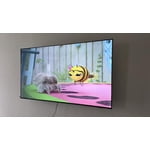
[This review was collected as part of a promotion.] Great TV and Resolution for everyday use. My family its very satisfied, we put it in the living room and we use it together.

  • +1 image
Review from Samsung US
Helpful?3CTS2O15ZY1416007408101