Skip to Main Content
Sam's Club
Sam's Club
All Departments
All Services
Customer reviews for SAMSUNG 85" Class U8000F Series 4K Crystal UHD Smart TV for
SAMSUNG 85" Class U8000F Series 4K Crystal UHD Smart TV
4.5 out of 5 stars
stars
3,309 ratings3,277 reviews
  1. 5 stars71% (2,355)
  2. 4 stars16% (517)
  3. 3 stars7% (218)
  4. 2 stars3% (100)
  5. 1 star4% (119)

Member photos

  • +1031 images
Sort by |
Showing 1,551-1,560 of 3,277 reviews
Mar 11, 2026
Reviewer name: Like 61
4 out of 5 stars
4 out of 5 stars review

Picture is just outstanding

[This review was collected as part of a promotion.] your product is fantastic I love everything about Samsung I have new s25 Plus phone the best phone I ever had

Review from Samsung US
Helpful?3CTS2O15ZY1416007408101
Mar 23, 2026
Reviewer name: Bigpapagene
5 out of 5 stars
5 out of 5 stars review

One of the best tvs I've ever owned.
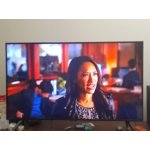
[This review was collected as part of a promotion.] the resolution for this TV is out of this world . the brightness and color contrast is amazing and the refresh rate is second to none

Review from Samsung US
Helpful?3CTS2O15ZY1416007408101
Mar 6, 2026
Reviewer name: Richard C
5 out of 5 stars
5 out of 5 stars review

It's a good one.

[This review was collected as part of a promotion.] I now have 4 Samsung TV's in my house. This latest one is great. Everything about it is perfect. I am very satisfied with my purchase.

Review from Samsung US
Helpful?3CTS2O15ZY1416007408101
May 21, 2026
Reviewer name: peewee
3 out of 5 stars
3 out of 5 stars review

its ok

[This review was collected as part of a promotion.] tv is good sound is terrible can turn off the lady talking when you first turn on the tv have trouble getting it to dish nework

Review from Samsung US
Helpful?3CTS2O15ZY1416007408101
reply from Samsung Advisor

Hi Peewee, Thank you for sharing your concerns. If your TV is announcing everything you do, the Voice Guide feature is likely turned on. This is an accessibility function designed to assist users who are visually impaired, and it may have been activated accidentally by holding down the Volume button on your remote. To turn off Voice Guide, go to: Home > left directional key > Settings > All Settings > General & Privacy > Accessibility > Voice Guide Settings > Voice Guide = OFF If there's anything else we can assist with, please don't hesitate to contact us at 1-800-SAMSUNG, available from 8AM – 9PM EST Mon – Fri, 8AM – 6PM Sat – Sun. You can also visit the Samsung website and click on ‘Support’ for: • Live Chat • Manuals, Software, & Warranty Info ~ Samsung Advisor

Feb 18, 2026
Reviewer name: raffterman2003
4 out of 5 stars
4 out of 5 stars review

Does the job

[This review was collected as part of a promotion.] Works well, sometime get like sunlight blotches on screen, not sure if it the TV or certain cable channels.

Review from Samsung US
Helpful?3CTS2O15ZY1416007408101
May 15, 2026
Reviewer name: Garage tv
5 out of 5 stars
5 out of 5 stars review

Great features

[This review was collected as part of a promotion.] The brightness and resolution are clear. It was easy to set up with our samsung phones. We have no problems with the refresh. The contrast is nice in our garage which has low lighting.

Review from Samsung US
Helpful?3CTS2O15ZY1416007408101
May 20, 2026
Reviewer name: SaFa
3 out of 5 stars
3 out of 5 stars review

Sound is horrible

[This review was collected as part of a promotion.] The view is amazing! However the sound is horrible if you turn the tv up the sound is very muffled and I have two tvs they are both the same

Review from Samsung US
Helpful?3CTS2O15ZY1416007408101
reply from Samsung Advisor

Hi SaFa, Thanks for sharing your experience with your U8000F TV. Unusual sounds can come from different sources, so first check whether it’s from the TV speakers, an external device (like a soundbar), or the back of the TV. • For external audio, ensure cables are connected to the correct output • If using antenna or cable, check signal strength: Settings > Support > Device Care > Self Diagnosis > Broadcast Signal • Popping sounds from the back may be due to thermal expansion - this is normal and not a malfunction • Run a Sound Test to troubleshoot: Settings > Support > Device Care > Self Diagnosis > Sound Test If the issue continues, please contact Samsung Support at 1-800-SAMSUNG (8AM – 9PM EST Mon – Fri, 8AM – 6PM Sat – Sun). LiveChat and additional support resources are also available through the Support link on our website. ~Samsung Advisor

Feb 18, 2026
Reviewer name: Bobby D
5 out of 5 stars
5 out of 5 stars review

Best Feature

[This review was collected as part of a promotion.] The most standout feature of this TV to me is the built in support for usb drives with a native audio/video hub. Great for Family movie nights.

Review from Samsung US
Helpful?3CTS2O15ZY1416007408101
Mar 23, 2026
Reviewer name: Mpops618
5 out of 5 stars
5 out of 5 stars review

85 in TV review

[This review was collected as part of a promotion.] Picture is crystal clear and sound is great, I like the ease of finding what each feature does. Great system

Review from Samsung US
Helpful?3CTS2O15ZY1416007408101
May 22, 2026
Reviewer name: Leslie
5 out of 5 stars
5 out of 5 stars review

Game changer

[This review was collected as part of a promotion.] This was our first Smart TV and we are very happy with it. The resolution is outstanding and the color and brightness are very good as well as the contrast.

Review from Samsung US
Helpful?3CTS2O15ZY1416007408101