Skip to Main Content
Sam's Club
Sam's Club
All Departments
All Services
Customer reviews for SAMSUNG 65" Class U8000F Series 4K Crystal UHD Smart TV for
SAMSUNG 65" Class U8000F Series 4K Crystal UHD Smart TV
4.5 out of 5 stars
stars
1,462 ratings1,405 reviews
  1. 5 stars74% (1,079)
  2. 4 stars15% (218)
  3. 3 stars5% (75)
  4. 2 stars3% (47)
  5. 1 star3% (43)

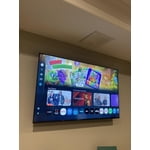
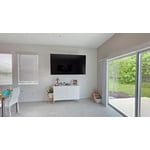
Member photos

  • +373 images
Sort by |
Showing 971-980 of 1,405 reviews
May 20, 2026
kanoga
5 out of 5 stars review

Great colors

[This review was collected as part of a promotion.] Great colors & brightness I recommend!! Would buy again.

Review from Samsung US
Helpful?23IWKCJCPHCF15992409490
Apr 20, 2026
Mory
5 out of 5 stars review

Great picture
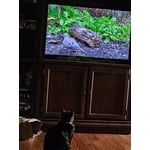
[This review was collected as part of a promotion.] Wonderful picture. Great detail. Very easy to set up.

Review from Samsung US
Helpful?23IWKCJCPHCF15992409490
Apr 28, 2026
Beezy12000
5 out of 5 stars review

Love Samsung

[This review was collected as part of a promotion.] Great brightness contrast refresh and resolution!!!

Review from Samsung US
Helpful?23IWKCJCPHCF15992409490
May 24, 2026
Lukedog
4 out of 5 stars review

Great picture.Homepage had plenty of icons.

[This review was collected as part of a promotion.] Great picture and easy to use settings.Start up apps are helpful and guide.

Review from Samsung US
Helpful?23IWKCJCPHCF15992409490
May 11, 2026
James
3 out of 5 stars review

So quiet

[This review was collected as part of a promotion.] The tv works great except I have to have the sound to 90 to hear anything

Review from Samsung US
Helpful?23IWKCJCPHCF15992409490
reply from Samsung Advisor

Hi James, Thank you for purchasing Samsung’s U8000F TV and for sharing your feedback regarding low volume. To start, we recommend making sure your TV is running the latest firmware, as updates can include improvements to sound performance: Home > left directional key > Settings > Support > Software Update If volume levels still seem too low, you can improve sound performance by adjusting a few key settings: Sound Mode: Navigate to: Settings > All Settings > Sound > Sound Mode Auto Volume: This feature helps maintain consistent volume levels across content and input sources. Turn it on under: Settings > All Settings > Sound > Expert Settings > Auto Volume = On You can also explore Expert Settings to fine-tune sound output with adjustments for Balance, Equalizer, and more. If you’re considering enhancing your setup, Samsung’s Q- and S-Series Soundbars feature Q-Symphony, which syncs your TV and soundbar speakers for a fuller, more immersive sound experience. For personalized support with these settings or selecting a soundbar to complement your setup, contact Samsung Support at 1-800-SAMSUNG (8AM – 9PM EST Mon – Fri, 8AM – 6PM Sat – Sun) or use LiveChat via the ‘Support’ link on our website. ~ Samsung Advisor

Apr 20, 2026
Jrandall
5 out of 5 stars review

Awesome picture

[This review was collected as part of a promotion.] Awesome picture and love the 75” size ! Bigger is better!

Review from Samsung US
Helpful?23IWKCJCPHCF15992409490
Apr 12, 2026
Modan
4 out of 5 stars review

Best TV's on the market

[This review was collected as part of a promotion.] By far the most reliable, quality TV I've ever owned. Great picture, user friendly

Review from Samsung US
Helpful?23IWKCJCPHCF15992409490
May 20, 2026
JR DiMarzio
5 out of 5 stars review

love my Samsung TV

[This review was collected as part of a promotion.] The picture is so clear and bright. Resolution is perfect. Easy to operate.

Review from Samsung US
Helpful?23IWKCJCPHCF15992409490
May 12, 2026
AEGB
5 out of 5 stars review

very good price

[This review was collected as part of a promotion.] You need to add a better audio withvmore bass that woulb be very good

Review from Samsung US
Helpful?23IWKCJCPHCF15992409490
May 21, 2026
Martha
5 out of 5 stars review

Clear
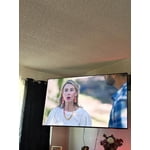
[This review was collected as part of a promotion.] I’m so happy with my TV. It’s clear and easy to navigate and understand.

Review from Samsung US
Helpful?23IWKCJCPHCF15992409490