Skip to Main Content
Sams Club
Sams Club
Customer reviews for SAMSUNG 65" Class U8000F Series 4K Crystal UHD Smart TV for
SAMSUNG 65" Class U8000F Series 4K Crystal UHD Smart TV
4.7 out of 5 stars
stars798 ratings756 reviews
  1. 5 stars79% (633)
  2. 4 stars14% (113)
  3. 3 stars3% (23)
  4. 2 stars2% (15)
  5. 1 star2% (14)
Write a review

Customer photos

  • +207 images
Sort by |
Showing 651-660 of 756 reviews
Oct 7, 2025
Reemaw74
5 out of 5 stars review

awesome!!!

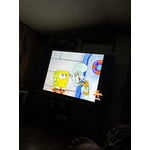
[This review was collected as part of a promotion.] This is the greatest, clearest picture ever best quality can't ask for no better .!!!

Review from Samsung US
Helpful?23IWKCJCPHCF15992409490
Oct 11, 2025
SleeeplessInSeattle
5 out of 5 stars review

Love the sound

[This review was collected as part of a promotion.] We use our TV daily and love the clear sound and great visuals! Also great for playing games

Review from Samsung US
Helpful?23IWKCJCPHCF15992409490
Oct 16, 2025
Samshopper
5 out of 5 stars review

Great picture frame

[This review was collected as part of a promotion.] Great, t.v. Good clear picture, doesn't freeze up with good internet.

Review from Samsung US
Helpful?23IWKCJCPHCF15992409490
Dec 4, 2025
Yin
3 out of 5 stars review

It does NOT have all the streaming apps

I've always had Samsung TVs, and this is the first one I've bought that I can't download HBO Max or Peacock to. DON'T BUY IT

Helpful?23IWKCJCPHCF15992409490
reply from Samsung

Hi Yin,<br /><br />Thank you for reaching out to us. Please know that both the HBO Max and Peacock apps are available for download on the U8000F TV. <br /><br />Here&#39;s how to add apps onto your TV: <br /><br />Searching for &amp; Installing Apps<br />1. From the Home screen, press left on the remote’s directional pad. <br />2. Navigate to and select Search.<br />3. Using the search bar, enter the content or app you’d like to find.<br />4. Navigate to and select the app you’d like to install, then select Install.<br /><br />Note: Previously installed apps can be accessed on the Settings screen.<br /><br />Adding &amp; Managing Apps on Home Screen<br />1. Go to App Settings (these can be found at the bottom of the Apps screen) and select the app you want to move. The following options will be available:<br />a. Add to Home: Move the app to your desired location on the Home screen.<br />b. Delete: Delete app.<br />c. Lock/Unlock: Lock the app with a PIN so only you can use it. When the app is selected again, you will be prompted to enter the PIN to unlock it.<br />d. Reinstall: Reinstall the app.<br />e. View Details: View the app’s information and details.<br /><br />If you need more help with app management, please don’t hesitate to reach Samsung Support at 1-800-SAMSUNG, available daily from 8AM - 12AM EST. You can also visit the Samsung website and click on ‘Support’ for:<br />• Live Chat<br />• Manuals, Software, &amp; Warranty Info<br /><br />~ Samsung Advisor

Oct 15, 2025
Familytv
5 out of 5 stars review

This product is great

[This review was collected as part of a promotion.] I use the tv for movies and the picture is very clear 👌

Review from Samsung US
Helpful?23IWKCJCPHCF15992409490
Oct 30, 2025
Reviewman
5 out of 5 stars review

Great smart TV with alot of features.

[This review was collected as part of a promotion.] I love all the free channels that are built in and that we can easily stream anything we want.

Review from Samsung US
Helpful?23IWKCJCPHCF15992409490
Nov 17, 2025
Greywolf01
4 out of 5 stars review

Good clarity

[This review was collected as part of a promotion.] This product is amazing and has a great picture clarity.

Review from Samsung US
Helpful?23IWKCJCPHCF15992409490
Oct 20, 2025
Closebutnocigar
2 out of 5 stars review

No audio out.

[This review was collected as part of a promotion.] I returned the TV. I needed audio out for my sound system.

Review from Samsung US
Helpful?23IWKCJCPHCF15992409490
reply from Samsung Advisor

Hi Closebutnocigar, Thank you for sharing your thoughts on the available inputs for the U8000FD. If an Optical port is a crucial part of your setup needs, you’ll find that connection starting with our Q8F Series and above. If you choose to try another Samsung TV down the road, we’re ready to help with setup and support every step of the way. Call 1-800-SAMSUNG (8AM – 12AM EST, 7 days), or visit our website and click ‘Support’ to connect with a LiveChat agent. ~Samsung Advisor

Nov 5, 2025
Love2watch
5 out of 5 stars review

That product has great visibility and sound

[This review was collected as part of a promotion.] Get TV has stunning sound and graphics wither it's watching movies or playing games

Review from Samsung US
Helpful?23IWKCJCPHCF15992409490
Oct 14, 2025
Graciouslove
5 out of 5 stars review

My tv has a great picture

[This review was collected as part of a promotion.] My tv has a great picture. I love how its a smart tv.

Review from Samsung US
Helpful?23IWKCJCPHCF15992409490