Skip to Main Content
Sam's Club
Sam's Club
All Departments
All Services
Customer reviews for SAMSUNG 65" Class U8000F Series 4K Crystal UHD Smart TV for
SAMSUNG 65" Class U8000F Series 4K Crystal UHD Smart TV
4.5 out of 5 stars
stars
1,472 ratings1,415 reviews
  1. 5 stars74% (1,087)
  2. 4 stars15% (219)
  3. 3 stars5% (76)
  4. 2 stars3% (47)
  5. 1 star3% (43)

Member photos

  • +378 images
Sort by |
Showing 591-600 of 1,415 reviews
Jun 22, 2026
Clevon23
5 out of 5 stars review

Fantastic picture
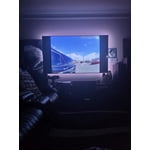
[This review was collected as part of a promotion.] Fantastic for gamers love the video frame rate, wonderful buy!

Review from Samsung US
Helpful?23IWKCJCPHCF15992409490
Jun 5, 2026
Daniel
3 out of 5 stars review

Screen freezes quite a bit

[This review was collected as part of a promotion.] Screen freezes quite a bit Need to turn the tv off to clear it

Review from Samsung US
Helpful?23IWKCJCPHCF15992409490
reply from Samsung Advisor

Hi Daniel, We appreciate your feedback. For optimal performance, please ensure your TV is running the latest firmware. You can check this by going to: Home > left directional key > Settings > Support > Software Update To further optimize performance, try running Device Care, which checks memory, clears unused cached data, and closes background apps: Home > left directional key > Settings > Support > Device Care > Start Device Care If issues continue, please reach Samsung Support at 1-800-SAMSUNG (8AM – 9PM EST Mon – Fri, 8AM – 6PM Sat – Sun). LiveChat is also available via the ‘Support’ link on our website. ~ Samsung Advisor

Jun 20, 2026
Samtv
5 out of 5 stars review

Samsung tv
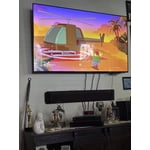
Easy to operate beautiful picture can navigate from regular TV to Roku to smart TV. Excellent excellent television.

Review from Samsung US
Helpful?23IWKCJCPHCF15992409490
Jun 7, 2026
no stars
4 out of 5 stars review

Set up nightmare

[This review was collected as part of a promotion.] I like everything about it EXCEPT the time it took and frustration of setting it up.

Review from Samsung US
Helpful?23IWKCJCPHCF15992409490
Jun 1, 2026
Mimi87
5 out of 5 stars review

Awesome visual!

[This review was collected as part of a promotion.] The quality of the visual was superb! Can't get enough of it.

Review from Samsung US
Helpful?23IWKCJCPHCF15992409490
Jun 1, 2026
HTPRODUCER
5 out of 5 stars review

Good option for new tv

[This review was collected as part of a promotion.] Great choice and price for the quality and resolution.

Review from Samsung US
Helpful?23IWKCJCPHCF15992409490
Jun 1, 2026
Carlap143
5 out of 5 stars review

The look

[This review was collected as part of a promotion.] I love my product and will be getting more samsung items.

Review from Samsung US
Helpful?23IWKCJCPHCF15992409490
Jun 1, 2026
Television
3 out of 5 stars review

Samsung

[This review was collected as part of a promotion.] It was easy to connect to my phone. I wish it could have been more voice activated

Review from Samsung US
Helpful?23IWKCJCPHCF15992409490
reply from Samsung Advisor

Hi Television, Thank you for sharing your review. Your TV Works With Alexa, meaning you’ll need to connect a standalone Alexa device such as an Echo speaker, to control compatible smart home devices and some experiences on your TV. Here are the steps: 1. Download both the Amazon Alexa and Samsung SmartThings apps, if you don't already have them. Both are available for iOS or Android devices. 2. Make sure your Alexa device and TV are both connected to the same Wi-Fi network. 3. Your TV must be enabled within the SmartThings app. If not, make sure you are signed in with your Samsung account on the TV: Settings > All Settings > Samsung Account 4. Log in to the SmartThings app with the same Samsung account. Tap Devices, and if your TV isn’t already shown, tap + to add it to the app. 5. In the Alexa app, enable the SmartThings skill and sign into your Samsung account. This will automatically connect your Samsung TV to Alexa and let you use voice commands to control your television. If you need more help, we’re here. Give us a call at 1-800-SAMSUNG, available daily from 8AM - 9PM EST Monday - Friday, and 8AM - 6PM Saturday and Sunday. You can also visit the Samsung website and click on ‘Support’ for: • Live Chat • Manuals, Software, & Warranty Info ~Samsung Advisor

Jun 1, 2026
Harith
2 out of 5 stars review

Great product

[This review was collected as part of a promotion.] Good quality and we love it , I also have laundry machines and dryer

Review from Samsung US
Helpful?23IWKCJCPHCF15992409490
reply from Samsung Specialist

Thanks for your review. If you’re experiencing specific issues which caused you to give this a 2-star rating, please know Samsung Customer Support is here to help at 1-800-SAMSUNG (8AM – 9PM EST Mon – Fri, 8AM – 6PM Sat – Sun). You can also reach our LiveChat team by selecting the ‘Support’ link on our website. ~ Samsung Specialist

Jun 5, 2026
Timmytown
3 out of 5 stars review

Disappointed

[This review was collected as part of a promotion.] Could not get the Samsung gamebreak to work after downloading the app.

Review from Samsung US
Helpful?23IWKCJCPHCF15992409490
reply from Samsung Advisor

Hi Timmytown, If apps on your U8000F TV are crashing, freezing, or loading slowly: 1. Update firmware – Home > left directional key > Settings > Support > Software Update > Update Now 2. Delete and reinstall the app 3. Run Device Care – Home > left directional key > Settings > Support > Device Care > Start Device Care Still need help? Call Samsung Support at 1-800-SAMSUNG (8AM – 9PM EST Mon – Fri, 8AM – 6PM Sat – Sun). LiveChat is also available under the ‘Support’ link on our website. ~ Samsung Advisor