Skip to Main Content
Sam's Club
Sam's Club
All Departments
All Services
Customer reviews for SAMSUNG 65" Class U8000F Series 4K Crystal UHD Smart TV for
SAMSUNG 65" Class U8000F Series 4K Crystal UHD Smart TV
4.5 out of 5 stars
stars
1,472 ratings1,415 reviews
  1. 5 stars74% (1,087)
  2. 4 stars15% (219)
  3. 3 stars5% (76)
  4. 2 stars3% (47)
  5. 1 star3% (43)

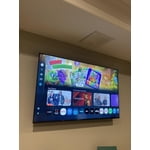
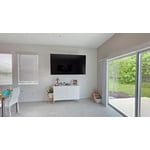
Member photos

  • +378 images
Sort by |
Showing 541-550 of 1,415 reviews
Apr 20, 2026
The alien
5 out of 5 stars review

Great probucts

[This review was collected as part of a promotion.] Love the brightness color and the fact its a full HD screen works great on the refresh rate and the contrast

Review from Samsung US
Helpful?23IWKCJCPHCF15992409490
May 11, 2026
Alglezvin72
5 out of 5 stars review

Great product and great price

[This review was collected as part of a promotion.] Look awesome with clear and precise colors and the images are great, I am so happy for the choice than we made to pick this tv, we love it.....!

Review from Samsung US
Helpful?23IWKCJCPHCF15992409490
Apr 5, 2026
FiliTechrev
5 out of 5 stars review

Great resolution for an awesome viewing

[This review was collected as part of a promotion.] Brightness perfect contrast with the right refresh rate for a great resolution and awesome viewing experience

Review from Samsung US
Helpful?23IWKCJCPHCF15992409490
May 20, 2026
Susuki
4 out of 5 stars review

Clear picture

[This review was collected as part of a promotion.] I love how clear the graphics are and how well the TV works in general. This is the best TV I have ever owned up until now.

Review from Samsung US
Helpful?23IWKCJCPHCF15992409490
May 20, 2026
Coffeecake
5 out of 5 stars review

Beautiful picture

[This review was collected as part of a promotion.] I love the nice big picture we get with this tv. Everything is so crystal clear. I feel like I'm right there with the people on the show. It's amazing.

Review from Samsung US
Helpful?23IWKCJCPHCF15992409490
May 21, 2026
Music Lover
5 out of 5 stars review

We love our new Samsung TV!

[This review was collected as part of a promotion.] We are very glad we replaced our old Samsung TV with a new Samsung smart TV. It's a large size for the great price. Beautiful contrast, pictures and great sound. A joy to watch.

Review from Samsung US
Helpful?23IWKCJCPHCF15992409490
Apr 20, 2026
Calfur67
2 out of 5 stars review

Lines in the t v screen,

[This review was collected as part of a promotion.] lines in the TV screen remont Don't work right not very happy with the television at all only had it a year and a half the lines come in it after the warranty ran out

Review from Samsung US
Helpful?23IWKCJCPHCF15992409490
reply from Samsung Advisor

Hi Calfur67, Thank you for sharing your experience with Samsung’s U8000F. If your TV is displaying lines on the screen, we recommend the following steps to help isolate the issue: 1. Check all input cable connections for any external devices (e.g., HDMI, streaming boxes, Blu-ray players) 2. Switch channels or inputs to see if the issue appears across all sources 3. Run a Picture Test to check for panel-related issues: Settings > Support > Device Care > Self Diagnosis > Picture Test 4. Perform a cold boot by holding the power button on your remote for about 10 seconds 5. Ensure your TV has the latest software installed: Settings > Support > Software Update If the issue continues after these steps, the TV may require service. For further assistance, please contact Samsung Support at 1-800-SAMSUNG, 8AM – 12AM EST, 7 days a week. LiveChat and additional support resources are also available through the Support link on our website. ~ Samsung Advisor

May 20, 2026
Dr De
5 out of 5 stars review

Top notch TV

[This review was collected as part of a promotion.] I enjoy the way it's laid out on the screen when I turn it on. It makes it easy to find what I want. And the picture quality is amazing

Review from Samsung US
Helpful?23IWKCJCPHCF15992409490
May 6, 2026
Cindy
3 out of 5 stars review

The remote is sad

[This review was collected as part of a promotion.] The reason i gave it an average rating is really because of the remote. Don't really like it at all

Review from Samsung US
Helpful?23IWKCJCPHCF15992409490
reply from Samsung Advisor

Hi Cindy, Thank you for sharing your experience. Samsung remotes are designed to offer convenient control, but we understand if you’d prefer to use a universal remote. Many third-party remotes work well with Samsung TVs, though setup steps may vary by brand and model. To get started, we recommend checking the manufacturer’s instructions for programming codes and pairing methods. If you run into any trouble or have compatibility questions, Samsung Support is happy to help. You can reach us at 1-800-SAMSUNG, 8AM – 9PM EST Mon – Fri, 8AM – 6PM Sat – Sun. LiveChat agents are also available at the ‘Support’ link on our website. ~ Samsung Advisor

May 21, 2026
Dghorm
3 out of 5 stars review

Bad remote

[This review was collected as part of a promotion.] The tv is fine. The remote control is not. I cannot figure it out. I would like a remote control like I'm used to. I have 2 other Samsungs and they are much clearer on how to operate.

Review from Samsung US
Helpful?23IWKCJCPHCF15992409490
reply from Samsung Advisor

Hi Dghorm, We appreciate your thoughts on the U8000F TV’s remote. While it may appear minimal at first glance, many of the buttons are designed with dual or long-press functions to help reduce clutter without sacrificing functionality. For example: • Volume rocker: Push UP/DOWN to adjust volume; press and release quickly to MUTE. • Long-press Volume button: Hold for more than 1 second to access Accessibility Shortcuts. • RETURN button: Press to go back to the previous screen or menu; when watching TV, it takes you back to the previous channel. These combined functions help create a cleaner design while keeping everything you need just a button away. If you ever need help with your remote or want to learn more shortcuts, we’re here to assist. You can reach us at 1-800-SAMSUNG (8AM – 9PM EST Mon – Fri, 8AM – 6PM Sat – Sun), or reach us via text anytime. You can also visit ‘Support’ on our website for: • Live Chat • Manuals, Software, & Warranty Info ~Samsung Advisor