Skip to Main Content
Sam's Club
Sam's Club
All Departments
All Services
Customer reviews for SAMSUNG 65" Class U8000F Series 4K Crystal UHD Smart TV for
SAMSUNG 65" Class U8000F Series 4K Crystal UHD Smart TV
4.5 out of 5 stars
stars
1,462 ratings1,405 reviews
  1. 5 stars74% (1,079)
  2. 4 stars15% (218)
  3. 3 stars5% (75)
  4. 2 stars3% (47)
  5. 1 star3% (43)

Member photos

  • +373 images
Sort by |
Showing 411-420 of 1,405 reviews
Mar 23, 2026
Yoduh
5 out of 5 stars review

Beautiful Color

[This review was collected as part of a promotion.] This TV has a gorgeous picture, all the apps are included, my phone is a remote, its super cool and I was a long time LG fan, but samsung has won me over. The resolution is amazing has beautiful brightness and the perfect amount of contrast. The interface is easy to navigate and has helpful hints.

Review from Samsung US
Helpful?23IWKCJCPHCF15992409490
Feb 17, 2026
SteinyFC
5 out of 5 stars review

Love Samsung Products

[This review was collected as part of a promotion.] Clear, bright, no shadows! The picture on Samsung products is par excellence above all the others. The picture is real looking not film looking. The greens are green and blues blue not like green looking blue! The TV remote is easy to use and very responsive to the touch.

Review from Samsung US
Helpful?23IWKCJCPHCF15992409490
Feb 17, 2026
Deezy
5 out of 5 stars review

Love my TV

[This review was collected as part of a promotion.] Great TV! I love the resolution, refresh rate, and how easy and smooth I am able to bounce around from app to app. I am a Samsung customer for life now. When this TV goes, I will replace with a new Samsung model. Very impressed with Samsung and it's product lines.

Review from Samsung US
Helpful?23IWKCJCPHCF15992409490
Feb 20, 2026
BillNA
5 out of 5 stars review

Love this TV
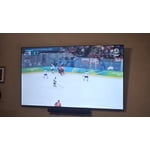
[This review was collected as part of a promotion.] Absolutely love this TV. We have three Samsung TVs. Only Brand I will purchase. Like the other two, it has a superb picture. Initial setup is simple. Finding, downloading, and adding apps to the Smart Hub is a breeze. Things I wish were different. The Smart Hub has more going on in it than my other two Samsungs. I wish it just showed the saved apps. Adding a Fiber Optic output would have been nice. And the biggie, the remote. Too few functions on it. So I purchased the Samsung BN59-01315A. This gives easier access to the Samsung TV Plus channel list and channel guide. A very inexpensive fix. Overall, you can not go wrong with this brand or TV.

Review from Samsung US
Helpful?23IWKCJCPHCF15992409490
Mar 23, 2026
jg8045
3 out of 5 stars review

Great interface/design, but light blooming is baad

[This review was collected as part of a promotion.] I wanted this TV to be great. And it has great aspects, such as the UI, and response, the thinness of it, and the small wire and how it looks on a wall. However, the brightness is absolutely terrible, and the bloominig/bright spots on the screen are absolutely horrible, and this is after I exchanged for a new panel. It makes watching dark scenes impossible.

Review from Samsung US
Helpful?23IWKCJCPHCF15992409490
reply from Samsung Advisor

Hi jg8045, We’re sorry to hear you’re not fully satisfied with the picture quality on your Samsung U8000FD TV. If the image appears too dark, we suggest disabling certain energy-saving features, which can automatically adjust brightness and affect how the screen looks. Go to: Settings > All Settings > General & Privacy > Power and Energy Saving, then turn off Brightness Optimization, Energy Saving Solution, Motion Lighting, and/or Contrast Enhancer. You can also adjust the Picture Mode to better suit your environment: Settings > All Settings > Picture > Picture Mode • Standard – Default mode for general viewing • Dynamic – Brighter and clearer, ideal for well-lit rooms • Movie – Best for dark room viewing • Eco – Energy-saving mode • Filmmaker Mode – Preserves content as intended by creators To fine-tune brightness, go to: Home > left directional key > Settings > All Settings > Picture > Expert Settings, then adjust the Brightness level (0–50) to your preference. Lastly, please make sure your TV is running the latest firmware: Home > Home > left directional key > Settings > Support > Software Update > Update Now We hope these tips help improve your viewing experience. If you need further support, feel free to contact us at 1-800-SAMSUNG, 8AM – 12AM EST, 7 days a week. LiveChat is also available via the ‘Support’ link on our website. ~ Samsung Advisor

Dec 15, 2025
MSmartSTV
5 out of 5 stars review

Samsung Smart Tv

[This review was collected as part of a promotion.] Samsung products by far are the best of the best. Especially when paired with Samsung compatible devices. I am very impressed with the sound , picture and overall easy to navigate the OS to make it you own.

Review from Samsung US
Helpful?23IWKCJCPHCF15992409490
Mar 23, 2026
Bgoldinc
5 out of 5 stars review

BEST BANG for your buck!

[This review was collected as part of a promotion.] Hands down the best deal if your on a budget and want a quality picture & brand! The picture is surprisingly bright and the dark tones show up bolder than expected. Not sure you can find anything else on the market that can compete. I would absolutely purchase this tv again.

Review from Samsung US
Helpful?23IWKCJCPHCF15992409490
Jul 5, 2026
Tom C
4 out of 5 stars review

Picture freezes occasionally

Very often, the picture will freeze sometimes at a critical point of it sports contest.. other than that, the picture is terrific.

Review from Samsung US
Helpful?23IWKCJCPHCF15992409490
Jul 23, 2026
Bebs
5 out of 5 stars review

Great viewing

Love the size good contrast n sound system Highly recommended n I think I got it with a good offer too

Review from Samsung US
Helpful?23IWKCJCPHCF15992409490
Jul 20, 2026
Lisa M
5 out of 5 stars review

Great picture!

I love Samsung TVs…I have 4 of them and will only ever buy a Samsung. Great picture, great prices! Easy to use, very intuitive.

Review from Samsung US
Helpful?23IWKCJCPHCF15992409490