Skip to Main Content
Sam's Club
Sam's Club
All Departments
All Services
Customer reviews for SAMSUNG 65" Class U8000F Series 4K Crystal UHD Smart TV for
SAMSUNG 65" Class U8000F Series 4K Crystal UHD Smart TV
4.5 out of 5 stars
stars
1,462 ratings1,405 reviews
  1. 5 stars74% (1,079)
  2. 4 stars15% (218)
  3. 3 stars5% (75)
  4. 2 stars3% (47)
  5. 1 star3% (43)

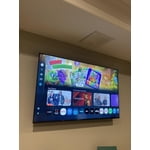
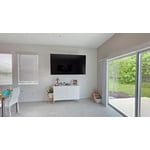
Member photos

  • +373 images
Sort by |
Showing 311-320 of 1,405 reviews
Jun 20, 2026
VadimNewYork
3 out of 5 stars review

2026 Average TV
Great TV however when connecting to Samsung phone it is lagging and also this TV doesn't have digital audio in to connect sound bar, only via Bluetooth

Review from Samsung US
Helpful?23IWKCJCPHCF15992409490
reply from Samsung Advisor

Hi VadimNewYork, Thank you for reaching out to us. Please know you can connect to external audio via Bluetooth and HDMI connection. When using Smart View with your mobile device, please keep in mind: • Performance may be affected on a 2.4GHz network. For the best experience, connect to 5GHz Wi-Fi. • Your mobile device must support Wi-Fi Direct to use that feature - check your device manual for details. • Both your TV and mobile device must be connected to the same network. • Video or audio may intermittently stop depending on network conditions. If you need further help, please don’t hesitate to reach Samsung Support at 1-800-SAMSUNG (8AM – 9PM EST Mon – Fri, 8AM – 6PM Sat – Sun). LiveChat agents are also available via the ‘Support’ link on our website. ~ Samsung Advisor

Jun 26, 2026
Johnny
5 out of 5 stars review

I love Samsung TVs

I have never had any problems with my TV, the picture quality is just amazing.....although I am ready for my next one....thinking about an 8k this time

Review from Samsung US
Helpful?23IWKCJCPHCF15992409490
Jun 2, 2026
Jaemoson
5 out of 5 stars review

Love this TV
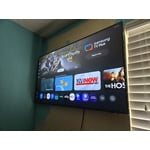
[This review was collected as part of a promotion.] I enjoy lots of things about this tv, the programming on the regular channels, the apps to use prime etc, the games like the six and ripplash, waiting for more games to come out.

Review from Samsung US
Helpful?23IWKCJCPHCF15992409490
Jun 20, 2026
Char
2 out of 5 stars review

Picture issue

The picture keeps freezing and then returns to channel. Probably needs a tube or something. Probably cheaper to buy a new tv than have a service man come.

Review from Samsung US
Helpful?23IWKCJCPHCF15992409490
reply from Samsung Advisor

Hi Char, If your U8000FD TV freezes or becomes unresponsive: 1. Cold boot – Hold the Power button on your remote for 5+ seconds until the TV restarts. 2. Update firmware – Home > left directional key > Settings > Support > Software Update > Update Now 3. Run Device Care – Home > left directional key > Settings > Support > Device Care > Start Device Care If issues continue, contact Samsung Support at 1-800-SAMSUNG (8AM – 9PM EST Mon – Fri, 8AM – 6PM Sat – Sun). LiveChat is also available under the ‘Support’ link on our website. ~ Samsung Advisor

Jun 19, 2026
Gumby0565
5 out of 5 stars review

Love the picture quality on Samsung tv's

I will only purchase Samsung televisions because I think they have the best quality for picture with Sharp clear lines. I find they are the best for sports that have fast moving players. Only Samsung in my house from tv to phones!

Review from Samsung US
Helpful?23IWKCJCPHCF15992409490
Jun 8, 2026
Jaws
4 out of 5 stars review

Remote

[This review was collected as part of a promotion.] My only issue is the remote. It is hard to use and I still can’t figure out how to add certain apps like Utube TV WITHIUT GOING THROUGHT 3 different screens

Review from Samsung US
Helpful?23IWKCJCPHCF15992409490
Jun 1, 2026
Izzy
4 out of 5 stars review

Decent

[This review was collected as part of a promotion.] Not as good as my QLED 4K TV, but it recently broke outside ot warranty and I needed a fast replacement. It will do, but I definitely notice the differences

Review from Samsung US
Helpful?23IWKCJCPHCF15992409490
Jun 7, 2026
Andi
1 out of 5 stars review

Does NOT Hold WiFi Connection

[This review was collected as part of a promotion.] It does not hold my WiFi connection while every other computer and device in my house does. And while I understand the difference between Samsung and Apple, does not stream AppleTV well.

Review from Samsung US
Helpful?23IWKCJCPHCF15992409490
reply from Samsung Advisor

Hi Andi, Thank you for your feedback. For optimal performance, please ensure your TV is running the latest firmware Update Version 1269.9. You can check this by going to: Home > left directional key > Settings > Support > Software Update If this firmware version is not yet available on your TV, you can download the update on a USB drive and manually update your TV: 1. On Samsung's website (upper right corner), go to: Support > Manual & Software > Find your TV model, and click on the Firmware – Upgrade File. 2. When the file has finished downloading, locate it and then unzip it. There is normally one folder inside but there may be multiple files. 3. Copy or move all of the files that were included in the zip file to a USB flash drive, but do not place them inside any other folders. If you place the software folders inside a folder on the USB flash drive, the TV or monitor will not find them. 4. Connect the USB drive containing the software upgrade into a USB port on your device. 5. Using your device's remote, navigate to and select Settings, then select All Settings, and then select Support. Select Software Update, select Update Now, and then select Yes if prompted. Your device will search the USB drive for update files. Follow the on-screen instructions to install the updated software. Updates usually take a few minutes; please do not turn off the TV until the update is complete. When the update is finished, it will restart automatically. If you continue to have issues, please call us at -800-SAMSUNG (8AM – 9PM EST Mon – Fri, 8AM – 6PM Sat – Sun). LiveChat support and additional help are available at the ‘Support’ link on our website. ~ Samsung Advisor

Jun 1, 2026
Kito1385
5 out of 5 stars review

Amazing picture!

[This review was collected as part of a promotion.] Our TV is amazing! The menu loads a little slower than we would like but the picture is great! Having free samsung TV is also a great perk!

Review from Samsung US
Helpful?23IWKCJCPHCF15992409490
Jun 5, 2026
Jax24
3 out of 5 stars review

Sound is terrible!

[This review was collected as part of a promotion.] Picture is good. Easy to use. The sound is terrible you have to thrn up during show and then down because commercials are to loud!

Review from Samsung US
Helpful?23IWKCJCPHCF15992409490
reply from Samsung Advisor

Hi Jax24, Thank you for sharing your experience with volume fluctuations on your Samsung U8000F TV. Sudden changes in volume can often be related to audio settings or content differences between sources or apps. Please try the following adjustments to help stabilize your TV's audio: 1. Enable Auto Volume. Go to: Settings > All Settings > Sound > Expert Settings > Auto Volume. This feature helps maintain a consistent volume level when switching channels or apps. 2. Change 3. . Try a different sound mode to see if one offers a more stable output: Settings > All Settings > Sound > Sound Mode (We recommend Standard or Amplify for more even performance.) 4. Check External Devices. If you're using a soundbar, receiver, or other audio device, check that its volume leveling or dynamic range settings aren’t interfering with the TV’s audio. 5. Update Firmware. Ensure your TV is running the latest software, as updates may include audio improvements: Settings > Support > Software Update > Update Now If the issue persists after these steps, please don’t hesitate to reach Samsung Customer Support at 1-800-SAMSUNG (8AM – 9PM EST Mon – Fri, 8AM – 6PM Sat – Sun). LiveChat is also available via the ‘Support’ link on our website. ~ Samsung Advisor