Skip to Main Content
Sam's Club
Sam's Club
All Departments
All Services
Customer reviews for SAMSUNG 65" Class U8000F Series 4K Crystal UHD Smart TV for
SAMSUNG 65" Class U8000F Series 4K Crystal UHD Smart TV
4.5 out of 5 stars
stars
1,462 ratings1,405 reviews
  1. 5 stars74% (1,079)
  2. 4 stars15% (218)
  3. 3 stars5% (75)
  4. 2 stars3% (47)
  5. 1 star3% (43)

Member photos

  • +373 images
Sort by |
Showing 231-240 of 1,405 reviews
Apr 24, 2026
Fish
5 out of 5 stars review

Amazing

[This review was collected as part of a promotion.] I only purchased this tv to replace my old tv and once I got it on the color is amazing movies and shows look more realistic gaming is next level me and the wife have been stuck in streaming apps for the past 4 years so having the Samsung tv plus has been great witb that being said I’ll definitely be replacing all my TVs with samsung

Review from Samsung US
Helpful?23IWKCJCPHCF15992409490
Apr 21, 2026
DallasFan469
5 out of 5 stars review

Great TV for the price range.

[This review was collected as part of a promotion.] Easy setup interface guides you through every step. Great Apps included plus you can download more from the Samsung App Store right from the TV. Really nice picture quality in all areas of brightness, contrast and resolution. Watching anything on the Streaming Apps is super fast with a high quality refresh rate. The remote is excellent also.

Review from Samsung US
Helpful?23IWKCJCPHCF15992409490
Apr 20, 2026
JayByrd
5 out of 5 stars review

Great TV
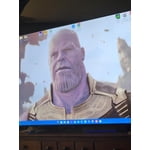
[This review was collected as part of a promotion.] I love this TV it is awesome as such great features and such a wonderful sharp picture . I love the resolution on this thing it is phen omen al . the brightness levels on this TV is just out of this world the contrast is spot on refresh rate on this TV is so awesome I love viewing any movie on this TV .

Review from Samsung US
Helpful?23IWKCJCPHCF15992409490
May 6, 2026
AmericanKalash
5 out of 5 stars review

Best Viewing Experience For the Price
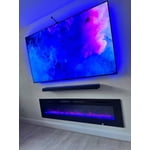
[This review was collected as part of a promotion.] The best Samsung TV yet! I've been buying nothing but Samsung Smart TV's and Monitors since 2010, so when it was time to upgrade my home theater system to go with our newly remodeled living room the 85" Crystal UHD had amazing resolution and refresh rate for an incredible viewing experience for the price point I was looking for.

Review from Samsung US
Helpful?23IWKCJCPHCF15992409490
May 22, 2026
Bay_thoven
5 out of 5 stars review

65 inch Samsung TV 4/2026
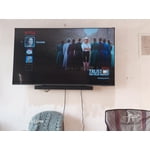
[This review was collected as part of a promotion.] This TV was an incredible deal PERIOD. Paired the purchase with a B series Samsung soundbar. Helped the audio immensely . Some people seem to have a problem with the bightnesd No issue for me but it is in a prime location. I will say I noticed that it is up to the max however in settings as long as it stays at this level it is working good .

Review from Samsung US
Helpful?23IWKCJCPHCF15992409490
Apr 20, 2026
Daddy420
5 out of 5 stars review

Amazing tv

[This review was collected as part of a promotion.] I love my TV. Pictures great , it gives you a captivating experience. All the colors look amazing. So many apps and the loading speed is very pleasing with how fast it starts up. Gaming is awsome. Watching shows on it is amazing. The brightness, resolution, contrast are perfect. The refresh rate is good as it can get.

Review from Samsung US
Helpful?23IWKCJCPHCF15992409490
Apr 18, 2026
Android
4 out of 5 stars review

Easy to use

[This review was collected as part of a promotion.] Setting up this product was easy for not even the very tech savvy people being one myself, not very tech. Savvy was able to set it up with ease and get with all the functions using the manual. The viewing the picture is crystal clear. It is beautiful.

Review from Samsung US
Helpful?23IWKCJCPHCF15992409490
May 11, 2026
Beeps
5 out of 5 stars review

My TV upgrade

[This review was collected as part of a promotion.] I recently purchased this new 50" Samsung TV to upgrade from my 32" Samsung from 2009! My good old TV still works, but I just wanted something bigger and prettier. All my digital movies are looking like brand new movies. I'm still learning about all the apps and games and endless activities I can do, but overall I'm extremely happy with this purchase!

Review from Samsung US
Helpful?23IWKCJCPHCF15992409490
May 16, 2026
MizColl
5 out of 5 stars review

Live our Samsung TV!

[This review was collected as part of a promotion.] Excellent TV! It never fails me in loading or start up. Screen is visible from all areas of the room. It's bright to the point I wear sunglasses at times. The resolution is perfect. I rarely have to use the refresh feature as it wields author trouble. The contrast is great for gaming, live TV, and streaming services.

Review from Samsung US
Helpful?23IWKCJCPHCF15992409490
May 20, 2026
Purrr
1 out of 5 stars review

TV has issues connecting to network

[This review was collected as part of a promotion.] I've had this TV for one month. Three times it has not been able to connect to my network so I have had to (per instructions) unplug my at&t fiber box & TV for a minute each & then plug them both back in for the TV to connect. Doing one or the other wouldn't do the trick, I had to do them both together. This was in no way do to my at&t. Returning this TV.

Review from Samsung US
Helpful?23IWKCJCPHCF15992409490
reply from Samsung Advisor

Hi Purrr, Thank you for your feedback. Please ensure your TV is running the latest Firmware, version 1132.0. Go to Settings> Support> Software Update. If this firmware version is not yet available on your TV, you can download the update on a USB drive and manually update your TV: 1. On Samsung's website (upper right corner), go to: Support > Manual & Software > Find your TV model, and click on the Firmware – Upgrade File. 2. When the file has finished downloading, locate it and then unzip it. There is normally one folder inside but there may be multiple files. 3. Copy or move all of the files that were included in the zip file to a USB flash drive, but do not place them inside any other folders. If you place the software folders inside a folder on the USB flash drive, the TV or monitor will not find them. 4. Connect the USB drive containing the software upgrade into a USB port on your device. 5. Using your device's remote, navigate to and select Settings, then select All Settings, and then select Support. Select Software Update, select Update Now, and then select Yes if prompted. Your device will search the USB drive for update files. Follow the on-screen instructions to install the updated software. Updates usually take a few minutes; please do not turn off the TV until the update is complete. When the update is finished, it will restart automatically. If you need additional support, Samsung is here to help. Please call us at 1-800-SAMSUNG, available 8AM – 9PM EST Mon – Fri, 8AM – 6PM Sat – Sun. You can also chat with a LiveChat agent by clicking the ‘Support’ link on our website. ~ Samsung Advisor