Skip to Main Content
Sams Club
Sams Club
Customer reviews for SAMSUNG 65" Class U8000F Series 4K Crystal UHD Smart TV for
SAMSUNG 65" Class U8000F Series 4K Crystal UHD Smart TV
4.7 out of 5 stars
stars798 ratings756 reviews
  1. 5 stars79% (633)
  2. 4 stars14% (113)
  3. 3 stars3% (23)
  4. 2 stars2% (15)
  5. 1 star2% (14)
Write a review

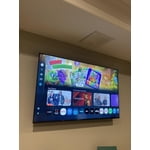
Customer photos

  • +207 images
Sort by |
Showing 111-120 of 756 reviews
Mar 23, 2026
jg8045
3 out of 5 stars review

Great interface/design, but light blooming is baad

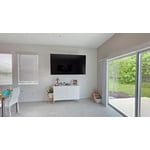
[This review was collected as part of a promotion.] I wanted this TV to be great. And it has great aspects, such as the UI, and response, the thinness of it, and the small wire and how it looks on a wall. However, the brightness is absolutely terrible, and the bloominig/bright spots on the screen are absolutely horrible, and this is after I exchanged for a new panel. It makes watching dark scenes impossible.

Review from Samsung US
Helpful?23IWKCJCPHCF15992409490
reply from Samsung Advisor

Hi jg8045, We’re sorry to hear you’re not fully satisfied with the picture quality on your Samsung U8000FD TV. If the image appears too dark, we suggest disabling certain energy-saving features, which can automatically adjust brightness and affect how the screen looks. Go to: Settings > All Settings > General & Privacy > Power and Energy Saving, then turn off Brightness Optimization, Energy Saving Solution, Motion Lighting, and/or Contrast Enhancer. You can also adjust the Picture Mode to better suit your environment: Settings > All Settings > Picture > Picture Mode • Standard – Default mode for general viewing • Dynamic – Brighter and clearer, ideal for well-lit rooms • Movie – Best for dark room viewing • Eco – Energy-saving mode • Filmmaker Mode – Preserves content as intended by creators To fine-tune brightness, go to: Home > left directional key > Settings > All Settings > Picture > Expert Settings, then adjust the Brightness level (0–50) to your preference. Lastly, please make sure your TV is running the latest firmware: Home > Home > left directional key > Settings > Support > Software Update > Update Now We hope these tips help improve your viewing experience. If you need further support, feel free to contact us at 1-800-SAMSUNG, 8AM – 12AM EST, 7 days a week. LiveChat is also available via the ‘Support’ link on our website. ~ Samsung Advisor

Mar 19, 2026
BethFerro
5 out of 5 stars review

Good purchase

[This review was collected as part of a promotion.] It has clear picture and it has many ways to change different picture modes which is excellent, you can put it on sport mode to a light mode plus more. The resolution is clear and crisp and you can change the contrast easily, I have it using the bright mode during the daytime and you can use the refresh TV to manufacturers settings. I am extremely happy with my purchase. The remote has many channels for viewing easily.

Review from Samsung US
Helpful?23IWKCJCPHCF15992409490
Mar 23, 2026
Bull903
5 out of 5 stars review

Great Tv

[This review was collected as part of a promotion.] This model right here is what I buy I upgrade every year. The clarity of the TV is great sounds good too but I always add a sound bar witch is Samsung as well. The price on this model is very affordable. You want go wrong buy this Samsung model.

Review from Samsung US
Helpful?23IWKCJCPHCF15992409490
Mar 23, 2026
ButterflyMoon
5 out of 5 stars review

Satisfaction, I promise

[This review was collected as part of a promotion.] The contrast, resolution, and brightness are perfectly in balance. Not to hard on sensitive eyes like mine. Easily adjusted if needed. The picture is sharp, clear and clean. It doesn't take long to load apps or shows. The sound is crystal clear. Plenty loud also. If you need to refresh the settings or anything, it's very simple. Easily able to guide through everything.

Review from Samsung US
Helpful?23IWKCJCPHCF15992409490
Mar 23, 2026
Suelee46
5 out of 5 stars review

I Love my Samsung TV

[This review was collected as part of a promotion.] I love my Samsung television set the contrast in brightness the contrast and brightness are amazing I love the extra features like smart I love the extra features like smart things connecting to my phone and how big it is it is very enjoyable viewing all my programs TV the resolution is awesome and the price is really reasonable

Review from Samsung US
Helpful?23IWKCJCPHCF15992409490
Apr 7, 2026
Kari
1 out of 5 stars review

Two of these malfunctioned in one year

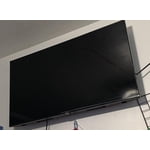
We bought this TV last May. The first one was defective out of the box with wide vertical stripes running down the center. We exchanged that -- not easy with a 65" TV already mounted to your wall, but lesson learned to plug it in first. The second one lasted 10 months. Now the vertical stripes are running and flickering at all times on the left side. There was no damage or power surge that precipitated the malfunction. The worst part is when I brought the video in to Sam's Club and asked if I could apply the cost of the TV to a different upgraded model, the manager not only said I needed to haul in the TV itself, but he implied that I must be doing something to break them. This is the only one star review I've ever written.

Helpful?23IWKCJCPHCF15992409490
reply from Samsung

Hi Kari,<br /><br />We&#39;re very sorry to hear about your experience and appreciate your feedback. If there’s anything we can assist with, please don’t hesitate to call us at 1-800-SAMSUNG, available daily from 8AM – 9PM EST Mon – Fri, 8AM – 6PM Sat – Sun. You can also visit the Samsung website and click on ‘Support’ for:<br />• Live Chat<br />• Manuals, Software, &amp; Warranty Info<br /><br />~ Samsung Advisor

Mar 23, 2026
Foxeyes
5 out of 5 stars review

1word Profection

[This review was collected as part of a promotion.] I really like the quality and affordability of this TV I use it also as a monitor and for gaming the picture is amazing along with the system apps and easy navigation and user friendliness thank you again samsung for another great product as you have always made

Review from Samsung US
Helpful?23IWKCJCPHCF15992409490
Apr 6, 2026
Wagphan
5 out of 5 stars review

Great television!

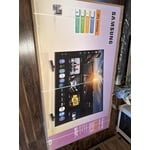
[This review was collected as part of a promotion.] I am a 60 year old man I was able to move the television in the box by myself. I was able to place the footings on the tv, and set it in place by myself. I plugged it in and away I went. I was able to connect the tv to my wireless internet and from there the television blossomed. I was amazed at how many free things were already programmed and available for viewing. The colors were crisp, picture extends to the full perimeter of the screen, and the sound is very good too, my wife says it's a little too good as she tells me to turn down the volume. The pictures are clear and sharp as well, I had a Sony tv and Samsung blows it away. Programing my extra channels was super easy as well, but most everything I had was already programmed into the television, all I had to do was log in to that particular channel and away it went. But as soon as I introduced a new program to the television, it added the app icon right away to my channel lineup; and you are able to rearrange the app lineup to fit your needs. It was a little daunting at first, because I am one of those people who looks at the instruction manual and tosses it aside. Samsung really did make everything simple to understand and actually use. There are literally hundreds of free channels for you to watch. Navigating to these channels was a bit tricky at first, but once I mastered the remote; I was happy as can be. I am pretty satisfied with the brightness and resolution of the picture on the television but I have yet to figure that part out by myself yet; I guess I am actually going to have to look at the manual after all. And I have had no issues navigating from one program to another and the new program starts within a few seconds of navigating to it. All in all, I love this television, the technology built into it is wonderfully amazing to an old man like me. Just one thing, the remote is reeeeallly small compared to the other remotes I have used in the past. Once I got used to it, it was really quite simple. But don't misplace it. With its size…you're going to be hunting. And now a heartfelt Thank You Samsung for a wonderful product.

Review from Samsung US
Helpful?23IWKCJCPHCF15992409490
Apr 1, 2026
Megshh
5 out of 5 stars review

Great tv!

[This review was collected as part of a promotion.] This TV gets a bad rap, and I have no clue why. The picture resolution, color, and brightness are beautiful. It's easy to access all my apps to watch things. The picture contrast on all live events is amazing, and it works really fast with my Wi-Fi. The only thing that is bad about it is the standard TV remote it comes with. You have to point it directly at the eye on the bottom left of the TV to get it to work. But we have other remotes that work better and have no issues with, so it's refreshing to know I can use other remotes. That's my only qualm, I guess, is the remote, but that's an easy fix.

Review from Samsung US
Helpful?23IWKCJCPHCF15992409490
Mar 23, 2026
Ms Fab
5 out of 5 stars review

Decent and affordable.

[This review was collected as part of a promotion.] I love the tv, pretty easy to set up and navigate. The sound is crisp and clear and the picture is pretty decent. Although the picture at times seems smoother on my other Samsung TV, this one is still decent for what I paid for it.

Review from Samsung US
Helpful?23IWKCJCPHCF15992409490