
 Customer reviews for SAMSUNG 58” Class U8000F Series 4K Crystal UHD Smart TV for
Member photos

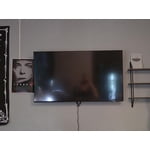 +864 images
Excellent affordable TV choice
[This review was collected as part of a promotion.] This module has a great picture. The refresh rate along with the upscale feature makes for one of the best pictures available. Streaming from all platforms gives you a picture perfect view. Everything is so vivid and clear. It's as gaming is made for this TV. Very low latency and responsiveness is superb. This TV covers all angles. A 10 out of 10.
This product has great features and is easy to use
[This review was collected as part of a promotion.] I use it for gaming. Retro and Playstation 5. The picture is so clear and bright. It feels like I am in the game. I would 10000000% recommend this product to anyone. Samsung makes the best TVs ever. I also have a Samsung surround sound. And it is fenominal. Watching movies you're immersed with sound and it feels like you're right there with the celebrity inside the movie. Its ridiculously good. Couple that with the picture and you cannot go wrong you have the winning combination everytime. I am one satisfied customer..
Samsung Crystal UHD Smart TV
[This review was collected as part of a promotion.] This is our first Samsung product. We are pleased with the picture and the sound but it was very difficult to set up. We still can’t figure out how to get the apps we want on the TV. It is very confusing trying to figure out to fix anything in the settings. Setting up and navigating a Tv should not be this difficult. Not sure I would choose another Samsung product.
Hi Disappointed, Thank you for reaching out to us. To help you learn your way around all the features of your TV, you can find helpful guides – including the full e-Manual – on our website. Just head to Samsung.com and navigate to: Support > Manual & Software > TVs & Home Theater. From there, you can search for and select your U8000F TV model to download the guides you’d like. We also have created step by step guides to help you! Check out how to access and download apps here: https://www.samsung.com/us/support/answer/ANS00062169/ You’ll also find these resources built right into your TV under: Settings > Support > Tips and User Guides If you'd prefer help from a specialist, give us a call at 1-800-SAMSUNG or connect with a LiveChat agent on our website. ~ Samsung Advisor
This product has amazing features and sharp images
[This review was collected as part of a promotion.] We use our Samsung TV for steaming. Watching our movies and favorite TV series. This product has amazing sound. You definitely don't need to have the volume up that much for it to be loud. Sharp images and beautiful colors. Everything is past our expectations on this product.
A Honest Review
This tv is just ok. I came from last years 7200 model and it just doesn't feel like much of an upgrade. The UI is a tad bit faster but still not as snappy as i would like to see and sometimes still hangs up for a second or 2. The weakest things in this tv would be the back lighting and contrast. I have calibrated it to get an acceptable picture but not fantastic after some tweaking in the settings. However this tv does best in a low lighted room. I think this tv in general probably has worse lighting conditions on larger size screens. I think this tv is fine for a guest room or for the kids room but if you are buying as the main television for movies/sports ect. I would strongly recommend going up in tier anything above 55" on this model or going with the 7200 if its cheaper and in stock as its basically the same except for model design and new UI. The sound is pretty much what you would expect it to be. Not great. But in fairness not many tv's come with great sound quality. that is what sound bars and home theater is made for. Also if you are going to buy this exact size anyway (75") I believe the weight in specifications is wrong on this site. It says this tv weighs only 22.4 lbs which was a partial selling point to me but it is heavier than that. If i had to guess i would say probably around 40-45 lbs on the 75"
Hi BtheTvGuy, Thank you for your purchase and detailed feedback. Please know your opinion is important to us and will be shared with our product design teams. Also, thank you for letting us know about the incorrect specs. We are working on getting that fixed as quickly as possible. You mentioned already adjusting the image, but I am going to share a few settings adjustments, just in case you have not tried these specific ones. First, try disabling certain energy-saving features that may be dimming the screen automatically. Go to: Settings > All Settings > General & Privacy > Power and Energy Saving, then turn off Brightness Optimization, Energy Saving Solution, Motion Lighting, and/or Contrast Enhancer. Next, adjust the Picture Mode to better match your viewing environment: Settings > All Settings > Picture > Picture Mode and choose from the following: • Dynamic – Brighter and clearer for well-lit rooms • Standard – Balanced for most environments • Movie – Ideal for watching in a dark room • Eco – Designed for energy savings • Filmmaker Mode – Preserves the creator’s original intent You can also manually adjust brightness by going to: Settings > All Settings > Picture > Expert Settings > Brightness. Use the slider to set a level that suits your preferences (0–50). Finally, we recommend making sure your TV has the latest software installed: Settings > Support > Software Update > Update Now. To adjust the sound on your TV, go to Settings > All Settings > Sound > Sound Mode. For further help adjusting your image/sound settings or finding the right soundbar for your space, feel free to reach Samsung Support at 1-800-SAMSUNG (8AM – 12AM EST, 7 days a week) or visit the Support link on our website for: • LiveChat • Manuals, Software, & Warranty Info ~ Samsung Advisor
Amazing Optics
[This review was collected as part of a promotion.] I love my Samsung TV. The optics are AMAZING and the quality of sound, picture, recording, and streaming delivery daily. I can use my television screen saver as a night light and Zen as well as a DJ portal for music streaming. The smart technology plugs me in to all AI options and sync technology as well.
Bad Keyboard. Not full features.
Excitedly bought this last night. Turned it oh to go through setup. Got to WiFi code, brought up keyboard for WiFi password and NO HYPHEN ON KEYBOARD. HAD 2 UNDERLINES. The password for the WiFi system required a Hyphen. No work around. Being a senior, very, I took Samsungs AD of easy set up. May be, but need full keyboard. Had a couple of other seniors check. TV may be rear but can’t tell because can’t log into WiFi.
Hi Zanthus, Thank you for your feedback on the U8000F setup. To find the hyphen on your keyboard, go to the special characters on the right-hand side of the keyboard on your screen (It should be !#1), then on the third row from the top, one character in, you should see the hyphen. It is right below the @ symbol. You can also connect your phone via the SmartThings app, which has a keyboard as well. Or if you'd rather have a full keyboard on your remote, you can utilize other Samsung IR remotes, or a third-party remote is also an option. I hope this helps. If you need additional support, Samsung is here to help. Please call us at 1-800-SAMSUNG, available daily from 8AM - 12AM EST. You can also chat with a LiveChat agent by clicking the ‘Support’ link on our website. ~ Samsung Advisor
Samsung did not disappoint!
[This review was collected as part of a promotion.] I am a long-time fan of Samsung phones but this is the first TV that I purchased. The picture is clear and the sound is crisp. There have been a few glitches in the middle of programming and on start-up but a power off to reset usually does the trick. I really like the thinness of this model; fits great on a swivel, corner mount for the bedroom. I would purchase the Frame TV next time or this model again. If you are considering this one, it is a good buy, go for it!

Fantastic TV Viewing Experience
[This review was collected as part of a promotion.] It has been over 10 years since I’ve bought a new TV. I got an email from the insiders saying they have these new Samsung models and after further inspection, I decided to jump back in and bought the 65”. Turns out I made the right choice. This is the best TV I’ve ever watched for movies, shows, streaming, YouTube, video games & more. The picture and audio quality are top-tier. The setup was easy. The remote and Home Screen navigation is very user friendly. I would recommend this TV and brand to anyone looking for a new Home Screen setup.
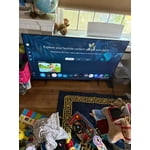
Good TV but very basic!
[This review was collected as part of a promotion.] We bought this TV to replace an old one in our bedroom. As much as I'm a big Samsung family fan, this TV is a basic as it gets. The interface software is lagging, colors are not that sharp, and no voice control. You could do better Samsung!

Hi AlexMiami, Thank you for your feedback on the Samsung U8000F TV. If the picture appears unclear, dull, or lacks definition, there are several settings you can adjust to improve clarity and overall image quality. Go to: Settings > All Settings > Picture > Expert Settings, and review these key settings: Picture Clarity Settings: While originally intended for motion handling, these can also impact overall clarity • Off: Disables motion enhancements • Auto: Automatically adjusts based on content • Custom: Lets you fine-tune: o Judder Reduction – Helps smooth out uneven motion o LED Clear Motion – Boosts sharpness in fast-moving content o Noise Reduction – Reduces distortion and enhances detail in lower-resolution sources Core Picture Settings • Brightness – Controls overall screen brightness • Contrast – Enhances the difference between bright and dark areas • Sharpness – Adjusts edge definition; closer to 20 increases detail • Color – Enhances depth and intensity of colors And don’t forget to check for the latest firmware, which may improve performance: Settings > Support > Software Update > Update Now. Finally, please know your TV does come with built-in voice assistants, however you will need to utilize the SmartThings app or a voice-command remote control. ~Samsung Advisor