Skip to Main Content
Sam's Club
Sam's Club
All Departments
All Services
Customer reviews for SAMSUNG 58” Class U8000F Series 4K Crystal UHD Smart TV for
SAMSUNG 58” Class U8000F Series 4K Crystal UHD Smart TV
4.5 out of 5 stars
stars
2,525 ratings2,519 reviews
  1. 5 stars72% (1,822)
  2. 4 stars16% (398)
  3. 3 stars6% (156)
  4. 2 stars3% (70)
  5. 1 star3% (79)

Member photos

  • +766 images
Sort by |
Showing 221-230 of 2,519 reviews
Jun 5, 2026
Albie3
5 out of 5 stars review

Great purchase.so happy!

[This review was collected as part of a promotion.] Actually I'm kinda old school so I have a outdoor antenna which takes care of my local stations. But with my new Samsung crystal I also use the Samsung plus For a variety of different stations and movies . I also mirror Different Programs off my cell phone. Using all three of this Type Of broadcast The brightness And color Is absolutely perfect.

Review from Samsung US
Helpful?1U5QA8D4IAB615677157353
Jun 20, 2026
Ironjack
5 out of 5 stars review

Excellent Picture Quality

I would cover two topics at once. This 65" UHD TV is everything it is advertised to be. The picture quality is superb - bright with excellent contrast. The picture quality is the same quality anywhere on the screen - edge to edge all wonderful picture quality.

Review from Samsung US
Helpful?1U5QA8D4IAB615677157353
Jun 5, 2026
WeirdHarold
4 out of 5 stars review

Good but not Great

[This review was collected as part of a promotion.] This is a very typical mid-range TV from Samsung, the Picture quality is great as expected from a Samsung panel. However the sound quality and volume from the TV speakers is low and not great, also typical of most TV speakers. The Smart TV interface is okay, but hard to navigate and the system settings are now integrated into this interface and can be hard to find things till you figure out where they are. My only really serious gripe is that there is no Optical Audio on this TV and I couldn't hook it up to my existing sound bar system.

Review from Samsung US
Helpful?1U5QA8D4IAB615677157353
Jun 1, 2026
Anonymous
5 out of 5 stars review

Love Samsung

[This review was collected as part of a promotion.] I love it, color, resolution, stable connection, adaptive contrast I like a lot and not to mention the brightness, it refreshes excellent (never freezes) and the connection with my Samsung devices (now s26 ultra) is super fast and stable. Love all Samsung devices.

Review from Samsung US
Helpful?1U5QA8D4IAB615677157353
Jun 21, 2026
ronicuhh
5 out of 5 stars review

Samsung Ate

I recently purchased a Samsung TV and couldn't be happier with it. The picture quality is incredibly sharp, with vibrant colors and deep contrast that make movies, shows, and games look amazing. The sound quality is clear, the interface is fast and easy to navigate, and apps load quickly without any issues. The design is sleek and modern, making it a great addition to any room. Overall, it's a reliable, high-quality TV that performs exceptionally well and has exceeded my expectations.

Review from Samsung US
Helpful?1U5QA8D4IAB615677157353
Jun 5, 2026
Anonymous
3 out of 5 stars review

My experience, just so-so

[This review was collected as part of a promotion.] A really nice picture and easy setup. But, the volume of commercials increases to an unbearable degree on some channels and there seems to be an over abundance of incidents of program buffering or freezing

Review from Samsung US
Helpful?1U5QA8D4IAB615677157353
reply from Samsung Advisor

Hi, Thank you for sharing your experience with volume fluctuations on your Samsung U8000FD TV. Sudden changes in volume can often be related to audio settings or content differences between sources or apps. Please try the following adjustments to help stabilize your TV's audio: 1. Enable Auto Volume. Go to: Settings > All Settings > Sound > Expert Settings > Auto Volume. This feature helps maintain a consistent volume level when switching channels or apps. 2. Change 3. . Try a different sound mode to see if one offers a more stable output: Settings > All Settings > Sound > Sound Mode (We recommend Standard or Amplify for more even performance.) 4. Check External Devices. If you're using a soundbar, receiver, or other audio device, check that its volume leveling or dynamic range settings aren’t interfering with the TV’s audio. 5. Update Firmware. Ensure your TV is running the latest software, as updates may include audio improvements: Settings > Support > Software Update > Update Now If the issue persists after these steps, please don’t hesitate to reach Samsung Customer Support at 1-800-SAMSUNG (8AM – 9PM EST Mon – Fri, 8AM – 6PM Sat – Sun). LiveChat is also available via the ‘Support’ link on our website. ~ Samsung Advisor

Jun 14, 2026
Alex Fox
5 out of 5 stars review

Awesome TV for cloud gaming!

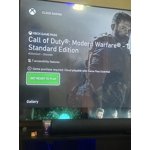
[This review was collected as part of a promotion.] This TV is a game-changer. The fact that you can just connect a DualSense controller and play modern games via GeForce Now without needing a PC or a console is mind-blowing. It works flawlessly. Highly recommend if you want to save space and money!

Review from Samsung US
Helpful?1U5QA8D4IAB615677157353
Jun 5, 2026
Jake
5 out of 5 stars review

Fantastic TV

[This review was collected as part of a promotion.] Great TV. I only have purchased Samsung products for my home. TV, kitchen, laundry etc. I All areas are great. The aesthetics, brightness, connectivity, resolution and security are the best in the industry.

Review from Samsung US
Helpful?1U5QA8D4IAB615677157353
Jun 12, 2026
Little old lady
5 out of 5 stars review

GREAT TV

[This review was collected as part of a promotion.] AWESOME TV !!! Only wish the remote was a little bigger and illuminate when picked up, constantly hitting the wrong button at night. Instructions were extremely small . Had to use a magnifying glass to read them. Have no complaints with the tv, would highly recommend.

Review from Samsung US
Helpful?1U5QA8D4IAB615677157353
Dec 20, 2025
Oldlady
4 out of 5 stars review

TV is great, but

[This review was collected as part of a promotion.] The tv was very easy to set up once you enroll on the Samsung web site. I had a picture within 10 minutes. Picture is clear. I only watch this tv for several hours , in bed at night. The remote is hard to use , instructions are not clear and I can't figure out how to setup the main screen. I am a senior and this remote is not friendly, nor are the instructions, hence the 4 stars.

Review from Samsung US
Helpful?1U5QA8D4IAB615677157353