Skip to Main Content
Sam's Club
Sam's Club
All Departments
All Services
Customer reviews for SAMSUNG 58” Class U8000F Series 4K Crystal UHD Smart TV for
SAMSUNG 58” Class U8000F Series 4K Crystal UHD Smart TV
4.5 out of 5 stars
stars
2,527 ratings2,521 reviews
  1. 5 stars72% (1,823)
  2. 4 stars16% (399)
  3. 3 stars6% (156)
  4. 2 stars3% (70)
  5. 1 star3% (79)

Member photos

  • +766 images
Sort by |
Showing 2,091-2,100 of 2,521 reviews
Feb 17, 2026
Tony
5 out of 5 stars review

Easy interface great investment 👌

[This review was collected as part of a promotion.] Absolutely great product. Bought one for my sister.

Review from Samsung US
Helpful?1U5QA8D4IAB615677157353
Feb 17, 2026
Jesse
5 out of 5 stars review

Great Picture

[This review was collected as part of a promotion.] Great picture and refresh rate and couldn't ask for a better tv

Review from Samsung US
Helpful?1U5QA8D4IAB615677157353
Dec 24, 2025
Firerescue154
5 out of 5 stars review

Excellent tv

[This review was collected as part of a promotion.] Fast and responsive, lots of apps to choose from and great display experience

Review from Samsung US
Helpful?1U5QA8D4IAB615677157353
Feb 17, 2026
Louis
5 out of 5 stars review

Awesome tv

[This review was collected as part of a promotion.] Great product for the price.it plays games well and movies look great

Review from Samsung US
Helpful?1U5QA8D4IAB615677157353
Feb 17, 2026
Kayy
5 out of 5 stars review

Great product

[This review was collected as part of a promotion.] Great product, picture on screen is perfect. It fits anywhere in your home

Review from Samsung US
Helpful?1U5QA8D4IAB615677157353
Dec 5, 2025
Liliy1210
5 out of 5 stars review

This Tv is budget friendly but so good

[This review was collected as part of a promotion.] This tv has definitely surpassed my expectations. It's a really good tv for a great price!

Review from Samsung US
Helpful?1U5QA8D4IAB615677157353
Feb 6, 2026
Giancarlos
4 out of 5 stars review

Fantastic midrange Smart TV

[This review was collected as part of a promotion.] Haven't had any issues with my Samsung TV. Use it everyday!

Review from Samsung US
Helpful?1U5QA8D4IAB615677157353
Feb 17, 2026
Samsung enthusiast
5 out of 5 stars review

Picture Quality

[This review was collected as part of a promotion.] The Resolution and Color are the this model strongest points.

Review from Samsung US
Helpful?1U5QA8D4IAB615677157353
Oct 13, 2025
TVLover
5 out of 5 stars review

Amazing tv

[This review was collected as part of a promotion.] It has an amazing screen and capabilities including Bluetooth

Review from Samsung US
Helpful?1U5QA8D4IAB615677157353
Feb 17, 2026
Zinzoid
3 out of 5 stars review

Tv
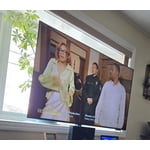
[This review was collected as part of a promotion.] Tv is ok picture not clear could be better and sound could be better

Review from Samsung US
Helpful?1U5QA8D4IAB615677157353
reply from Samsung Advisor

Hi Zinzoid, Thank you for your feedback on the sound quality of your Samsung U8000F TV. First, ensure your TV is running the latest firmware: Home > Settings > Support > Software Update To improve your sound, try different Sound Modes (Standard, Optimized, Amplify), or fine-tune your setup in Expert Settings under: Settings > All Settings > Sound. To explore picture mode options, navigate to: Home > Left directional button > Settings > All Settings > Picture > Picture Mode. Options include: • Standard – Ideal for general viewing • Dynamic – Brighter and more vibrant for well-lit spaces • Eco – Optimized for energy efficiency • Movie – Best for viewing in low light • Filmmaker Mode – Preserves the content creator’s intent and disables motion smoothing for supported content You can further customize your image by going to: Settings > All Settings > Picture > Expert Settings, where you can adjust Brightness, Contrast, Color Tone, Sharpness, Contrast Enhancer and more. If you’d like help finding the best settings for your preferences, please don’t hesitate to contact Samsung Support at 1-800-SAMSUNG, available 8AM – 12AM EST, 7 days a week. You can also LiveChat with an agent or explore additional resources on our website by clicking the ‘Support’ link. ~ Samsung Advisor