Skip to Main Content
Sam's Club
Sam's Club
All Departments
All Services
Customer reviews for SAMSUNG 58” Class U8000F Series 4K Crystal UHD Smart TV for
SAMSUNG 58” Class U8000F Series 4K Crystal UHD Smart TV
4.5 out of 5 stars
stars
2,527 ratings2,521 reviews
  1. 5 stars72% (1,823)
  2. 4 stars16% (399)
  3. 3 stars6% (156)
  4. 2 stars3% (70)
  5. 1 star3% (79)

Member photos

  • +766 images
Sort by |
Showing 1,791-1,800 of 2,521 reviews
May 22, 2026
Start up
3 out of 5 stars review

None

[This review was collected as part of a promotion.] Utube Tv and Utube are opened in same app causing extra steps to get to Utube Tv

Review from Samsung US
Helpful?1U5QA8D4IAB615677157353
reply from Samsung Advisor

Hi Start up, We appreciate your feedback on the U8000F TV. If you have any questions or need help, call 1-800-SAMSUNG (8AM – 9PM EST Mon – Fri, 8AM – 6PM Sat – Sun), or reach us via text 24/7. You can also visit ‘Support’ on our website for: • Live Chat • Manuals, Software, & Warranty Info ~Samsung Advisor

May 20, 2026
Oxford Train Man
5 out of 5 stars review

Picture Perfect

[This review was collected as part of a promotion.] Great picture for sport, movies and general viewing.

Review from Samsung US
Helpful?1U5QA8D4IAB615677157353
Apr 21, 2026
Nittworld77
5 out of 5 stars review

Bigger is better
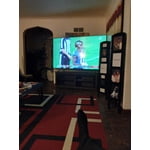
[This review was collected as part of a promotion.] Perfect brightness color resolutions view contrast

Review from Samsung US
Helpful?1U5QA8D4IAB615677157353
Dec 28, 2025
2025ShouldHaveBetterTech
2 out of 5 stars review

DumbTV

This was a free TV I did not buy, nor specifically pick. For a smart tv there are some really dumb aspects of this tv. No multiview. I can't watch something from one source and watch something from another source simultaneously, yet that appears to be something the Internet is telling me I can do. I can't access the home screen and keep something playing in the background. There is a minimized player showing that app, but if I scroll away from it, it completely stops. There could easily be a miniplayer that is larger and stays on screen as I scroll through the home screen. There's no voice feature. Also, I don't care about Samsung TV, don't shove it down my throat or I'll hate it even more. Great picture, but a little underwhelming from what I was expecting in a 4k tv, especially when editing picture settings. It felt like it wasn't changing the picture enough, and I am having a difficult time finding the ideal picture settings in general.

Review from Samsung US
Helpful?1U5QA8D4IAB615677157353
reply from Samsung Advisor

Hi 2025ShouldHaveBetterTech, We appreciate your feedback. Please know Multi-View is not available on the U8000F TV. It begins with our Q7F TV Series and above. If the image doesn’t quite match your preferences, there are several adjustments you can make to better suit your viewing environment and content type. First, please ensure your TV is running the latest firmware, as updates may include important picture quality enhancements. Go to: Home > Left directional button > Settings > Support > Software Update > Update Now To explore picture mode options, navigate to: Home > Left directional button > Settings > All Settings > Picture > Picture Mode. Options include: • Standard – Ideal for general viewing • Dynamic – Brighter and more vibrant for well-lit spaces • Eco – Optimized for energy efficiency • Movie – Best for viewing in low light • Filmmaker Mode – Preserves the content creator’s intent and disables motion smoothing for supported content You can further customize your image by going to: Settings > All Settings > Picture > Expert Settings, where you can adjust Brightness, Contrast, Color Tone, Sharpness, Contrast Enhancer and more. If you’d like help finding the best picture settings for your preferences, please don’t hesitate to contact Samsung Support at 1-800-SAMSUNG, available 8AM – 12AM EST, 7 days a week. You can also LiveChat with an agent or explore additional resources on our website by clicking the ‘Support’ link. ~Samsung Advisor

Dec 18, 2025
SamsungShopper
4 out of 5 stars review

This is a great TV

[This review was collected as part of a promotion.] This is a great second TV for my bedroom. It was very easy to setup as it transferred all of my settings and apps from my old Samsung TV and was up and running within minutes. The picture is great although the sound is a little weak out of the box, but can be cleaned up some with some tweaking.

Review from Samsung US
Helpful?1U5QA8D4IAB615677157353
Jun 21, 2026
REFa
3 out of 5 stars review

Sound Issues

Having trouble with the sound. Sometimes I have no sound & other times it is coming in too heavy.

Review from Samsung US
Helpful?1U5QA8D4IAB615677157353
reply from Samsung Advisor

Hi REFa, Thank you for sharing your experience with your U8000F TV. If you’re hearing no sound or the sound occasionally drops and you’re not using any external devices like a soundbar or receiver, the following steps may help restore or stabilize your TV audio: 1. Check your Sound Output. Make sure the TV is set to use its internal speakers: Home > left directional key > Settings > All Settings > Sound > Sound Output > TV Speaker 2. Run a Sound Test. This will help determine whether the issue lies with the TV’s speakers: Settings > Support > Device Care > Self Diagnosis > Sound Test. If you don’t hear audio during the Sound Test, the TV may require service. 3. Cold Boot the TV. This will refresh the system and can resolve temporary audio glitches. With the TV on, press and hold the Power button on the remote until the TV turns off and back on. Alternatively, unplug the TV from power for 30 seconds, then plug it back in. 4. Reset Sound Settings. If sound settings were changed or became corrupted, you can reset them to factory defaults: Settings > All Settings > Sound > Expert Settings > Reset Sound 5. Check for Firmware Updates. Software updates can improve audio performance and fix known issues: Settings > Support > Software Update > Update Now If the issue persists after trying the steps above, we recommend contacting Samsung Support for further assistance. You can reach us at 1-800-SAMSUNG (8AM – 9PM EST Mon – Fri, 8AM – 6PM Sat – Sun). LiveChat agents are also available through the ‘Support’ link on our website. ~ Samsung Advisor

Jun 22, 2026
HENDO23
5 out of 5 stars review

My tv
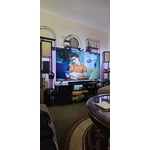
Love my product it's the best I've ever had i just love it

Review from Samsung US
Helpful?1U5QA8D4IAB615677157353
Jun 22, 2026
Tenek
5 out of 5 stars review

Good TV

Nice tv good image, cheap + AI, not expensive and affordable for everyone high recommended

Review from Samsung US
Helpful?1U5QA8D4IAB615677157353
Jun 22, 2026
Mon26
5 out of 5 stars review

Very sleek

Great TV, very light and resolution is great. The brightness is great.

Review from Samsung US
Helpful?1U5QA8D4IAB615677157353
Jun 20, 2026
Alan
5 out of 5 stars review

Totally happy with my purchase. It's a Samsung.

I love my TV, does what a TV is supposed to do, great sound and picture..

Review from Samsung US
Helpful?1U5QA8D4IAB615677157353