
Skip to Main Content
Sam's Club
Sam's Club
All Departments
All Services
Customer reviews for SAMSUNG 58” Class U8000F Series 4K Crystal UHD Smart TV for
SAMSUNG 58” Class U8000F Series 4K Crystal UHD Smart TV
4.5 out of 5 stars
stars
3,124 ratings3,118 reviews
  1. 5 stars71% (2,212)
  2. 4 stars16% (498)
  3. 3 stars7% (210)
  4. 2 stars3% (94)
  5. 1 star4% (110)

Member photos

  • +978 images
Sort by |
Showing 1,211-1,220 of 3,118 reviews
Jul 9, 2026
Reviewer name: Jim c
5 out of 5 stars
5 out of 5 stars review

Easy on the eyes.

[This review was collected as part of a promotion.] This is the first TV with 4k capability and I watched some of the World Cup games and it is worth every dollar. Could not be any better. Thanks! Can't wait for the NFL season.

Review from Samsung US
Helpful?1U5QA8D4IAB615677157353
May 20, 2026
Reviewer name: None
5 out of 5 stars
5 out of 5 stars review

Good quality

[This review was collected as part of a promotion.] Love that you can interface with my phone and use it as a "hotspot" to get hulu disney in other apps.

Review from Samsung US
Helpful?1U5QA8D4IAB615677157353
Jun 21, 2026
Reviewer name: JulesRN
4 out of 5 stars
4 out of 5 stars review

Samsung 50" smart tv

[This review was collected as part of a promotion.] Easy to navigate . The sharpness of the picture could be improved my LG that I had previously had a very beautiful picture display. The Samsung seems not as sharp in it's picture quality.

Review from Samsung US
Helpful?1U5QA8D4IAB615677157353
Jun 12, 2026
Reviewer name: Jetc33
5 out of 5 stars
5 out of 5 stars review

Samsung User For Lyfe

[This review was collected as part of a promotion.] Samsung picture clarity and sound quality is crystal clear. Plays movies and games with prestine function.

Review from Samsung US
Helpful?1U5QA8D4IAB615677157353
Jun 1, 2026
Reviewer name: Jrbug
5 out of 5 stars
5 out of 5 stars review

Great tv

[This review was collected as part of a promotion.] Amazing TV with a super clear picture and amazing sound quality. Can be controlled with the remote it comes with or with you samsung phone.

Review from Samsung US
Helpful?1U5QA8D4IAB615677157353
Jul 1, 2026
Reviewer name: Bbps
4 out of 5 stars
4 out of 5 stars review

Ezey two use

[This review was collected as part of a promotion.] easy to use green is bright the dim lighting the dim Lighting in poor light conditions refresh is easy responsiveness is pretty fast

Review from Samsung US
Helpful?1U5QA8D4IAB615677157353
Jul 5, 2026
Reviewer name: RoD18
4 out of 5 stars
4 out of 5 stars review

Overall Good product
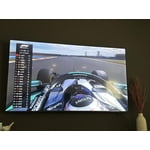
[This review was collected as part of a promotion.] Overall great product for the money. Wish Samsung kept the “one connect” feature. Brightness only good during “soccer” mode but colors are way off and picture looks fake.

Review from Samsung US
Helpful?1U5QA8D4IAB615677157353
May 23, 2026
Reviewer name: Noonecares
1 out of 5 stars
1 out of 5 stars review

Hate it. Wish i had my lg back

[This review was collected as part of a promotion.] Will not stay connected to the internet, jumps in and out of game mode while playing a game (screen goes black in the middle of games and come back on brighter than before.

Review from Samsung US
Helpful?1U5QA8D4IAB615677157353
reply from Samsung Advisor

Hi Noonecares, Thank you for sharing your experience with the internet connection on your Samsung U8000F TV. Whether you're using Wi-Fi or a wired (LAN) connection, there are a few steps you can take to help resolve the issue: 1. Power Cycle Your Equipment. Unplug both your TV and router/modem from the wall outlet. Wait at least 30 seconds, then plug them back in and allow both devices to fully restart. 2. Check the Network Status. On your TV, go to: Home > left directional key > Settings > All Settings > Connection > Network > Network Status. This will help determine if the issue lies with the network or the TV. 3. Try a Different Connection Type. If you're using Wi-Fi, try connecting an Ethernet (LAN) cable directly from your router to the TV to test the connection. If you're using a wired connection, try switching to Wi-Fi to see if the issue persists. 4. Reestablish the Network Connection. Go to: Settings > All Settings > Connection > Network > Open Network Settings, and follow the prompts to reconnect to your Wi-Fi or wired network. 5. Update Firmware. Software updates can often resolve network bugs. To check for the latest version: Settings > Support > Software Update > Update Now If these steps don't resolve the issue, we’d be happy to provide further assistance. Please call Samsung Support at 1-800-SAMSUNG, (8AM – 9PM EST Mon – Fri, 8AM – 6PM Sat – Sun). LiveChat is also available at the ‘Support’ link on our website. ~Samsung Advisor

Jul 6, 2026
Reviewer name: Kelly O
3 out of 5 stars
3 out of 5 stars review

It was good for a couple weeks

[This review was collected as part of a promotion.] The TV was great for the first two weeks or so then it became unresponsive with the remote and then the picture started to dim. We had no choice but to return it.

Review from Samsung US
Helpful?1U5QA8D4IAB615677157353
Jul 6, 2026
Reviewer name: Mike
5 out of 5 stars
5 out of 5 stars review

Good picture

[This review was collected as part of a promotion.] I can't complain about the picture, it is very good. I just wish you offered a 60” TV. I am space limited and I just hated to go down in size.

Review from Samsung US
Helpful?1U5QA8D4IAB615677157353









