Skip to Main Content
Sam's Club
Sam's Club
All Departments
All Services
Customer reviews for SAMSUNG 58” Class U8000F Series 4K Crystal UHD Smart TV for
SAMSUNG 58” Class U8000F Series 4K Crystal UHD Smart TV
4.5 out of 5 stars
stars
3,125 ratings3,119 reviews
  1. 5 stars71% (2,213)
  2. 4 stars16% (498)
  3. 3 stars7% (210)
  4. 2 stars3% (94)
  5. 1 star4% (110)

Member photos

  • +978 images
Sort by |
Showing 1,081-1,090 of 3,119 reviews
Jun 22, 2026
Reviewer name: BIGhowT
5 out of 5 stars
5 out of 5 stars review

TV repair

[This review was collected as part of a promotion.] I had a problem with my TV being broke I had to call Samsung to have it repaired They were quick and handling the situation And resolve the issue satisfactory.

Review from Samsung US
Helpful?1U5QA8D4IAB615677157353
Jul 12, 2026
Reviewer name: XoxojuicyK
5 out of 5 stars
5 out of 5 stars review

Great picture/sound qualities.

[This review was collected as part of a promotion.] Very nice tv! Sound and picture quality is great. You can place games on the tv, get onto the internet and much much more.

Review from Samsung US
Helpful?1U5QA8D4IAB615677157353
Jun 5, 2026
Reviewer name: Mike
2 out of 5 stars
2 out of 5 stars review

Slow response

[This review was collected as part of a promotion.] Compared to my older Samsung 65” this interface is horrible totally inconsistent with the other and slower than a Intel 286 processor

Review from Samsung US
Helpful?1U5QA8D4IAB615677157353
reply from Samsung Advisor

Hi Mike, We appreciate your feedback regarding your U8000FD TV’s performance. If you're experiencing freezing or lag in general response time, please try the following steps: 1. Check for firmware updates – Keeping your TV up to date can resolve many performance issues: Home > left directional key > Settings > Support > Software Update > Update Now 2. Run Device Care – This tool checks system memory, frees up cached data, and closes background apps that could be slowing things down: Home > left directional key > Settings > Support > Device Care > Start Device Care 3. Cold boot your TV – With the TV powered on, press and hold the Power button on your remote for 5+ seconds until the TV restarts. This helps refresh the system. If you're still noticing performance snags after these steps, please contact Samsung Support at 1-800-SAMSUNG (8AM – 9PM EST Mon – Fri, 8AM – 6PM Sat – Sun). You can also connect with a LiveChat agent via the ‘Support’ link on our website. ~ Samsung Advisor

Jun 5, 2026
Reviewer name: Smart TV
5 out of 5 stars
5 out of 5 stars review

Samsung 65”

[This review was collected as part of a promotion.] I've been happy with my Samsung smart tv. The resolution has been very clear. I'm happy with my purchase.

Review from Samsung US
Helpful?1U5QA8D4IAB615677157353
Jul 9, 2026
Reviewer name: Martin
5 out of 5 stars
5 out of 5 stars review

Great color

[This review was collected as part of a promotion.] The TV is very nice and clean. The colors on the TV are great. You can definitely tell it's worth the price. I will definitely be getting the newer version when it comes out.

Review from Samsung US
Helpful?1U5QA8D4IAB615677157353
May 22, 2026
Reviewer name: ByMorning
5 out of 5 stars
5 out of 5 stars review

Samsung #1 In Tvs
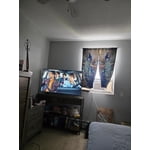
This Samsung TV is a nice purchase for the price from such a top-brand as Samsung. I also like how it connects with Samsung Smart Phones. The remote is cool too, not too much buttons. Most of all what I love about this TV is it's a Samsung.

Review from Samsung US
Helpful?1U5QA8D4IAB615677157353
Jul 5, 2026
Reviewer name: Anonymous
5 out of 5 stars
5 out of 5 stars review

Red Baron

[This review was collected as part of a promotion.] I love my TV. It has a vibrant screen. It is just the size I wanted and I am very happy with my purchase of this TV

Review from Samsung US
Helpful?1U5QA8D4IAB615677157353
May 20, 2026
Reviewer name: Susuki
4 out of 5 stars
4 out of 5 stars review

Clear picture

[This review was collected as part of a promotion.] I love how clear the graphics are and how well the TV works in general. This is the best TV I have ever owned up until now.

Review from Samsung US
Helpful?1U5QA8D4IAB615677157353
Jun 20, 2026
Reviewer name: Mcgeckogirl
5 out of 5 stars
5 out of 5 stars review

Happy with purchase
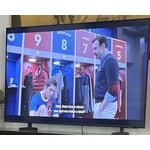
[This review was collected as part of a promotion.] Perfect size. Fairly easy to set up. Beautiful color and contrast. Out of the box set up with no adjustments other than location. Streaming only

Review from Samsung US
Helpful?1U5QA8D4IAB615677157353
Jun 20, 2026
Reviewer name: Char
2 out of 5 stars
2 out of 5 stars review

Picture issue

[This review was collected as part of a promotion.] The picture keeps freezing and then returns to channel. Probably needs a tube or something. Probably cheaper to buy a new tv than have a service man come.

Review from Samsung US
Helpful?1U5QA8D4IAB615677157353
reply from Samsung Advisor

Hi Char, If your U8000FD TV freezes or becomes unresponsive: 1. Cold boot – Hold the Power button on your remote for 5+ seconds until the TV restarts. 2. Update firmware – Home > left directional key > Settings > Support > Software Update > Update Now 3. Run Device Care – Home > left directional key > Settings > Support > Device Care > Start Device Care If issues continue, contact Samsung Support at 1-800-SAMSUNG (8AM – 9PM EST Mon – Fri, 8AM – 6PM Sat – Sun). LiveChat is also available under the ‘Support’ link on our website. ~ Samsung Advisor