Skip to Main Content
Sam's Club
Sam's Club
All Departments
All Services
Customer reviews for SAMSUNG 58” Class U8000F Series 4K Crystal UHD Smart TV for
SAMSUNG 58” Class U8000F Series 4K Crystal UHD Smart TV
4.5 out of 5 stars
stars
3,125 ratings3,119 reviews
  1. 5 stars71% (2,213)
  2. 4 stars16% (498)
  3. 3 stars7% (210)
  4. 2 stars3% (94)
  5. 1 star4% (110)

Member photos

  • +978 images
Sort by |
Showing 1,041-1,050 of 3,119 reviews
Jul 5, 2026
Reviewer name: Tyler
2 out of 5 stars
2 out of 5 stars review

No Voice Search
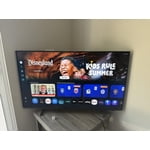
[This review was collected as part of a promotion.] Am disappointed because this model does not have voice search. I can't list Paramount+ app on the app panel for some reasons.

Review from Samsung US
Helpful?1U5QA8D4IAB615677157353
Jul 5, 2026
Reviewer name: Gigi
5 out of 5 stars
5 out of 5 stars review

Great TV

[This review was collected as part of a promotion.] This is the 2nd wonderful Samsung TV we have gotten. Great picture, Great color. ALL AROUND GREAT!

Review from Samsung US
Helpful?1U5QA8D4IAB615677157353
Jul 5, 2026
Reviewer name: CHARLIE
5 out of 5 stars
5 out of 5 stars review

Awesome

[This review was collected as part of a promotion.] I love this tv. The picture and sound is great. Easy to use once you understand the the controller. Wish the print was larger being a senior kinda hard to read.

Review from Samsung US
Helpful?1U5QA8D4IAB615677157353
Jun 21, 2026
Reviewer name: HHome
3 out of 5 stars
3 out of 5 stars review

hard setup

[This review was collected as part of a promotion.] Setup is not easy and well explained. Trying to force Samsung setting verse cable setting is make it hard. You should be able to just turn TV on not have to go through setrup steps to watch.

Review from Samsung US
Helpful?1U5QA8D4IAB615677157353
reply from Samsung Advisor

Hi HHome, Thank you for your feedback, and we are sorry you experienced issues during the setup of your TV. Please know we are always available and happy to assist you. Should you need more help, we're here for you. You can reach us at 1-800-SAMSUNG (8AM – 9PM EST Mon – Fri, 8AM – 6 PM Sat – Sun) or reach us via text 24/7. You can also visit ‘Support’ on our website for: • Live Chat • Manuals, Software, & Warranty Info ~ Samsung Advisor

Jun 24, 2026
Reviewer name: FrostyKitten
5 out of 5 stars
5 out of 5 stars review

Great for PS5 and streaming

[This review was collected as part of a promotion.] Looks and sounds amazing. Not only is compatible with Google Home it also integrates well with my PS5, as the game mode lets me use the tv remote to navigate the actual playstation console

Review from Samsung US
Helpful?1U5QA8D4IAB615677157353
Jun 2, 2026
Reviewer name: Vecna
4 out of 5 stars
4 out of 5 stars review

Great features
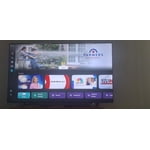
[This review was collected as part of a promotion.] Good quality with easy and quick interface navigation. Excellent picture with bright crystal clear resolution. Vibrant and bright colors. Love the low profile of the frame.

Review from Samsung US
Helpful?1U5QA8D4IAB615677157353
Jun 5, 2026
Reviewer name: Mytv
2 out of 5 stars
2 out of 5 stars review

Samsung

[This review was collected as part of a promotion.] I have issues with the TV and the wifi connection. It's only on this tv which is the main tv. It always goes in and out. I have updated and all but still does it. Love everything else about it thgh

Review from Samsung US
Helpful?1U5QA8D4IAB615677157353
reply from Samsung Advisor

Hi Mytv, Thank you for sharing your experience with Wi-Fi connectivity. If your TV is having trouble connecting to the network, the following steps may help resolve the issue: Signal & Setup Tips: 1. Check TV-to-router distance – Your TV should be within 50 feet of the modem or access point for reliable signal strength. 2. Minimize interference – Turn off nearby wireless devices and make sure there are no physical barriers (stone walls, fireplaces, appliances) between the TV and router. Power Cycle Devices: 3. Restart both your TV and router – Unplug both devices for at least 30 seconds, then plug them back in and allow them to reboot fully. Connection Type: 4. Evaluate your connection method – o If using Wi-Fi, move your router closer to the TV and eliminate any obstructions. o For a more stable connection, we strongly recommend using a wired Ethernet cable. o If already using Ethernet, verify the cable is working by testing it with another device. Run Built-In Diagnostic Tools: 5. Network Test: Settings > Support > Device Care > Self Diagnosis > Smart Hub Connection Test 6. Wi-Fi Check: Settings > Support > Device Care > Self Diagnosis > Wi-Fi Last Resort: 7. Perform a Factory Reset (if issues persist): Settings > All Settings > General & Privacy > Reset > Factory Data Reset. Note that this will return all settings to their original defaults. If these steps don’t resolve the issue, please reach out to Samsung Support at 1-800-SAMSUNG (8AM – 9PM EST Mon – Fri, 8AM – 6PM Sat – Sun). LiveChat support and additional help are available at the ‘Support’ link on our website. ~ Samsung Advisor

Jun 5, 2026
Reviewer name: Birddog
4 out of 5 stars
4 out of 5 stars review

HD

[This review was collected as part of a promotion.] Crystal HD is only good when I cast from my phone .I don't have cable or satellite .so I'm on a HD anntina .so not so good .but over all I like .very much

Review from Samsung US
Helpful?1U5QA8D4IAB615677157353
Jun 10, 2026
Reviewer name: Greg
5 out of 5 stars
5 out of 5 stars review

Easy to use features
[This review was collected as part of a promotion.] it's a great TVand easy to use i love the features and how easily it syncs with my sou d barkeep it up

Review from Samsung US
Helpful?1U5QA8D4IAB615677157353
May 19, 2026
Reviewer name: Modiodi
5 out of 5 stars
5 out of 5 stars review

Love my Samsung TV

[This review was collected as part of a promotion.] I love my Samsung TV It's my 2nd. I love all of Samsung's products! I also own the Fold 5 and the S25 ultra just to name a couple. Samsung never disappoints!

Review from Samsung US
Helpful?1U5QA8D4IAB615677157353