Skip to Main Content
Sam's Club
Sam's Club
All Departments
All Services
Customer reviews for SAMSUNG 55” Class S95FD Series 4K OLED Smart TV for
SAMSUNG 55” Class S95FD Series 4K OLED Smart TV
4.7 out of 5 stars
stars
769 ratings768 reviews
  1. 5 stars84% (644)
  2. 4 stars10% (80)
  3. 3 stars3% (23)
  4. 2 stars1% (9)
  5. 1 star2% (13)

Member photos

  • +255 images
Sort by |
Showing 441-450 of 768 reviews
Aug 22, 2025
Oled4life
5 out of 5 stars review

Best tv evere

[This review was collected as part of a promotion.] The sleek display technology offers a vibrant and immersive viewing experience. Colors appear incredibly rich and accurate, enhancing the visual appeal of any content. With deep blacks and exceptional contrast, the picture quality is simply stunning. This cutting-edge technology provides viewers with a captivating and truly enjoyable entertainment experience. Furthermore, the slim design of this display adds a touch of elegance to any living space.

Review from Samsung US
Helpful?1JNYDL88JM7O15601715182
Aug 2, 2025
Disappointed
1 out of 5 stars review

Great anti-reflection, poor image quality

Great anti-reflection, works as intended. Would be good brightness too, but you don't get to pick your brightness in many settings - for some reason it forces you to a low brightness even when you have brightness set to full (50). Horrible unavoidable artifacts in many scenes due to a software problem in handling jutter. Either you have it full on, and you get whole image color flicker in dark scenes, or full off and you get horrible motion artifacts around moving objects. In between, both are bad.

Review from Samsung US
Helpful?1JNYDL88JM7O15601715182
reply from Samsung Specialist

Hi Disappointed, We appreciate your input on the picture quality of Samsung’s S95F TV. If the image isn’t meeting your expectations, there are several adjustments you can make to improve your viewing experience. First, please ensure your TV is running the latest firmware, as updates may include important picture quality enhancements. Go to: Home > Left directional button > Settings > Support > Software Update > Update Now Then, select a Picture Mode that best fits your environment: Home > Home > left directional key > Settings > All Settings > Picture > Picture Mode 1. Standard – Default mode for general viewing 2. Dynamic – Brighter and clearer in well-lit rooms 3. Eco – Optimized for energy saving 4. Movie – Best for watching in dark environments 5. Filmmaker Mode – Preserves content exactly as intended by creators You may also want to check if energy saving or AI settings are enabled. These can automatically adjust the brightness based on your room’s lighting. • For energy settings, go to: Settings > All Settings > General & Privacy > Power and Energy Saving • For AI settings, go to: Settings > All Settings > Advanced Features > AI Mode Settings If these adjustments don’t improve your picture quality, feel free to contact Samsung Customer Support at 1-800-SAMSUNG, available 8AM – 12AM EST, 7 days a week. You can also LiveChat with an agent or find helpful guides by visiting the ‘Support’ section of our website. ~ Samsung Specialist

Oct 15, 2025
iamlaughing
5 out of 5 stars review

Nice but pricey

[This review was collected as part of a promotion.] We wanted a big TV in our living room but there are many windows. We were thinking about a Sony microLED for its brightness but then saw the Samsung S95F with the anti glare screen. It is so good. We were concerned at first because the reviews for last year’s model was mixed but this one is working out great!

Review from Samsung US
Helpful?1JNYDL88JM7O15601715182
Sep 22, 2025
TechLoverAiden
5 out of 5 stars review

Best OLED Experience for Movies & Gaming
[This review was collected as part of a promotion.] I’ve been using the Samsung S95F 65” OLED and it completely transformed my daily entertainment. From streaming movies to gaming, every detail comes to life with stunning colors and perfect contrast. The AI-powered picture and sound make every scene feel cinematic, and the screen’s fast refresh rate makes gaming incredibly smooth. I use it for everything – work, school, sports, and just relaxing after a long day. It’s stylish and fits perfectly in my living space, making every moment more enjoyable. This TV isn’t just for watching – it’s part of my daily routine and truly elevates every activity.

Review from Samsung US
Helpful?1JNYDL88JM7O15601715182
Jul 20, 2026
Ricky D
5 out of 5 stars review

Great brightness

Great picture brightness in a sunny room with no glare

Review from Samsung US
Helpful?1JNYDL88JM7O15601715182
Jul 8, 2026
Chris
5 out of 5 stars review

Excellent television

This has been one of the best tv I have bought not only for watching but for trolling the internet

Review from Samsung US
Helpful?1JNYDL88JM7O15601715182
Jul 1, 2026
I like stuf
4 out of 5 stars review

Decent tv!

OK TV. Won't connect to smarthings while off though and brightness could be better.

Review from Samsung US
Helpful?1JNYDL88JM7O15601715182
Jun 27, 2026
DrSky
5 out of 5 stars review

Great for Deaf community

Great for ASL movies and reading closed captions movies and TV shows

Review from Samsung US
Helpful?1JNYDL88JM7O15601715182
Jul 12, 2026
Zpalacios76
5 out of 5 stars review

Amazing TV
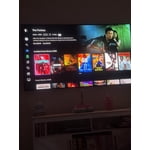
brightness, smoothness, upscaling, glare, contrast

Review from Samsung US
Helpful?1JNYDL88JM7O15601715182
Jul 20, 2026
Jackjack
5 out of 5 stars review

Can’t believe how well the no glare works

Great no glare TV with a great picture. I might have to get another one

Review from Samsung US
Helpful?1JNYDL88JM7O15601715182