Join Now
Skip to Main Content
Sam's Club
Sam's Club
All Departments
All Services
Customer reviews for SAMSUNG 83” Class S90FD Series 4K OLED Smart TV for
SAMSUNG 83” Class S90FD Series 4K OLED Smart TV
4.7 out of 5 stars
stars
2,127 ratings2,127 reviews
  1. 5 stars80% (1,693)
  2. 4 stars13% (282)
  3. 3 stars3% (74)
  4. 2 stars2% (43)
  5. 1 star2% (35)

Member photos

  • +808 images
Sort by |
Showing 811-820 of 2,127 reviews
Sep 5, 2026
Reviewer name: JimT
3 out of 5 stars
3 out of 5 stars review

Operating system is awful

[This review was collected as part of a promotion.] Picture is phenomenal and sound is good. The operating system is so glitchy, invasive and heavy handed it overwhelms all the positives.

Review from Samsung US
Helpful?3D37GPZDAAT215584057195
reply from Samsung Advisor

Hi JimT, We appreciate your feedback regarding your S90FD TV’s performance. If you're experiencing freezing or lag in general response time, please try the following steps: 1. Check for firmware updates – Keeping your TV up to date can resolve many performance issues: Home > Settings > Support > Software Update > Update Now 2. Run Device Care – This tool checks system memory, frees up cached data, and closes background apps that could be slowing things down: Home > Settings > Support > Device Care > Start Device Care 3. Cold boot your TV – With the TV powered on, press and hold the Power button on your remote for 5+ seconds until the TV restarts. This helps refresh the system. If you're still noticing performance snags after these steps, please contact Samsung Support at 1-800-SAMSUNG (8AM – 9PM EST Mon – Fri, 8AM – 6PM Sat – Sun). You can also connect with a LiveChat agent via the ‘Support’ link on our website. ~ Samsung Advisor

Aug 4, 2026
Reviewer name: Rapha
5 out of 5 stars
5 out of 5 stars review

Great TV with brilliant picture

[This review was collected as part of a promotion.] Great TV for watching soccer and movies in a bright living room. Motion handling and upscaling is suberb!

Review from Samsung US
Helpful?3D37GPZDAAT215584057195
Aug 30, 2026
Reviewer name: Rezonx
5 out of 5 stars
5 out of 5 stars review

Amazing quality of picture
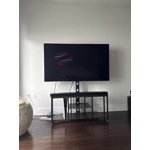
[This review was collected as part of a promotion.] Best tv I ever had , picture is amazing , sound is great , tv is so thin , like a paper , black is super black !!!

Review from Samsung US
Helpful?3D37GPZDAAT215584057195
Sep 5, 2026
Reviewer name: Love my TV
4 out of 5 stars
4 out of 5 stars review

Where did that AI robotic voice come from

[This review was collected as part of a promotion.] You must get rid of the annoying high pitched AI that suddenly appeared on this TV and also on the Samsung I left behind with my 2 boys at their home

Review from Samsung US
Helpful?3D37GPZDAAT215584057195
Aug 23, 2026
Reviewer name: ImJohan
5 out of 5 stars
5 out of 5 stars review

Great purchase
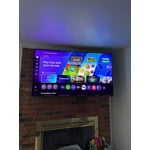
[This review was collected as part of a promotion.] Responsiveness is amazing. This is by far the best Oled I have owned. It is sharp and the look is also stunning. Would recommend to others

Review from Samsung US
Helpful?3D37GPZDAAT215584057195
Sep 6, 2026
Reviewer name: Dave25
5 out of 5 stars
5 out of 5 stars review

Tv review

[This review was collected as part of a promotion.] Once every couple months I have to restart ... other than that great TV ... picture, sound exvellent

Review from Samsung US
Helpful?3D37GPZDAAT215584057195
Sep 7, 2026
Reviewer name: Gtrr
3 out of 5 stars
3 out of 5 stars review

Great tv bad software
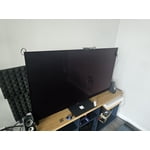
[This review was collected as part of a promotion.] Solid tv good colors high refresh rate for games but very bad ui and very laggy. Has a nice stand too and easy to set up.

Review from Samsung US
Helpful?3D37GPZDAAT215584057195
reply from Samsung Pro

Gtrr, We appreciate you sharing your user experience. To help you get the most from your TV, you can download the full e-Manual and more by visiting Samsung’s website then navigating to: Support > Manual & Software > TVs & Home Theater. From there, you can search for and select your TV model to view or download the available guides. The e-Manual and Remote Control Guide are also conveniently built into your TV: Settings > Support > Tips and User Guides To optimize performance, try running Device Care, which checks memory, clears unused cached data, and closes background apps: Home > top directional key > Settings > Support > Device Care > Start Device Care If you need additional help, please contact Samsung Support at 1-800-SAMSUNG (8AM – 9PM EST Mon – Fri, 8AM – 6PM Sat – Sun). LiveChat agents are also available through the ‘Support’ link on our website. ~ Samsung Pro

Sep 5, 2026
Reviewer name: giehadler
5 out of 5 stars
5 out of 5 stars review

Bonus channel

[This review was collected as part of a promotion.] Love my Samsung TV. Great picture and has a bonus channel. It includes Samsung Plus. A free channel with movies, TV shows etc.

Review from Samsung US
Helpful?3D37GPZDAAT215584057195
Sep 5, 2026
Reviewer name: JimXX
2 out of 5 stars
2 out of 5 stars review

Remote stopped working

[This review was collected as part of a promotion.] Remote stopped working and had to replace with universal. Cannot load several apps I used on my older tv

Review from Samsung US
Helpful?3D37GPZDAAT215584057195
reply from Samsung Advisor

Hi JimXX, Thank you for your feedback. If there’s anything we can assist with, please don’t hesitate to call us at 1-800-SAMSUNG (8AM – 9PM EST Mon – Fri, 8AM – 6PM Sat – Sun), or reach us via text anytime. You can also visit ‘Support’ on our website for: • Live Chat • Manuals, Software, & Warranty Info ~ Samsung Advisor

Sep 4, 2026
Reviewer name: OscarC
5 out of 5 stars
5 out of 5 stars review

Great TV

[This review was collected as part of a promotion.] Great TV all around! The new operating system is way better than it was on previous TVs. Contrast is very good & black actually looks black. I would highly recommend this TV

Review from Samsung US
Helpful?3D37GPZDAAT215584057195