Join Now
Skip to Main Content
Sam's Club
Sam's Club
All Departments
All Services
Customer reviews for SAMSUNG 83” Class S90FD Series 4K OLED Smart TV for
SAMSUNG 83” Class S90FD Series 4K OLED Smart TV
4.7 out of 5 stars
stars
2,125 ratings2,125 reviews
  1. 5 stars80% (1,691)
  2. 4 stars13% (282)
  3. 3 stars3% (74)
  4. 2 stars2% (43)
  5. 1 star2% (35)

Member photos

  • +808 images
Sort by |
Showing 711-720 of 2,125 reviews
Apr 11, 2026
Reviewer name: HALotis4
5 out of 5 stars
5 out of 5 stars review

Great experience and product...

[This review was collected as part of a promotion.] As soon as I got the box I realized that you can simply grab both sides and pull up and the base was secured precisely to hold the TV. After plugging it in and putting in my Samsung account info it registered my previous TV settings and in less than 10 minutes I was up and watching all of my favorite shows from all of the apps. Did not have to do anything except for verify I am the user. This is one of the easiest products to use right out of the box. Everything was set to a standard higher than I normally do and was too good to be true and I had to tune some back at first. Then was watching a high end show and decided to max out the settings and it blew my mind on how vivid the colors were and how dark the blacks were. Colors are more vivid and popping. Blacks are even blacker than I had ever experienced. As smoothness of transitions between apps and channels was so easy I didn't realize I was going between cable and over the air TV.

Review from Samsung US
Helpful?3D37GPZDAAT215584057195
Jun 10, 2026
Reviewer name: Moviebuff
5 out of 5 stars
5 out of 5 stars review

All around great tv!
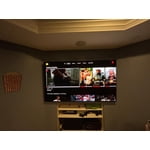
[This review was collected as part of a promotion.] Did extensive research and finally landed on my Samsung S90F and I'm so glad that I did. Great picture quality and was very surprised with how great it sounds. You don't even need a soundbar! I highly recommend this tv.

Review from Samsung US
Helpful?3D37GPZDAAT215584057195
May 11, 2026
Reviewer name: Anonymous
4 out of 5 stars
4 out of 5 stars review

Great TV.

[This review was collected as part of a promotion.] I needed to upgrade my 2016 Samsung 55 inch. Decided to spend the extra money on the OLED HDR 4k. Basically to be ready for future upgrades and updates that the TV provides. I love that it updates itself and now has AI features now. Im an advide gamer the TV works great for that with all the new HDR games that are coming out. My wife has no complaints when shes watching regular TV. Idk if she even notices the difference. Im huge samsung fan using a S26 galaxy phone complimeted with my galaxy ultra watch. Samsung does it right.

Review from Samsung US
Helpful?3D37GPZDAAT215584057195
Jun 20, 2026
Reviewer name: Dequalen
5 out of 5 stars
5 out of 5 stars review

Great TV

[This review was collected as part of a promotion.] Yes the TV has a really great picture the sound is amazing very impressed with the quality of the TV Also it doesn't get as hot as previous TVs that I have purchased as far as it being sold slim and the pitch quality is just amazing think it's a really goodbye anyone who is interested To me personally I'll Samsung productAre very well worth it so yeah I'll give it a five stars absolutely

Review from Samsung US
Helpful?3D37GPZDAAT215584057195
May 11, 2026
Reviewer name: Sfelto
5 out of 5 stars
5 out of 5 stars review

Highly recommended
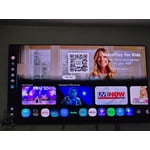
[This review was collected as part of a promotion.] Samsung is my go to when shopping, they have come through twice when needed. I love their products. This tv is amazing, a but nerve racking due to its fragility but the picture and sound are amazing. It has quick response when going through menu items or loading apps.

Review from Samsung US
Helpful?3D37GPZDAAT215584057195
May 21, 2026
Reviewer name: Dave
5 out of 5 stars
5 out of 5 stars review

Easy to set up and learn, fun to watch
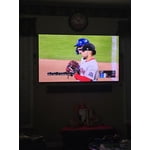
[This review was collected as part of a promotion.] This S90f 65 inch is an awsome tv, im mid 70s and not to technical savvy and this set has been easy to learn and operate. The picture is awsome as well bright and crystal clear, no glare and easy on the eyes, the remote is small and easy to operate as well and no batteries to replace, as a bonus we matched the tv with a samsung sound bar another awsome, like being in theater, love this set up, my last samsung lasted 21 years and is now in my bedroom still going strong,highly recommend.

Review from Samsung US
Helpful?3D37GPZDAAT215584057195
Jul 5, 2026
Reviewer name: Tommy
5 out of 5 stars
5 out of 5 stars review

Bright&Easy

[This review was collected as part of a promotion.] Incredible brightness and sharpness, meeting every expectation we have of Samsung tvs. Easy setup to our provider helped make the install even better. We like the simple but functional remote. Our tv room also has 3 other wall mounted Samsung tvs (smaller) for mutti viewing. Total pleasure.

Review from Samsung US
Helpful?3D37GPZDAAT215584057195
Jul 7, 2026
Reviewer name: Not Applicable
5 out of 5 stars
5 out of 5 stars review

Samsung 48" OLED S90F 4K Vision AI Smart TV (2025)

[This review was collected as part of a promotion.] This is the best TV we have ever owned. We were loyal Sony customers but we are so happy with this set.. This Samsung has vibrant color and the brightness is just perfect. The TV paired with an Oticon hearing device allows my husband to hear with ease. We purchased a Samsung sound bar with the TV and I'm glad that we did. We have noted exceptional sound especially with movies we have watched. In terms of contrast, images are noticeably sharp on the set. We are happy and satisfied customers!

Review from Samsung US
Helpful?3D37GPZDAAT215584057195
Dec 6, 2025
Reviewer name: Fred Z 43
3 out of 5 stars
3 out of 5 stars review

Challenging navigation, lost picture.

The picture was very good for the first 3 2eeks, then we lost picture and had only sound. Still waiting for Samsung Service. While it worked, we had difficulty navigating the menu to select our default tab, DISH Network. With our 5+ year old Samsung QLED, we were able to go to our DISH input just by turning the TV on. Now, we have to go through several steps to get to DISH when we turn it on. This has been confusing for us and we wish that the TV would be on the last input we had selected before we turned it off.

Review from Samsung US
Helpful?3D37GPZDAAT215584057195
reply from Samsung Specialist

Fred Z 43, Thank you for sharing your experience, and we truly appreciate your patience as you await your service appointment. To help you get the most from your TV and remote functions, you can download the full e-Manual and more by visiting Samsung’s website then navigating to: Support > Manual & Software > TVs & Home Theater. From there, you can search for and select your S90F TV model to view or download the available guides. The e-Manual & Remote Control Guide are also conveniently built into your TV: Settings > Support > Tips and User Guides. For additional guidance, your TV also includes Accessibility features designed to assist with navigation and remote use. • Learn Menu Screen provides audio guidance for on-screen menus by announcing the name and function of each item as you scroll – without making any changes. This is especially helpful for users who are visually impaired or new to Smart TV menus. Enable via: Settings > All Settings > General & Privacy > Accessibility > Learn Menu Screen. To exit, press the Return key twice. • Learn TV Remote helps users become familiar with the layout and function of each button on the Samsung remote. Pressing a button (other than Power) will prompt the TV to announce its name and purpose, again without affecting TV operation. Enable via: Settings > All Settings > General & Privacy > Accessibility > Learn TV Remote. To exit, press the Return key twice. If you’d like more assistance with these features, please reach Samsung Support at 1-800-SAMSUNG, available 8AM – 12AM EST, 7 days a week. LiveChat agents are also available through the ‘Support’ link on our website. ~ Samsung Specialist

Dec 5, 2025
Reviewer name: HonestReviewer
2 out of 5 stars
2 out of 5 stars review

Disappointed With Flickering on a Brand New TV

[This review was collected as part of a promotion.] I purchased this TV with high expectations, but it started flickering on the left side of the screen the very first day. The vertical flickering is noticeable and makes it difficult to enjoy the picture. A new TV should not have this kind of issue immediately after setup. I expected a problem-free experience, so this has been very frustrating.

Review from Samsung US
Helpful?3D37GPZDAAT215584057195
reply from Samsung Specialist

Hello, It’s unfortunate to hear you’re having trouble with your S95F TV. To help us identify the cause and provide the most effective solution, please reach out so we can gather more information. You can contact us at 1-800-SAMSUNG, available daily from 8AM - 12AM EST. You can also chat with a LiveChat agent by clicking the ‘Support’ link on our website for: • Live Chat • Manuals, Software, & Warranty Info • Creating a Service ticket ~ Samsung Specialist