Skip to Main Content
Sam's Club
Sam's Club
All Departments
All Services
Customer reviews for SAMSUNG 50" Class U8000F Series 4K Crystal UHD Smart TV for
SAMSUNG 50" Class U8000F Series 4K Crystal UHD Smart TV
4.6 out of 5 stars
stars
1,445 ratings1,393 reviews
  1. 5 stars74% (1,073)
  2. 4 stars15% (217)
  3. 3 stars5% (76)
  4. 2 stars3% (44)
  5. 1 star2% (35)

Member photos

  • +368 images
Sort by |
Showing 611-620 of 1,393 reviews
Jun 11, 2026
Mzboss
5 out of 5 stars review

Great features
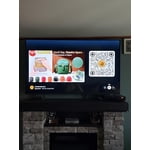
[This review was collected as part of a promotion.] Great prices for such a nice tv. Good picture and sound

Review from Samsung US
Helpful?0U87HKRK7K5R15580452247
Jun 16, 2026
Vegasnick
2 out of 5 stars review

Problems

[This review was collected as part of a promotion.] Having problems!! Tv changes channels and adjusts the volume BY ITSELF!!!

Review from Samsung US
Helpful?0U87HKRK7K5R15580452247
reply from Samsung Advisor

Hi Vegasnick, Thank you for reaching out to us. Please try the following steps to resolve your issue: 1. Reset Smart Hub – Home > left directional key > Settings > Support > Device Care > Self Diagnosis > Reset Smart Hub (This will sign you out of apps and reset Smart Hub to factory default.) 2. Update firmware – Home > left directional key > Settings > Support > Software Update > Update Now 3. Run Device Care – Home > left directional key > Settings > Support > Device Care > Start Device Care If the issue persists, contact Samsung Support at 1-800-SAMSUNG (8AM – 9PM EST Mon – Fri, 8AM – 6PM Sat – Sun). LiveChat is available under the ‘Support’ link on our website. ~ Samsung Advisor

Jun 26, 2026
Chap
1 out of 5 stars review

Unfortunately, the TV is trash.

The lightweight TV tilted over and the screen became damaged Will never by a TV product. However, love your cell phones

Review from Samsung US
Helpful?0U87HKRK7K5R15580452247
reply from Samsung Advisor

Hi Chap, We are very sorry to hear about your experience. If there’s anything we can assist with, please don’t hesitate to call us at 1-800-SAMSUNG (8AM – 9PM EST Mon – Fri, 8AM – 6PM Sat – Sun), or reach us via text anytime. You can also visit ‘Support’ on our website for: • Live Chat • Manuals, Software, & Warranty Info ~ Samsung Advisor

Jun 5, 2026
Claude
5 out of 5 stars review

Great tv's

[This review was collected as part of a promotion.] I have four Samsung TV's. It is the only brand I will own

Review from Samsung US
Helpful?0U87HKRK7K5R15580452247
Jun 1, 2026
BYTOR 440
5 out of 5 stars review

All around great T.V.

[This review was collected as part of a promotion.] all around really great television set great color contrast and picture quality...

Review from Samsung US
Helpful?0U87HKRK7K5R15580452247
Jun 1, 2026
Television
3 out of 5 stars review

Samsung

[This review was collected as part of a promotion.] It was easy to connect to my phone. I wish it could have been more voice activated

Review from Samsung US
Helpful?0U87HKRK7K5R15580452247
reply from Samsung Advisor

Hi Television, Thank you for sharing your review. Your TV Works With Alexa, meaning you’ll need to connect a standalone Alexa device such as an Echo speaker, to control compatible smart home devices and some experiences on your TV. Here are the steps: 1. Download both the Amazon Alexa and Samsung SmartThings apps, if you don't already have them. Both are available for iOS or Android devices. 2. Make sure your Alexa device and TV are both connected to the same Wi-Fi network. 3. Your TV must be enabled within the SmartThings app. If not, make sure you are signed in with your Samsung account on the TV: Settings > All Settings > Samsung Account 4. Log in to the SmartThings app with the same Samsung account. Tap Devices, and if your TV isn’t already shown, tap + to add it to the app. 5. In the Alexa app, enable the SmartThings skill and sign into your Samsung account. This will automatically connect your Samsung TV to Alexa and let you use voice commands to control your television. If you need more help, we’re here. Give us a call at 1-800-SAMSUNG, available daily from 8AM - 9PM EST Monday - Friday, and 8AM - 6PM Saturday and Sunday. You can also visit the Samsung website and click on ‘Support’ for: • Live Chat • Manuals, Software, & Warranty Info ~Samsung Advisor

Jun 1, 2026
David
5 out of 5 stars review

Beautiful picture

[This review was collected as part of a promotion.] More channels than I can handle great features in excellent TV.

Review from Samsung US
Helpful?0U87HKRK7K5R15580452247
Jun 22, 2026
Apremodeling
5 out of 5 stars review

Great feactures

[This review was collected as part of a promotion.] Best quality and good price can't complaint at all thank you

Review from Samsung US
Helpful?0U87HKRK7K5R15580452247
Jun 7, 2026
Sox Steeler
3 out of 5 stars review

Slow To Boot-up

[This review was collected as part of a promotion.] The TV takes a lot of time to boot-up and sometimes the apps don't come on unless I unplug it.

Review from Samsung US
Helpful?0U87HKRK7K5R15580452247
reply from Samsung Advisor

Hi Sox Steeler, We appreciate your feedback regarding your U8000F TV’s performance. If you're experiencing freezing or lag in general response time, please try the following steps: 1. Check for firmware updates – Keeping your TV up to date can resolve many performance issues: Home > left directional key > Settings > Support > Software Update > Update Now 2. Run Device Care – This tool checks system memory, frees up cached data, and closes background apps that could be slowing things down: Home > left directional key > Settings > Support > Device Care > Start Device Care 3. Cold boot your TV – With the TV powered on, press and hold the Power button on your remote for 5+ seconds until the TV restarts. This helps refresh the system. If you're still noticing performance snags after these steps, please contact Samsung Support at 1-800-SAMSUNG (8AM – 9PM EST Mon – Fri, 8AM – 6PM Sat – Sun). You can also connect with a LiveChat agent via the ‘Support’ link on our website. ~ Samsung Advisor

Jun 22, 2026
Paul
5 out of 5 stars review

Great screen

[This review was collected as part of a promotion.] The brghtness is great the ima6 on the screen is very good

Review from Samsung US
Helpful?0U87HKRK7K5R15580452247