Skip to Main Content
Sam's Club
Sam's Club
All Departments
All Services
Customer reviews for SAMSUNG 50" Class U8000F Series 4K Crystal UHD Smart TV for
SAMSUNG 50" Class U8000F Series 4K Crystal UHD Smart TV
4.5 out of 5 stars
stars
1,733 ratings1,681 reviews
  1. 5 stars73% (1,262)
  2. 4 stars15% (261)
  3. 3 stars6% (104)
  4. 2 stars3% (51)
  5. 1 star3% (55)

Member photos

  • +488 images
Sort by |
Showing 591-600 of 1,681 reviews
Jun 10, 2026
Reviewer name: Lazy 75
5 out of 5 stars
5 out of 5 stars review

The picture is wonderful
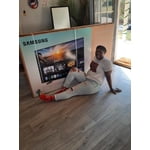
[This review was collected as part of a promotion.] I actually love the TV the quality is great the picture is wonderful the sound is magnificent I have not moved I've been in the same spot ever since I had the TV LOL

Review from Samsung US
Helpful?0U87HKRK7K5R15580452247
May 30, 2026
Reviewer name: vknike
5 out of 5 stars
5 out of 5 stars review

Great Quality

[This review was collected as part of a promotion.] Great Brightness, good contrast, Resolution makes it very clear, Viewing angle is very wide and sound output is clear and virtual surround

Review from Samsung US
Helpful?0U87HKRK7K5R15580452247
Jun 22, 2026
Reviewer name: Dougit05
3 out of 5 stars
3 out of 5 stars review

Budget friendly

[This review was collected as part of a promotion.] Nice tv on a budget. Slim design, good volume, only issue is sun light and glare. Over all nice tv.

Review from Samsung US
Helpful?0U87HKRK7K5R15580452247
reply from Samsung Advisor

Hi Dougit05, Thanks for sharing your thoughts. If there's anything we can do to improve your experience, please reach Samsung Support at 1-800-SAMSUNG (8AM – 9PM EST Mon – Fri, 8AM – 6PM Sat – Sun) or through LiveChat on our website under ‘Support.’ ~ Samsung Advisor

Jun 21, 2026
Reviewer name: Franny
5 out of 5 stars
5 out of 5 stars review

My 70” Samsung TV

[This review was collected as part of a promotion.] I am very happy with my first 70” Samsung TV. I always had an old school TV and I cannot believe the difference and the quality! I highly recommend.

Review from Samsung US
Helpful?0U87HKRK7K5R15580452247
Jul 20, 2026
Reviewer name: Freddy
5 out of 5 stars
5 out of 5 stars review

Excellent TV viewing

[This review was collected as part of a promotion.] This product was well worth the purchase and has proven to be of exceptional quality for the price.

Review from Samsung US
Helpful?0U87HKRK7K5R15580452247
Jun 1, 2026
Reviewer name: JCS7
5 out of 5 stars
5 out of 5 stars review

Excellent features

[This review was collected as part of a promotion.] This tv is huge, my husband watches it every night, the resolution n color is great beyond comparison, the surround sound helps him transform it unto a movie theater 🎦

Review from Samsung US
Helpful?0U87HKRK7K5R15580452247
Jun 20, 2026
Reviewer name: dougdude
5 out of 5 stars
5 out of 5 stars review

Good color

[This review was collected as part of a promotion.] I would say the TV works as advertised; it was a little difficult setting up the cox remote, but all is good now.

Review from Samsung US
Helpful?0U87HKRK7K5R15580452247
Jun 5, 2026
Reviewer name: Mike
2 out of 5 stars
2 out of 5 stars review

Slow response

[This review was collected as part of a promotion.] Compared to my older Samsung 65” this interface is horrible totally inconsistent with the other and slower than a Intel 286 processor

Review from Samsung US
Helpful?0U87HKRK7K5R15580452247
reply from Samsung Advisor

Hi Mike, We appreciate your feedback regarding your U8000FD TV’s performance. If you're experiencing freezing or lag in general response time, please try the following steps: 1. Check for firmware updates – Keeping your TV up to date can resolve many performance issues: Home > left directional key > Settings > Support > Software Update > Update Now 2. Run Device Care – This tool checks system memory, frees up cached data, and closes background apps that could be slowing things down: Home > left directional key > Settings > Support > Device Care > Start Device Care 3. Cold boot your TV – With the TV powered on, press and hold the Power button on your remote for 5+ seconds until the TV restarts. This helps refresh the system. If you're still noticing performance snags after these steps, please contact Samsung Support at 1-800-SAMSUNG (8AM – 9PM EST Mon – Fri, 8AM – 6PM Sat – Sun). You can also connect with a LiveChat agent via the ‘Support’ link on our website. ~ Samsung Advisor

Jun 1, 2026
Reviewer name: Thisguy
5 out of 5 stars
5 out of 5 stars review

Samsung 65 in

[This review was collected as part of a promotion.] Love that I get consistent updates and the sound and picture is what I expect from Samsung. App sections allows me to watch live tv and movies.

Review from Samsung US
Helpful?0U87HKRK7K5R15580452247
Jun 5, 2026
Reviewer name: JRtv
4 out of 5 stars
4 out of 5 stars review

Great TV, Terrible remote with no instructions.

[This review was collected as part of a promotion.] TV is great, but it is hampered by a terrible remote with no user guide. This creates bada usability.

Review from Samsung US
Helpful?0U87HKRK7K5R15580452247