Skip to Main Content
Sams Club
Sams Club
Customer reviews for SAMSUNG 50" Class U8000F Series 4K Crystal UHD Smart TV for
SAMSUNG 50" Class U8000F Series 4K Crystal UHD Smart TV
4.7 out of 5 stars
stars960 ratings908 reviews
  1. 5 stars79% (755)
  2. 4 stars14% (137)
  3. 3 stars4% (35)
  4. 2 stars2% (19)
  5. 1 star1% (14)

Member photos

  • +247 images
Sort by |
Showing 111-120 of 908 reviews
Apr 20, 2026
Straw03
5 out of 5 stars review

Perfect!

[This review was collected as part of a promotion.] This is a fantastic option for a bedroom, small apartment, or secondary media room. For those who are on a strict budget or limited budget who want a thin, stylish TV with great smart features, it is a strong recommendation to buy. It makes older content look much sharper.

Review from Samsung US
Helpful?0U87HKRK7K5R15580452247
May 15, 2026
Garage tv
5 out of 5 stars review

Great features

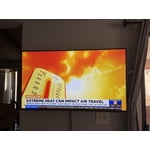
[This review was collected as part of a promotion.] The brightness and resolution are clear. It was easy to set up with our samsung phones. We have no problems with the refresh. The contrast is nice in our garage which has low lighting.

Review from Samsung US
Helpful?0U87HKRK7K5R15580452247
May 20, 2026
Susie
5 out of 5 stars review

Great picture!!!

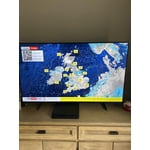
[This review was collected as part of a promotion.] Love the tv it has a great picture!!! I would recommend it. Once you get the settings you don't have to adjust it again

Review from Samsung US
Helpful?0U87HKRK7K5R15580452247
May 20, 2026
Pakat
3 out of 5 stars review

No Voice Commands

[This review was collected as part of a promotion.] The TV clarity is superb. I would not have purchased it if I knew it did not have voice command options.

Review from Samsung US
Helpful?0U87HKRK7K5R15580452247
reply from Samsung Advisor

Hi Pakat, Thank you for sharing your review. Your TV does not have a built-in voice assistant, but it does work with Alexa, meaning you’ll need to connect a standalone Alexa device, such as an Echo speaker, to control compatible smart home devices and some experiences on your TV. Here are the steps: 1. Download both the Amazon Alexa and Samsung SmartThings apps, if you don't already have them. Both are available for iOS or Android devices. 2. Make sure your Alexa device and TV are both connected to the same Wi-Fi network. 3. Your TV must be enabled within the SmartThings app. If not, make sure you are signed in with your Samsung account on the TV: Settings > All Settings > Samsung Account 4. Log in to the SmartThings app with the same Samsung account. Tap Devices, and if your TV isn’t already shown, tap + to add it to the app. 5. In the Alexa app, enable the SmartThings skill and sign into your Samsung account. This will automatically connect your Samsung TV to Alexa and let you use voice commands to control your television. If you need more help, we’re here. Give us a call at 1-800-SAMSUNG (8AM – 9PM EST Mon – Fri, 8AM – 6PM Sat – Sun). You can also connect with a LiveChat agent through the Support link on our website. ~ Samsung Advisor

May 20, 2026
donrico
2 out of 5 stars review

up front and center

[This review was collected as part of a promotion.] The picture is magnificent. One must, however, be viewing directly in front of the screen. Any viewing angle will be less clear.

Review from Samsung US
Helpful?0U87HKRK7K5R15580452247
reply from Samsung Advisor

Hi donrico, Thank you for purchasing the Samsung U8000F TV and for sharing your feedback regarding screen reflections. Lighting conditions vary from room to room, and reflections may be more noticeable depending on placement and ambient light. For optimal glare control, we recommend positioning the TV to minimize direct light on the screen or consulting with a professional installer for best placement. Samsung’s Glare Free technology, engineered to minimize reflections from ambient light, is available on the QN90F Neo QLED 4K and higher. Anti Reflection is also featured starting with the S85F OLED and up. If you have any questions about features, specifications, or setup, we’re here to help – please contact Samsung Customer Support at 1-800-SAMSUNG (8AM – 9PM EST Mon – Fri, 8AM – 6PM Sat – Sun). LiveChat is also available via the ‘Support’ link on our website. ~Samsung Advisor

May 21, 2026
Rowdy
2 out of 5 stars review

NNOT IMPRESSED

[This review was collected as part of a promotion.] Not at all impressed. Mostly due to the high cost for an average TV that could be bought for much less money on another brand.

Review from Samsung US
Helpful?0U87HKRK7K5R15580452247
reply from Samsung Advisor

Hi Rowdy, We appreciate your feedback on the quality of Samsung’s U8000F TV. If the image you’re seeing isn’t to your liking, there are several picture settings you may want to adjust. First, make sure your TV is up to date. To check for the latest version, go to: Home > Left directional button > Settings > Support > Software Update > Update Now. If the image doesn’t quite match your preferences after updating/checking for updates, there are several settings you can adjust to better suit your viewing environment. To explore picture mode options, go to: Home > Left directional button > Settings > All Settings > Picture > Picture Mode. Available modes include: 1. Standard – Default mode for general viewing 2. Dynamic – Brighter and sharper for well-lit rooms 3. Eco – Optimized for energy saving 4. Movie – Best for dark room viewing 5. Filmmaker Mode – Preserves the director’s intended look and feel (automatically enabled for supported content) You can also fine-tune settings like brightness, contrast, sharpness, and more by navigating to: All Settings > Picture > Expert Settings If you’d like help finding the best setup for your preferences or if there are other features that are leaving you unsatisfied, please don’t hesitate to contact Samsung Customer Support at 1-800-SAMSUNG, available from 8AM – 9PM EST Mon – Fri, 8AM – 6PM Sat – Sun. You can also visit the Samsung website and click on ‘Support’ for: • Live Chat • Manuals, Software, & Warranty Info ~ Samsung Advisor

May 20, 2026
Jabes
4 out of 5 stars review

Volume control

[This review was collected as part of a promotion.] The volume control is not very likeable because you have to continue to click to change volume. Instead of a sliding volumes control. Otherwise, all is good.

Review from Samsung US
Helpful?0U87HKRK7K5R15580452247
May 20, 2026
Lito
5 out of 5 stars review

Watch the news

[This review was collected as part of a promotion.] Everything is good to my Samsung tv… I've got 70 inches at the living room and the other room with my parents 32 inches Samsung at mine 50 inches Samsung tv.. that's why I love Samsung..

Review from Samsung US
Helpful?0U87HKRK7K5R15580452247
May 21, 2026
dmp0503
3 out of 5 stars review

Problems with sound

[This review was collected as part of a promotion.] Sound is fuzzy, mostly noticeable during music, but ocassionally when characters are speaking. No idea how to address this. ,

Review from Samsung US
Helpful?0U87HKRK7K5R15580452247
reply from Samsung Advisor

Hi dmp0503, Thanks for sharing your experience with your U8000F TV. Unusual sounds can come from different sources, so first check whether it’s from the TV speakers, an external device (like a soundbar), or the back of the TV. • For external audio, ensure cables are connected to the correct output • If using antenna or cable, check signal strength: Settings > Support > Device Care > Self Diagnosis > Broadcast Signal • Popping sounds from the back may be due to thermal expansion - this is normal and not a malfunction • Run a Sound Test to troubleshoot: Settings > Support > Device Care > Self Diagnosis > Sound Test If the issue continues, please contact Samsung Support at 1-800-SAMSUNG, available from 8AM – 9PM EST Mon – Fri, 8AM – 6PM Sat – Sun. You can also visit the Samsung website and click on ‘Support’ for: • Live Chat • Manuals, Software, & Warranty Info ~ Samsung Advisor

May 20, 2026
Coffeecake
5 out of 5 stars review

Beautiful picture

[This review was collected as part of a promotion.] I love the nice big picture we get with this tv. Everything is so crystal clear. I feel like I'm right there with the people on the show. It's amazing.

Review from Samsung US
Helpful?0U87HKRK7K5R15580452247