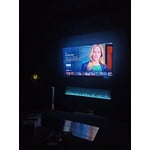
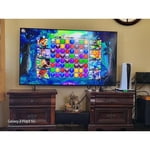
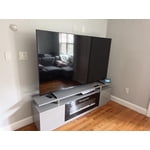
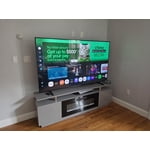
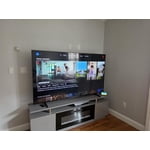
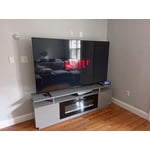
Customer reviews for SAMSUNG 75" Class Q7FD Series 4K QLED Smart TV forMember photos


+698 images
TV is smarter than me!
[This review was collected as part of a promotion.] All we wanted is a new TV that supplies the channels offered by our local cable company. I was on the phone with the cable company 45 minutes getting it set up. Now, it takes several buttons to get to their streaming app, which often doesn't connect, causing us to unplug, wait, then plug back in. There are many icons for other streaming apps. So far, each wants me to register and pay a monthly subscription. Why can't I get the local channels for free, at an easy to locate location on the TV?!!! Makes me want to go back to an antenna!
Hi, We appreciate you sharing your experience. To help you get the most from your TV and remote functions, you can download the full e-Manual and more by visiting Samsung’s website then navigating to: Support > Manual & Software > TVs & Home Theater. From there, you can search for and select your Q7FB TV model to view or download the available guides. The e-Manual & Remote Control Guide are also conveniently built into your TV: Settings > Support > Tips and User Guides. For additional guidance, your TV also includes Accessibility features designed to assist with navigation and remote use. • Learn Menu Screen provides audio guidance for on-screen menus by announcing the name and function of each item as you scroll – without making any changes. This is especially helpful for users who are visually impaired or new to Smart TV menus. Enable via: Settings > All Settings > General & Privacy > Accessibility > Learn Menu Screen. To exit, press the Return key twice. • Learn TV Remote helps users become familiar with the layout and function of each button on the Samsung remote. Pressing a button (other than Power) will prompt the TV to announce its name and purpose, again without affecting TV operation. Enable via: Settings > All Settings > General & Privacy > Accessibility > Learn TV Remote. To exit, press the Return key twice. If you’d like more assistance with these features, please reach Samsung Support at 1-800-SAMSUNG, available 8AM – 12AM EST, 7 days a week. LiveChat agents are also available through the ‘Support’ link on our website. ~ Samsung Specialist
Great TV amazing price
[This review was collected as part of a promotion.] The vision AI came with the TV helps to find relevant content which is great. The pictures are so clear. I replace this one from my 2019 TV. It is easy to install however the account setting part takes a bit too long. I think may people might skip it all together but I took time to do it. If it can be shorter I think that would be great. It came with solar power remote. It is a great concept. So far so good, we have been charging it by the window every day. For the TV performance side, pretty good tv, crips and clean. I was able to connect with my other account from all the streaming providers.
Nice, functional TV
[This review was collected as part of a promotion.] This TV is in my bedroom and used only to watch cable channels and streaming. It is a nice TV with a clear screen but without all the bells and whistles, which I didn't need or want for a bedroom TV. I'm pleased.
Samsung 65" TV
[This review was collected as part of a promotion.] The only thing that I can say to the negative about Samsung TVs is not because of picture quality it's because of Durability, Dependability, other than that it's a beautiful middle road TV worth what ever you pay
Excellent TV
[This review was collected as part of a promotion.] Great TV for my needs - nice picture, color and sound. The only negative is the remote. The volume up and down is also the mute. I always hit mute when I'm trying to increase the volume. Remote could be a tad bigger.
Wifi issues
The TV has connectivity issues with our wifi. At times we have to turn the TV on, turn it off, then turn it back on to connect. It's annoying but fairly minor after we learned the trick vs trying to forget the network and then sign back on again every time.
natesung, Thank you for sharing your experience with Wi-Fi connectivity. If your TV is having trouble connecting to the network, the following steps may help resolve the issue: Signal & Setup Tips: 1. Check TV-to-router distance – Your TV should be within 50 feet of the modem or access point for reliable signal strength. 2. Minimize interference – Turn off nearby wireless devices and make sure there are no physical barriers (stone walls, fireplaces, appliances) between the TV and router. Power Cycle Devices: 3. Restart both your TV and router – Unplug both devices for at least 30 seconds, then plug them back in and allow them to reboot fully. Connection Type: 4. Evaluate your connection method – o If using Wi-Fi, move your router closer to the TV and eliminate any obstructions. o For a more stable connection, we strongly recommend using a wired Ethernet cable. o If already using Ethernet, verify the cable is working by testing it with another device. Run Built-In Diagnostic Tools: 5. Network Test: Settings > Support > Device Care > Self Diagnosis > Smart Hub Connection Test 6. Wi-Fi Check: Settings > Support > Device Care > Self Diagnosis > Wi-Fi Last Resort: 7. Perform a Factory Reset (if issues persist): Settings > All Settings > General & Privacy > Reset > Factory Data Reset. Note that this will return all settings to their original defaults. If these steps don’t resolve the issue, please reach out to Samsung Support at 1-800-SAMSUNG, available 8AM – 12AM EST, 7 days a week. LiveChat support and additional help are available at the ‘Support’ link on our website. ~ Samsung Specialist
Solid 3.5-4 star tv
3.5-4 star tv The upgraded tizen ui is really good and the new ai processor does a pretty decent job speed wise. The tv has a decent snap to it. The WiFi connection is strong and soundbars work really well via Bluetooth connection. Whats crazy is Apps and videos load a little bit faster than the a higher end qled tv I own. The Ai features for this year are ok I guess. If your into learning a bit more about what your watching than the ai will definitely be a treat for you. Picture wise, the ai implementation doesn't really do much. It doesn't seem to do much for up scaling or processing the image. The color booster pro is the only ai feature I found to be useful. It helped the picture pop quite a bit more than out of the box. It did take some color adjustment though. The red 2point level did need to be turned down a bit though when the booster was on. Sdr brightness and quality is pretty good overal. I really do enjoy the picture in sdr. Nice color, brightness and the motion also looks fine with minimal blur and judder. HDR is where the tv takes a pretty huge dive unfortunately. The screen gets way too dark and there's no way to turn it up without enabling the contrast enhanced on high. The resolution is fine in hdr, good detail in the image but again just way too dark with no workaround. It's sad because the tv is somehow dimmer than my 2 year old 70” crystal uhd tv I have in my living room. That being the most basic tv released that year and a non qled tv. This tv is A solid 3.5-4 star tv if you can get it at a discounted price.
Reliable and worth the money
[This review was collected as part of a promotion.] This TV is great! My place is a little on the smaller side and this was the biggest TV that would work. The picture is fantastic and can be either tailored through assisted settings or can be tuned up completely manually. The sound is solid and has a lot of options. I added a Q series sound bar and that is also very customizable too! Depending on what setting you are using, it can be really loud (like when using with a gaming console). It important to know that different video services also play at slightly different volumes (bc of the services themselves). I've never even needed to turn it above 50 bc it kicks out the sound so well. I had an older model and getting used to the new layout for menus took me a little while to get used to navigating. After a little while of practice, its actually easier to use than the series 5 menus. I strongly recommend this tv!!
Great features
[This review was collected as part of a promotion.] Brightness is adjustable to yr setting, I have resolution and color on standard mode to have a comfortable effect on my eyes, and inteface is easy to navigate w/Samsung Smart things as addational smart app to control yr home gadgets! Love this new QLED Q7FD 65" TV so far 🤩
Blue Tooth issue
Blue Tooth issue: I purchased two Blue Tooth headphones so either or both my wife and I can watch TV and not disturb the other or others in the house. But, the Blue tooth connection process is a Pain each time. I would hope that once the headphones are paired with the TV they would automatically connect. But, I must respond for the 2nd Headphone to select I want it connected too. Also, the prompt to connect is always in the upper left corner and get hidden at times.
Ramjet, We appreciate your feedback on Bluetooth connectivity. Please note that some settings, such as Bluetooth, are designed to function on demand. When the TV powers off, the Bluetooth device will disconnect and won’t automatically reconnect. You’ll need to manually pair the device again when you want to use it. If you have any questions or need help, we’re always here. Call 1-800-SAMSUNG from 8AM - 12AM EST, seven days a week, or connect with a LiveChat agent anytime by selecting ‘Support’ on our website. ~ Samsung Specialist