Skip to Main Content
Sams Club
Sams Club
Customer reviews for SAMSUNG 75" Class Q7FD Series 4K QLED Smart TV for
SAMSUNG 75" Class Q7FD Series 4K QLED Smart TV
4.7 out of 5 stars
stars1,774 ratings1,751 reviews
  1. 5 stars82% (1,451)
  2. 4 stars13% (239)
  3. 3 stars3% (48)
  4. 2 stars1% (11)
  5. 1 star1% (25)
Write a review

Customer photos

  • +529 images
Sort by |
Showing 1-10 of 1,751 reviews
Jan 29, 2026
OhMandi
5 out of 5 stars review

Verified Purchase

Awesome TV

I love the Samsung TV. It has been a while since I've had this brand, but it lives up to its hype. The picture is clear and realistic and has been awesome to have mounted on my wall during the ice storm we just came through!

Helpful?6RA5R2FUVYS415576170273
Aug 24, 2025
Justin
5 out of 5 stars review

Verified Purchase

Qled

I was in the market for a bigger tv and wanted qled because of the lights I wanted to put on the back. Works great so far.

Helpful?6RA5R2FUVYS415576170273
Sep 29, 2025
Techlove23
5 out of 5 stars review

Q7F QLED 4K TV (2025)

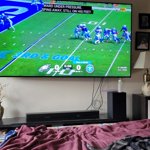
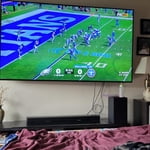
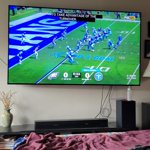
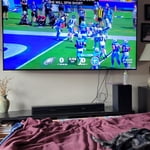
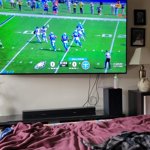
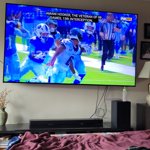
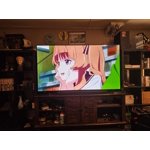
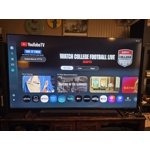
[This review was collected as part of a promotion.] I use my Samsung TV daily for streaming movies, gaming with friends, and catching live sports. Its vibrant display and smart features make switching between apps seamless, and the sound quality brings every scene to life. Whether I'm relaxing after work or hosting a game night, it fits perfectly into my routine. Here's a photo of it in action—definitely one of my favorite tech investments!

Review from Samsung US
Helpful?6RA5R2FUVYS415576170273
Mar 7, 2026
Me
5 out of 5 stars review

Verified Purchase

Very happy with it. But we also added a sound bar

Very happy with it. But we also added a sound bar.

Helpful?6RA5R2FUVYS415576170273
Sep 9, 2025
Jim
5 out of 5 stars review

Verified Purchase

Picture and sound, excellent

Picture and sound, excellent

Helpful?6RA5R2FUVYS415576170273
Oct 5, 2025
NA
5 out of 5 stars review

Verified Purchase

n/a

Everything is working fine

Helpful?6RA5R2FUVYS415576170273
Dec 14, 2025
LSmithBrown
5 out of 5 stars review

Verified Purchase

Would buy again

Great picture!

Helpful?6RA5R2FUVYS415576170273
Jul 30, 2025
Howard
3 out of 5 stars review

Verified Purchase

Poor Delivery

The Samsung TV set is great, but the delivery from Sams Club was terrible. My wife and I were sitting in our living room when I got a text telling me my set had been delivered. Noone rang our doorbell or knocked on the door. The big 75" TV set was just left by the door for some pirate to come by and steal it. It's a good thing we were home!

Helpful?6RA5R2FUVYS415576170273
reply from Samsung

Howard,<br /><br />We&#39;re sorry to hear of your experience with Sam&#39;s Club, though please note that your 3-star review is attached to the Samsung 75&#34; Q7FD TV. We encourage you to share your feedback directly with Sam&#39;s Club so they can address your concerns.<br /><br />Should you have any questions or need assistance with the TV, Samsung is here to help at 1-800-SAMSUNG, 8AM – 12AM EST, 7 days a week. You can also connect with us via LiveChat at the ‘Support’ link on our website.<br /><br />~ Samsung Specialist

Oct 14, 2025
Have owned 5 Samsung TVs
3 out of 5 stars review

Disappointed

IMO it is dull. I took 1 star off for the remote - fortunately I had an older Samsung remote with separate labeled buttons. I subtracted another star for lack of brightness. I have owned for almost a week and have explored and adjusted all settings. I just can't get it any brighter. I should have heeded a professional review that rated the TV as 5.9 out of 10 due to the number of NITS being low and a dim picture, especially in bright rooms. The 43" Crystal display is brighter and just as good of a picture. The QLED is not worth the extra $.

Review from Samsung US
Helpful?6RA5R2FUVYS415576170273
reply from Samsung Brand Ambassador

Hello, We appreciate your feedback on the picture quality of Samsung’s Q7F TV. If the image doesn’t quite match your preferences, there are several adjustments you can make to better suit your viewing environment and content type. First, please ensure your TV is running the latest firmware, as updates may include important picture quality enhancements. Go to: Home > Left directional button > Settings > Support > Software Update > Update Now To explore picture mode options, navigate to: Home > Left directional button > Settings > All Settings > Picture > Picture Mode. Options include: • Standard – Ideal for general viewing • Dynamic – Brighter and more vibrant for well-lit spaces • Eco – Optimized for energy efficiency • Movie – Best for viewing in low light • Filmmaker Mode – Preserves the content creator’s intent and disables motion smoothing for supported content You can further customize your image by going to: Settings > All Settings > Picture > Expert Settings, where you can adjust Brightness, Contrast, Color Tone, Sharpness, Contrast Enhancer and more. If you’d like help finding the best picture settings for your preferences, please don’t hesitate to contact Samsung Support at 1-800-SAMSUNG, available 8AM – 12AM EST, 7 days a week. You can also LiveChat with an agent or explore additional resources on our website by clicking the ‘Support’ link. ~ Samsung Pro

Jan 16, 2026
Crix20001
1 out of 5 stars review

Failed in a week.

Top edge of screen had a dark spot which is now turning into 4 dark spots and the entire screen is wavy. I have samsung phones, head phones 4 other Samsung tvs Samsung appliances but this is the largest TV I ever bought and its already failing in a week highly disappointing hopefully the service tech can replace this for a better model after all the other bad reviews.

Review from Samsung US
Helpful?6RA5R2FUVYS415576170273
reply from Samsung Specialist

Crix20001, We appreciate your feedback on the picture quality of Samsung’s Q7F TV. Please ensure your TV is running the latest firmware (Version 1131.0), as updates include important picture quality enhancements. Go to: Home > Left directional button > Settings > Support > Software Update > Update Now If this firmware version is not yet available on your TV, you can download the update on a USB drive and manually update your TV: 1. On Samsung's website (upper right corner), go to: Support > Manual & Software > Find your TV model, and click on the Firmware – Upgrade File. 2. When the file has finished downloading, locate it and then unzip it. There is normally one folder inside but there may be multiple files. 3. Copy or move all of the files that were included in the zip file to a USB flash drive, but do not place them inside any other folders. If you place the software folders inside a folder on the USB flash drive, the TV or monitor will not find them. 4. Connect the USB drive containing the software upgrade into a USB port on your device. 5. Using your device's remote, navigate to and select Settings, then select All Settings, and then select Support. Select Software Update, select Update Now, and then select Yes if prompted. Your device will search the USB drive for update files. Follow the on-screen instructions to install the updated software. Updates usually take a few minutes; please do not turn off the TV until the update is complete. When the update is finished, it will restart automatically. For further assistance, please contact Samsung Customer Support at 1-800-SAMSUNG, available 8AM – 12AM EST, 7 days a week. LiveChat agents are also available on the ‘Support’ link at samsung.com. ~ Samsung Specialist