Skip to Main Content
Sam's Club
Sam's Club
All Departments
All Services
Customer reviews for SAMSUNG 75" Class Q7FD Series 4K QLED Smart TV for
SAMSUNG 75" Class Q7FD Series 4K QLED Smart TV
4.6 out of 5 stars
stars
3,600 ratings3,575 reviews
  1. 5 stars78% (2,795)
  2. 4 stars14% (519)
  3. 3 stars5% (163)
  4. 2 stars1% (48)
  5. 1 star2% (75)

Member photos

  • +1111 images
Sort by |
Showing 3,131-3,140 of 3,575 reviews
Aug 22, 2025
Reviewer name: Good25
5 out of 5 stars
5 out of 5 stars review

Qled masterpiece
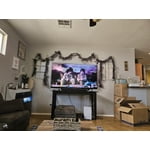
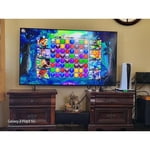
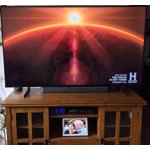
[This review was collected as part of a promotion.] The TV's been great. Great for gaming, great for high-definition, content has the ability to work hand in hand with other Samsung devices, meaning you can see screen share displayed, tapping your phone to the right corner of the TV. The only issue I have with this device is that the included Samsung screensavers cause Screen burn in and on a TV. This expensive Samsung's warranty department being out of manufacturer. Compliance will not help me get a new display without a huge upfront cost, which I feel like the included screen saver, causing the burn in on the display is something internal that should be hated. Can I get rectified? And held liable for any warranty claim outside of the one year manufacturer warranty.

Review from Samsung US
Helpful?6RA5R2FUVYS415576170273
Sep 20, 2025
Reviewer name: Stormy
3 out of 5 stars
3 out of 5 stars review

Having trouble with my TV after up grade

[This review was collected as part of a promotion.] The problem is that after the up grade I am having trouble with it when I try getting back on Sectrum Cable here in Texas. I have to go through three different t steps to get it where I can watch or lesson to music. I have tried different ways to change it. I just don’t like to your techs due I can not understand them.

Review from Samsung US
Helpful?6RA5R2FUVYS415576170273
reply from Samsung Specialist

Stormy, Thanks for sharing your experience. If you've already reached out to Spectrum's customer service without resolution, please call Samsung Support for additional troubleshooting at 1-800-SAMSUNG from 8AM - 12AM EST, seven days a week, or connect with a LiveChat agent anytime by selecting ‘Support’ on our website. ~ Samsung Specialist

Sep 5, 2025
Reviewer name: Trying
3 out of 5 stars
3 out of 5 stars review

Good picture, but...

[This review was collected as part of a promotion.] We set up the Samsung television, but we are unable to get the remote to change the channels. We have Comcast for our cable and the Comcast remote works well on everything except changing the volume. So we have to use both remotes to watch TV. I have been unable to pair the sound bar with the TV also. Maybe eventually it will all come together?

Review from Samsung US
Helpful?6RA5R2FUVYS415576170273
reply from Samsung Specialist

Hello, Thanks for your review. To change the channel using your SolarCell Remote, locate the thin rocker button just below the Play/Pause key and above the Prime Video shortcut. Push up (^) to go up one channel or push down (v) to go to the next channel. Just below the Back button and above the Netflix hotkey, you’ll find a thin rocker-style button with a (+) on top and a (–) below. Push up on this button to raise the volume, or down to lower it. To help you get the most from your TV and remote functions, you can download the full e-Manual and more by visiting Samsung’s website then navigating to: Support > Manual & Software > TVs & Home Theater. From there, you can search for and select your TV model to view or download the available guides. The e-Manual & Remote Control Guide are also conveniently built into your TV: Settings > Support > Tips and User Guides Learn TV Remote is another feature designed to help users become familiar with the layout and function of each button on the Samsung remote. When enabled, pressing any button (except the Power button, which will still turn off the TV) will prompt the TV to announce the button’s name and its purpose – without affecting TV operation. This teaching mode is especially useful for users who are visually impaired or new to Samsung remotes. To enable this feature, go to: Settings > All Settings > General & Privacy > Accessibility > Learn TV Remote. To exit, simply press the Return key twice. If you’d like more assistance with this feature, please reach Samsung Support at 1-800-SAMSUNG, available 8AM – 12AM EST, 7 days a week. LiveChat agents are also available through the ‘Support’ link on our website. ~ Samsung Specialist

May 10, 2025
Reviewer name: Kcook51110
5 out of 5 stars
5 out of 5 stars review

Amazing TV!

[This review was collected as part of a promotion.] I use my TV for both watching TV and gaming and this TV is amazing! The picture quality is absolutely wonderful! I can't believe how crystal clear it is! I would recommend Samsung products to everyone.

Review from Samsung US
Helpful?6RA5R2FUVYS415576170273
May 9, 2025
Reviewer name: pinnerman08
5 out of 5 stars
5 out of 5 stars review

Vey nice picture and sound.

[This review was collected as part of a promotion.] This 43" Samsung QLED Q7F 4K TV is very nice. It is a well made TV that would look great in any room. The set up was easy with the voice guided instructions. The picture quality and sound quality are truly amazing. The "stand" for this TV is two seperate metal feet that fit onto each side. It sits very straight and feels sturdy. Using the apps is easy since the TV walks you though setting up the network. It has sevreral connections on the back for gaming systems or other devices.

Review from The Insiders
Helpful?6RA5R2FUVYS415576170273
Sep 5, 2025
Reviewer name: Daveyjo
3 out of 5 stars
3 out of 5 stars review

Use instructions are awful! I've spent DAYs tryin

[This review was collected as part of a promotion.] I can't tell you how to use it because it is so complex I don't know yet, but I have only wasted a couple of days so far in trying to learn how.. But the picture, once you are able to see what you want, is fine.

Review from Samsung US
Helpful?6RA5R2FUVYS415576170273
reply from Samsung Specialist

Daveyjo, We appreciate you sharing your user experience. To help you get the most from your TV, you can download the full e-Manual and more by visiting Samsung’s website then navigating to: Support > Manual & Software > TVs & Home Theater. From there, you can search for and select your Q7F TV model to view or download the available guides. The e-Manual and Remote Control Guide are also conveniently built into your TV: Settings > Support > Tips and User Guides Samsung’s accessibility also features Learn TV Remote and Learn Menu Screen are designed to help users get familiar with the remote and menu layout – without affecting normal TV operation. • Learn TV Remote: Pressing any button (except Power) will announce the button name and function, helping users learn their location and purpose. Enable via: Settings > All Settings > General & Privacy > Accessibility > Learn TV Remote; Exit by pressing the Return key twice. • Learn Menu Screen: As you navigate your TV menus, the TV will announce each menu item and its function - without applying any changes. Enable via: Settings > All Settings > General & Privacy > Accessibility > Learn Menu Screen; Exit by pressing the Return key twice. If you need additional help, please contact Samsung Support at 1-800-SAMSUNG, 8AM – 12AM EST, 7 days a week. LiveChat agents are also available through the ‘Support’ link on our website. ~ Samsung Specialist

May 9, 2025
Reviewer name: phyllis115
5 out of 5 stars
5 out of 5 stars review

New TV like New Eyes

[This review was collected as part of a promotion.] I received a 43” Class Samsung QLED Q7F 4K Vision AI Smart TV. This was absolutly the easiest to take out of the box and set up. I was able to unbox by myself. Only one cord to use and plug in. The design of the TV is sleek, thin and light. It can easily be moved from place to place. After power was supplied to the TV, it actually told you what to do next. It hooked up to our WiFi so seamlessly. Once connected, we were able to put on the apps that we wanted. Once our TV was functioning as a TV we started by watching a nature show. The colors and clarity of this machine was well over our expectations. The colors pop off the screen, almost like we are sitting where it was filmed. The crispness if the picture was better than imagined. My children came over to watch this TV and could not get over it. They are now looking to get one.

Review from The Insiders
Helpful?6RA5R2FUVYS415576170273
Jun 2, 2025
Reviewer name: Geofry
5 out of 5 stars
5 out of 5 stars review

Super glad I bought another Samsung
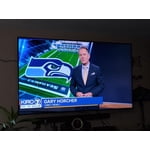
[This review was collected as part of a promotion.] Bought my 75" to watch movies, the features are amazing, great streaming, preloaded channels, and can use it as my desk computer when home. This purchase combined with Samsungs surround sound system completely turned my living room into a movie theater. My wife and son are so excited to get home and watch the next movie.

Review from Samsung US
Helpful?6RA5R2FUVYS415576170273
Aug 30, 2025
Reviewer name: ApparentlyJohn
5 out of 5 stars
5 out of 5 stars review

Couldn't be happier with my TV

[This review was collected as part of a promotion.] Picture is incredibly vibrant and crisp. Connects with my Samsung soundbar surround system wirelessly with zero latency issues. It runs any app with ease with no delays at all when starting one up. The Freesync Ultimate is a big bonus since I spend most of my time playing fast paced competitive video games and it has no trouble with fast moving pictures. Also incredible to watch football on game day.

Review from Samsung US
Helpful?6RA5R2FUVYS415576170273
Aug 26, 2025
Reviewer name: Mandak
5 out of 5 stars
5 out of 5 stars review

Love it ❤️

[This review was collected as part of a promotion.] It is amazing in picture, quality, and sound! I wouldn't change it for any other TV! I will always get a Samsung TV! The connection for my Xbox and Playstation were so easy with easy button find and streaming services had the quick buttons!

Review from Samsung US
Helpful?6RA5R2FUVYS415576170273