Skip to Main Content
Sam's Club
Sam's Club
All Departments
All Services
Customer reviews for SAMSUNG 75" Class Q7FD Series 4K QLED Smart TV for
SAMSUNG 75" Class Q7FD Series 4K QLED Smart TV
4.6 out of 5 stars
stars
3,600 ratings3,575 reviews
  1. 5 stars78% (2,795)
  2. 4 stars14% (519)
  3. 3 stars5% (163)
  4. 2 stars1% (48)
  5. 1 star2% (75)

Member photos

  • +1111 images
Sort by |
Showing 3,091-3,100 of 3,575 reviews
Jul 31, 2025
Reviewer name: Mishopper
5 out of 5 stars
5 out of 5 stars review

The features are awesome and prefect fit
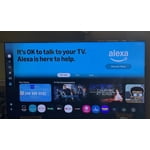
[This review was collected as part of a promotion.] The tv has awesome features and the size fits perfectly in my space. The picture quality is great and the sound is good. Also the sound bar adds another level to the sound quality. Last the remote control is awesome with the ability to speak into it and easily manage commands.

Review from Samsung US
Helpful?6RA5R2FUVYS415576170273
Aug 20, 2025
Reviewer name: NewTV4us
4 out of 5 stars
4 out of 5 stars review

Where’s the remote?

[This review was collected as part of a promotion.] Love the TV, color, channel choices, size are all great! The remote is so small that I’m afraid I’ll loose it or easily misplace it!! Why isn’t there a guide option on the remote? It’s nice that the remote is chargeable, I like that!!

Review from Samsung US
Helpful?6RA5R2FUVYS415576170273
reply from Samsung Specialist

NewTV4us, We appreciate you sharing your experience with the included remote. To help you get the most from your TV and remote functions, you can download the full e-Manual and more by visiting Samsung’s website then navigating to: Support > Manual & Software > TVs & Home Theater. From there, you can search for and select your Q7F TV model to view or download the available guides. The e-Manual & Remote Control Guide are also conveniently built into your TV: Settings > Support > Tips and User Guides Learn TV Remote is another feature designed to help users become familiar with the layout and function of each button on the Samsung remote. When enabled, pressing any button (except the Power button, which will still turn off the TV) will prompt the TV to announce the button’s name and its purpose – without affecting TV operation. This teaching mode is especially useful for users who are visually impaired or new to Samsung remotes. To enable this feature, go to: Settings > All Settings > General & Privacy > Accessibility > Learn TV Remote. To exit, simply press the Return key twice. If you’d like more assistance with this feature, please reach Samsung Support at 1-800-SAMSUNG, available 8AM – 12AM EST, 7 days a week. LiveChat agents are also available through the ‘Support’ link on our website. ~ Samsung Specialist

Apr 20, 2025
Reviewer name: GIRN2002
5 out of 5 stars
5 out of 5 stars review

Much better!

[This review was collected as part of a promotion.] This TV replaces a 20 year old Samsung TV of the same size. The old TV was a plasma and was still working fine but heated up our den. With summer coming we could not suffer through the heat again. The great technology makes the picture seem 3-D in some scenes. Very realistic like you are in the scene with the actors.

Review from Samsung US
Helpful?6RA5R2FUVYS415576170273
Sep 22, 2025
Reviewer name: LaluzRick
4 out of 5 stars
4 out of 5 stars review

Home Screen needs work

[This review was collected as part of a promotion.] When ‘surfing’ for something to watch, you’ll run into something after 5 or so minutes you say - nah & move on BUT ‘it’ will stay in Continued Watching until time pushes it out. I would appreciate the ability to remove those mistakes.

Review from Samsung US
Helpful?6RA5R2FUVYS415576170273
May 5, 2025
Reviewer name: ToddlerMama
5 out of 5 stars
5 out of 5 stars review

Love everything about this TV!

[This review was collected as part of a promotion.] I use my tv mainly for pleasure. My toddler and I love snuggling up on the couch and watching his favorite movies. This tv is sleek, colorful and sharp. The remote + app features are super convenient as well. Makes it really easy to set up and enjoy within a few minutes. Definitely glad I made this purchase.

Review from Samsung US
Helpful?6RA5R2FUVYS415576170273
Aug 22, 2025
Reviewer name: MarieI
5 out of 5 stars
5 out of 5 stars review

This is the BEST Tv

[This review was collected as part of a promotion.] I watch this TV every day for months now im laid up in bed and I LOVEEEEEE it !! I only buy samsung it is the only brand that has ever held up for us and this tv hasn't disappointed .!! Gonna buy another but larger for my living room this next yr!! Don't even think about it just do yourself a favor and buy it!!

Review from Samsung US
Helpful?6RA5R2FUVYS415576170273
Aug 21, 2025
Reviewer name: MarshaG
3 out of 5 stars
3 out of 5 stars review

Loading Apps

[This review was collected as part of a promotion.] It has taken me almost 2 months to finally view Spectrum on this TV. Why do you make it so difficult to load apps? Why do I have to Google how to do it and Samsung doesn't have a booklet explaining the most important thing? I've had 2 computer techs who couldn't get the app loaded. Today I finally had time to play with the TV and got it loaded! Yay me!!

Review from Samsung US
Helpful?6RA5R2FUVYS415576170273
reply from Samsung Specialist

MarshaG, We're sorry to hear of this. Please note that the Spectrum app has been available to install on 2025 Samsung TVs as of 4/25. To help you get the most from your TV, you can download the full e-Manual and more by visiting Samsung’s website then navigating to: Support > Manual & Software > TVs & Home Theater. From there, you can search for and select your Q7F TV model to view or download the available guides. The e-Manual and Remote Control Guide are also conveniently built into your TV: Settings > Support > Tips and User Guides If you need additional help, please contact Samsung Support at 1-800-SAMSUNG, 8AM – 12AM EST, 7 days a week. LiveChat agents are also available through the ‘Support’ link on our website. ~ Samsung Specialist

Jun 3, 2025
Reviewer name: Gargoz97
5 out of 5 stars
5 out of 5 stars review

The connectivity features are next-level.

[This review was collected as part of a promotion.] The TV itself has great image and sound. But what I was most excited for is the connectivity between Samsung devices and the TV. The Storage Share feature is brilliant; being able to access my devices from the TV with the remote is wonderful. And the Game mode for my PS5 is so fun to use.

Review from Samsung US
Helpful?6RA5R2FUVYS415576170273
Aug 19, 2025
Reviewer name: Grendyg
5 out of 5 stars
5 out of 5 stars review

Great Quality TV for its price

[This review was collected as part of a promotion.] As a user of the Samsung Q7F, I really appreciate its vibrant QLED display and sleek, modern design that looks great in my living room. The colors are rich and accurate, and the built-in smart features like Samsung TV Plus, AirPlay 2, and voice control make streaming and navigation easy and enjoyable. I also like how it pairs smoothly with my Samsung soundbar through Q-Symphony, giving me a more immersive sound experience. However, I’ve noticed that the contrast in dark scenes could be better, and the brightness isn’t always strong enough for very sunny rooms. I’d also love to see improved motion handling for sports and gaming, as fast movements can sometimes look a bit blurry. Overall, it’s a solid and stylish TV for everyday use, especially at its price.

Review from Samsung US
Helpful?6RA5R2FUVYS415576170273
Sep 2, 2025
Reviewer name: Hutchinson
5 out of 5 stars
5 out of 5 stars review

Dude buy this TV!!!!

[This review was collected as part of a promotion.] If you're reading this review you're probably already ready to invest. Maybe you desire a different size but I assure you from my real life unsolicited advice, Samsung is a knockout everytime and I'd assume you already know that, I love this TV and you will too.

Review from Samsung US
Helpful?6RA5R2FUVYS415576170273