Skip to Main Content
Sam's Club
Sam's Club
All Departments
All Services
Customer reviews for SAMSUNG 75" Class Q7FD Series 4K QLED Smart TV for
SAMSUNG 75" Class Q7FD Series 4K QLED Smart TV
4.6 out of 5 stars
stars
3,600 ratings3,575 reviews
  1. 5 stars78% (2,795)
  2. 4 stars14% (519)
  3. 3 stars5% (163)
  4. 2 stars1% (48)
  5. 1 star2% (75)

Member photos

  • +1111 images
Sort by |
Showing 3,001-3,010 of 3,575 reviews
Sep 24, 2025
Reviewer name: MDLR59
5 out of 5 stars
5 out of 5 stars review

Easy to setup, great quality
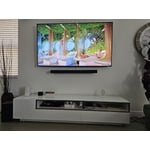
[This review was collected as part of a promotion.] We have this unit in the solarium and is a great quality and performance for the price. I have used it for movie nights along with our Samsung soundbar. Excellent product.

Review from Samsung US
Helpful?6RA5R2FUVYS415576170273
Nov 9, 2025
Reviewer name: TVsweep
5 out of 5 stars
5 out of 5 stars review

Best TV I've ever owned

[This review was collected as part of a promotion.] Is TV is nothing short but amazing it does everything The picture quality is excellent sound quality excellent I love everything about this TV

Review from Samsung US
Helpful?6RA5R2FUVYS415576170273
Oct 15, 2025
Reviewer name: RedTone
5 out of 5 stars
5 out of 5 stars review

Absolutely Incredible sound, and picture!

[This review was collected as part of a promotion.] I love this T.V. ! Whether I'm watching football, or the latest movie I am completely immersed in the nearly edge to edge screen.

Review from Samsung US
Helpful?6RA5R2FUVYS415576170273
Nov 21, 2025
Reviewer name: Aqueci
5 out of 5 stars
5 out of 5 stars review

Excellent TV

[This review was collected as part of a promotion.] This TV is an excellent choice for movie and sports lovers. None of the TVs in a similar category comes close to its picture quality and vivid colors. I highly recommend!!

Review from Samsung US
Helpful?6RA5R2FUVYS415576170273
Oct 19, 2025
Reviewer name: Dissatisfied
4 out of 5 stars
4 out of 5 stars review

Not very user friendly

[This review was collected as part of a promotion.] No Users Manual included Choosing channels is unnecessarily difficult Finding/retrieving favorite channels is difficult

Review from Samsung US
Helpful?6RA5R2FUVYS415576170273
Nov 16, 2025
Reviewer name: MoonShadow
3 out of 5 stars
3 out of 5 stars review

TV function is good. Home screen horrid!

The TV has very good functionality. But the home screen is full of garbage and advertising and there is no ability to clean it up. I didn't buy the tv in order to allow more advertisers access every time I turn my TV on!!!

Review from Samsung US
Helpful?6RA5R2FUVYS415576170273
reply from Samsung Specialist

MoonShadow, Thank you for sharing your feedback with us. To help you get the most from your TV, you can download the full e-Manual and more by visiting Samsung’s website, then navigating to: Support > Manual & Software > TVs & Home Theater. From there, you can search for and select your Q7F TV model to view or download the available guides. The e-Manual & User Guide are also conveniently built into your TV: Settings > Support > Tips and User Guides. Your TV includes Learn Menu Screen, an accessibility feature that provides audio guidance for on-screen menus. When enabled, your TV will announce the name and function of each menu item as you scroll, without making any changes. This feature is particularly helpful for users who are visually impaired or new to Smart TV menus. To enable, go to: Settings > All Settings > General & Privacy > Accessibility > Learn Menu Screen. To exit, press the Return key twice. If you’d like more assistance with this feature, please reach Samsung Support at 1-800-SAMSUNG, available 8AM – 12AM EST, 7 days a week. LiveChat agents are also available through the ‘Support’ link on our website. ~ Samsung Specialist

Jan 20, 2026
Reviewer name: Stepher
5 out of 5 stars
5 out of 5 stars review

7 years of updates

This TV was easy to install and set up with our current cable service and our streaming services. It's got a good picture. The reason we bought this TV instead of another brand, though, was that it is advertised as having 7 years of updates.

Review from Samsung US
Helpful?6RA5R2FUVYS415576170273
Nov 17, 2025
Reviewer name: Reviewshope
5 out of 5 stars
5 out of 5 stars review

This TV has great visuals

[This review was collected as part of a promotion.] You can adjust the TV color to adapt better to each show or movie you are watching based on the colors and brightness.

Review from Samsung US
Helpful?6RA5R2FUVYS415576170273
Oct 20, 2025
Reviewer name: TVwatcher
5 out of 5 stars
5 out of 5 stars review

TV Features

[This review was collected as part of a promotion.] True color and the remote is solar so no need to buy batteries. I have the TV next to my window, which gets sunlight directly, I don't get any glare on fading of screen. Very happy with this TV.

Review from Samsung US
Helpful?6RA5R2FUVYS415576170273
Oct 24, 2025
Reviewer name: Niecey23
3 out of 5 stars
3 out of 5 stars review

This TV is just okay

[This review was collected as part of a promotion.] When i purchased this TV I expected a better picture quality for the price. It's disappointing. I haven't turned the TV on in months due to the picture quality being horrible.

Review from Samsung US
Helpful?6RA5R2FUVYS415576170273
reply from Samsung Specialist

Niecey23, We appreciate your feedback on the picture quality of Samsung’s Q7F TV. If the image doesn’t quite match your preferences, there are several adjustments you can make to better suit your viewing environment and content type. First, please ensure your TV is running the latest firmware, as updates may include important picture quality enhancements. Go to: Home > Left directional button > Settings > Support > Software Update > Update Now To explore picture mode options, navigate to: Home > Left directional button > Settings > All Settings > Picture > Picture Mode. Options include: • Standard – Ideal for general viewing • Dynamic – Brighter and more vibrant for well-lit spaces • Eco – Optimized for energy efficiency • Movie – Best for viewing in low light • Filmmaker Mode – Preserves the content creator’s intent and disables motion smoothing for supported content You can further customize your image by going to: Settings > All Settings > Picture > Expert Settings, where you can adjust Brightness, Contrast, Color Tone, Sharpness, Contrast Enhancer and more. If you’d like help finding the best picture settings for your preferences, please don’t hesitate to contact Samsung Support at 1-800-SAMSUNG, available 8AM – 12AM EST, 7 days a week. You can also LiveChat with an agent or explore additional resources on our website by clicking the ‘Support’ link. ~ Samsung Specialist