Skip to Main Content
Sam's Club
Sam's Club
All Departments
All Services
Customer reviews for SAMSUNG 75" Class Q7FD Series 4K QLED Smart TV for
SAMSUNG 75" Class Q7FD Series 4K QLED Smart TV
4.6 out of 5 stars
stars
3,575 ratings3,550 reviews
  1. 5 stars78% (2,777)
  2. 4 stars14% (515)
  3. 3 stars5% (161)
  4. 2 stars1% (48)
  5. 1 star2% (74)

Member photos

  • +1093 images
Sort by |
Showing 291-300 of 3,550 reviews
Jun 12, 2026
Reviewer name: Gabbys
5 out of 5 stars
5 out of 5 stars review

Vibrant

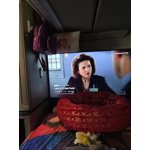
[This review was collected as part of a promotion.] I'm a otr teuck driver and the picture quality is amazing and sound is great even without a sound bar

Review from Samsung US
Helpful?6RA5R2FUVYS415576170273
Jun 1, 2026
Reviewer name: Rogers
5 out of 5 stars
5 out of 5 stars review

Going to buy another.
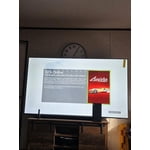
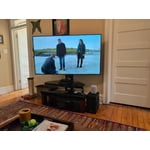
[This review was collected as part of a promotion.] Love this TV. Clear picture large enough to see from the neighbors house. 😆 sound is great. Performs as promised.

Review from Samsung US
Helpful?6RA5R2FUVYS415576170273
Jun 2, 2026
Reviewer name: Epsi4Rells
5 out of 5 stars
5 out of 5 stars review

Amazing features
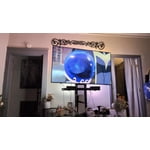
[This review was collected as part of a promotion.] Amazing TV. Best I've ever invested in. Fast processing and amazing picture. PS5 Pro is amazing and the apps it has access to are all there, including gaming apps for streaming games.

Review from Samsung US
Helpful?6RA5R2FUVYS415576170273
Jul 5, 2026
Reviewer name: mountainguy
5 out of 5 stars
5 out of 5 stars review

Excellent picture and response
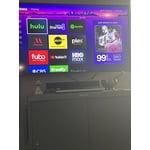
[This review was collected as part of a promotion.] The clarity in this tv is amazing. It's used in a smaller venue but is great. The sound and responsiveness is perfect and works great with my Roku. Definitely a great choice

Review from Samsung US
Helpful?6RA5R2FUVYS415576170273
Jun 5, 2026
Reviewer name: Watcher
5 out of 5 stars
5 out of 5 stars review

Great TV!

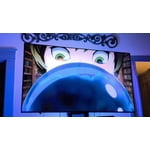
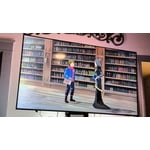
[This review was collected as part of a promotion.] My new Samsung has a bright picture, great contrast even in bright-light conditions, perfectly fills the space, and just looks great with lots of extra features!

Review from Samsung US
Helpful?6RA5R2FUVYS415576170273
Jun 20, 2026
Reviewer name: AmyEllen
3 out of 5 stars
3 out of 5 stars review

Poor home screen
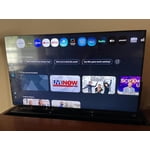
[This review was collected as part of a promotion.] New homescreen is confusing and poorly designed. My former Samsung TV had a clear, simple home screen, but the upgraded version is difficult to navigate.

Review from Samsung US
Helpful?6RA5R2FUVYS415576170273
reply from Samsung Specialist

We appreciate you sharing your user experience. To help you get the most from your TV, you can download the full e-Manual and more by visiting Samsung’s website then navigating to: Support > Manual & Software > TVs & Home Theater. From there, you can search for and select your TV model to view or download the available guides. The e-Manual and Remote Control Guide are also conveniently built into your TV: Settings > Support > Tips and User Guides If you need additional help, please contact Samsung Support at 1-800-SAMSUNG (8AM – 9PM EST Mon – Fri, 8AM – 6PM Sat – Sun). LiveChat agents are also available through the ‘Support’ link on our website. ~ Samsung Specialist

Jun 26, 2026
Reviewer name: Rah Sr
5 out of 5 stars
5 out of 5 stars review

Great American features
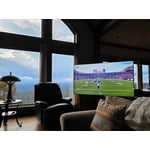
[This review was collected as part of a promotion.] Brightest TV ever sat in my recliner feel like im in my westerns upscaling contrast and the responsiveness was spot on along with its uniformity of a television

Review from Samsung US
Helpful?6RA5R2FUVYS415576170273
Jun 8, 2026
Reviewer name: Greenwoman
3 out of 5 stars
3 out of 5 stars review

Kinda hard to move around in
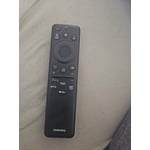
[This review was collected as part of a promotion.] I am struggling to figure out how to use the remote. It doesn't seem to work well with my antenna channels. And to be honest, I just can't figure out how to use it.

Review from Samsung US
Helpful?6RA5R2FUVYS415576170273
reply from Samsung Specialist

Greenwoman, We appreciate you sharing your experience with the included remote. To help you get the most from your TV and remote functions, you can download the full e-Manual and more by visiting Samsung’s website then navigating to: Support > Manual & Software > TVs & Home Theater. From there, you can search for and select your Q7FD TV model to view or download the available guides. The e-Manual & Remote Control Guide are also conveniently built into your TV: Settings > Support > Tips and User Guides Learn TV Remote is another feature designed to help users become familiar with the layout and function of each button on the Samsung remote. When enabled, pressing any button (except the Power button, which will still turn off the TV) will prompt the TV to announce the button’s name and its purpose – without affecting TV operation. This teaching mode is especially useful for users who are visually impaired or new to Samsung remotes. To enable this feature, go to: Settings > All Settings > General & Privacy > Accessibility > Learn TV Remote. To exit, simply press the Return key twice. If you’d like more assistance with this feature, please reach Samsung Support at 1-800-SAMSUNG (8AM – 9PM EST Mon – Fri, 8AM – 6PM Sat – Sun). LiveChat agents are also available through the ‘Support’ link on our website. ~ Samsung Specialist

Jun 5, 2026
Reviewer name: Buddy
3 out of 5 stars
3 out of 5 stars review

Not as expected
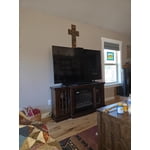
[This review was collected as part of a promotion.] This is by far the worst Samsung TV we've ever had. We are not happy with the resolution, the sound quality and the difficulty in use.

Review from Samsung US
Helpful?6RA5R2FUVYS415576170273
reply from Samsung Specialist

We appreciate your feedback on the picture quality of Samsung’s Q7FD TV. First, make sure your TV is up to date. Firmware updates often include picture quality enhancements. To check for the latest version, go to: Home > Left directional button > Settings > Support > Software Update > Update Now If the image doesn’t quite match your preferences after updating/checking for updates, there are several settings you can adjust to better suit your viewing environment. To explore picture mode options, go to: Home > Left directional button > Settings > All Settings > Picture > Picture Mode. Available modes include: 1. Standard – Default mode for general viewing 2. Dynamic – Brighter and sharper for well-lit rooms 3. Eco – Optimized for energy saving 4. Movie – Best for dark room viewing 5. Filmmaker Mode – Preserves the director’s intended look and feel (automatically enabled for supported content) You can also fine-tune settings like brightness, contrast, sharpness, and more by navigating to: All Settings > Picture > Expert Settings If you’d like help finding the best setup for your preferences, please don’t hesitate to contact Samsung Customer Support at 1-800-SAMSUNG (8AM – 9PM EST Mon – Fri, 8AM – 6PM Sat – Sun). You can also LiveChat with an agent or find helpful guides by visiting the ‘Support’ section of our website. ~ Samsung Specialist

Jun 20, 2026
Reviewer name: TV guy
4 out of 5 stars
4 out of 5 stars review

Samsung tv review
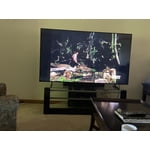
[This review was collected as part of a promotion.] Beautiful picture the software is excellent would like a better remote where I could input channels directly instead of scrolling.

Review from Samsung US
Helpful?6RA5R2FUVYS415576170273