Skip to Main Content
Sam's Club
Sam's Club
All Departments
All Services
Customer reviews for SAMSUNG 65" Class Q7FD Series 4K QLED Smart TV for
SAMSUNG 65" Class Q7FD Series 4K QLED Smart TV
4.6 out of 5 stars
stars
3,699 ratings3,625 reviews
  1. 5 stars77% (2,859)
  2. 4 stars14% (535)
  3. 3 stars4% (166)
  4. 2 stars1% (54)
  5. 1 star2% (85)

Member photos

  • +1118 images
Sort by |
Showing 881-890 of 3,625 reviews
Mar 5, 2026
Reviewer name: SupremeKi
5 out of 5 stars
5 out of 5 stars review

Just Wow!

[This review was collected as part of a promotion.] After looking at our QN65 and our newly acquired Q7T Dynamic mode is pleasantly bright and contrast made the details in the characters beards, scales, and armor last night was whole different experience! I really appreciated looking at the screen of vibrant theater colors with my partner and I watching How To Train Your Dragon (2025). The upgraded interface is an interesting surprise with the built-in Alexa integration (she has them everywhere) and the ability to stammered Spotify for me (I'm a music dude). Does pretty good with the glare from lights in our bedroom. Another highly recommended 4K Samsung TV.

Review from Samsung US
Helpful?1EU281TBRNQA15567708318
Mar 23, 2026
Reviewer name: Nyonny
5 out of 5 stars
5 out of 5 stars review

What a wonderful tv
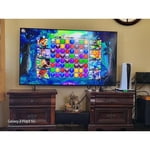
[This review was collected as part of a promotion.] This tv is amazing! The processor/refresh is fast, the sound is great but even better connected to outside devices. The gaming is phenomenal and everyone loves a free tv service. Vibrant color display and amazing resolution. I need a few more of these

Review from Samsung US
Helpful?1EU281TBRNQA15567708318
May 20, 2026
Reviewer name: Bigdaddy
4 out of 5 stars
4 out of 5 stars review

A Package In One

[This review was collected as part of a promotion.] I was surprise how easy it is to use this TV, setting up was easy and straight forward. Lots of features from News to Sports to Entertainments everything is excellent. Bright pictures and vivid Colors

Review from Samsung US
Helpful?1EU281TBRNQA15567708318
Apr 24, 2026
Reviewer name: CHANZE83
5 out of 5 stars
5 out of 5 stars review

Great tv

[This review was collected as part of a promotion.] All around the TV is amazing. Great image quality, the processing speed is good, god colors, its bright, and basicaly it has what youd want in a tv fpr a good price. Would highly reconmend this tv and other samsung tvs as we have 3 currently and have had older models in the past. Also other samsung devices are quality and you know its a trusted brand.

Review from Samsung US
Helpful?1EU281TBRNQA15567708318
Feb 17, 2026
Reviewer name: Sammmm
5 out of 5 stars
5 out of 5 stars review

We love it

[This review was collected as part of a promotion.] Its smooth and has nice features. Works well and has alot of extras. The resolution is great at day and night; brightness is also pretty decent unless direct sunlight is on the TV. The colors are amazing; and the interface is user friendly

Review from Samsung US
Helpful?1EU281TBRNQA15567708318
Mar 23, 2026
Reviewer name: Big Fan
5 out of 5 stars
5 out of 5 stars review

Perfect as always

[This review was collected as part of a promotion.] I have been using Samsung products for many years and this tv has not disappointed. The product is consistently reliable in regards to quality, performance and ease of set up. I will always recommend Samsung products.

Review from Samsung US
Helpful?1EU281TBRNQA15567708318
May 20, 2026
Reviewer name: Josh
3 out of 5 stars
3 out of 5 stars review

Great hardware. Awful software.

[This review was collected as part of a promotion.] The picture itself is very nice and crisp. Dark blacks, plenty of color/contrast options. However, the menu interface is awful. Non intuitive. No way to just disable the nonsense AI and it dumps ads all over your Home Screen. The layout and background in the Home Screen looks very dated and it is slow. Slow to turn on. Slow to load the Home Screen. Slow to switch channels when on air. Basically a great hardware experience mangled by awful software.

Review from Samsung US
Helpful?1EU281TBRNQA15567708318
reply from Samsung Specialist

Thank you for sharing your feedback with us. To help you get the most from your TV, you can download the full e-Manual and more by visiting Samsung’s website, then navigating to: Support > Manual & Software > TVs & Home Theater. From there, you can search for and select your TV model to view or download the available guides. The e-Manual & User Guide are also conveniently built into your TV: Settings > Support > Tips and User Guides. Your TV includes Learn Menu Screen, an accessibility feature that provides audio guidance for on-screen menus. When enabled, your TV will announce the name and function of each menu item as you scroll, without making any changes. This feature is particularly helpful for users who are visually impaired or new to Smart TV menus. To enable, go to: Settings > All Settings > General & Privacy > Accessibility > Learn Menu Screen. To exit, press the Return key twice. If you’d like more assistance with this feature, please reach Samsung Support at 1-800-SAMSUNG (8AM – 9PM EST Mon – Fri, 8AM – 6PM Sat – Sun). LiveChat agents are also available through the ‘Support’ link on our website. ~ Samsung Specialist

May 22, 2026
Reviewer name: Roy Boy
2 out of 5 stars
2 out of 5 stars review

Images are clear and precise.

[This review was collected as part of a promotion.] I have so many problems with the Smart TV not staying on the selected station--it makes me re-enter password and codes multiple times while viewing--also when selecting channels--it skips over the channel and then reverts back to the previous channel. I get the spinning circle when I try to advance the channels quickly. I am forced to change channels very slowly. Don't know if the whole TV needs to be rebooted but it has been very frustrating to say the least. I own 4 Samsung TV's and this 75 inch performance has not matched previous models. Please offer suggestions to correct. Thanks Roy Schneider

Review from Samsung US
Helpful?1EU281TBRNQA15567708318
reply from Samsung Specialist

We appreciate you taking the time to let us know about your experience. So that we can better troubleshoot this issue and provide steps towards a solution, please contact Samsung Support at 1-800-SAMSUNG (8AM – 9PM EST Mon – Fri, 8AM – 6PM Sat – Sun), or visit our website for LiveChat. ~ Samsung Specialist

Oct 13, 2025
Reviewer name: Jaycad
5 out of 5 stars
5 out of 5 stars review

Samsung TVs - 4 different

[This review was collected as part of a promotion.] Other than the remote controls needing to be bigger with larger interfaces for older eyes “your largest buying group”. You need your remotes to be redesigned to allow multiple TVs to work in homes that have multiple TVs in short distances within. Maybe to allow several configurations to programmed (A, B, C, D) for 4 different TVs.

Review from Samsung US
Helpful?1EU281TBRNQA15567708318
May 21, 2026
Reviewer name: Desetfish
5 out of 5 stars
5 out of 5 stars review

Outstanding Set

[This review was collected as part of a promotion.] Since purchasing this Samsung television, which included a huge network of other channels...I have enjoyed many more programs than on regular or even subscription cable channels with exceptional resolution, brightness, and color. The color and brightness never fade, or blend as I have experienced with other sets. Thanks!

Review from Samsung US
Helpful?1EU281TBRNQA15567708318