Skip to Main Content
Sam's Club
Sam's Club
All Departments
All Services
Customer reviews for SAMSUNG 65" Class Q7FD Series 4K QLED Smart TV for
SAMSUNG 65" Class Q7FD Series 4K QLED Smart TV
4.6 out of 5 stars
stars
3,699 ratings3,625 reviews
  1. 5 stars77% (2,859)
  2. 4 stars14% (535)
  3. 3 stars4% (166)
  4. 2 stars1% (54)
  5. 1 star2% (85)

Member photos

  • +1118 images
Sort by |
Showing 831-840 of 3,625 reviews
Feb 5, 2026
Reviewer name: Bruce
3 out of 5 stars
3 out of 5 stars review

Hardware is terrific! Software, not so much.

[This review was collected as part of a promotion.] The TV is wonderful. Sharp picture and a great view. Obtaining and using apps, however, is not intuitive. Also fast forwarding and rewinding using the provided remote does not show what is being skipped over maki it difficult to, for example, fast forward through the opening credits because you cannot see when they end. Also, signing into an app through our service provider is not an option and is very inconvenient. If fact, that is so inconvenient I would not have bought the tv had I known that. Must be a problem with the software.

Review from Samsung US
Helpful?1EU281TBRNQA15567708318
reply from Samsung Specialist

Bruce, We appreciate you sharing your experience. To help you get the most from your TV and remote functions, you can download the full e-Manual and more by visiting Samsung’s website then navigating to: Support > Manual & Software > TVs & Home Theater. From there, you can search for and select your TV model to view or download the available guides. The e-Manual & Remote Control Guide are also conveniently built into your TV: Settings > Support > Tips and User Guides. For additional guidance, your TV also includes Accessibility features designed to assist with navigation and remote use. • Learn Menu Screen provides audio guidance for on-screen menus by announcing the name and function of each item as you scroll – without making any changes. This is especially helpful for users who are visually impaired or new to Smart TV menus. Enable via: Settings > All Settings > General & Privacy > Accessibility > Learn Menu Screen. To exit, press the Return key twice. • Learn TV Remote helps users become familiar with the layout and function of each button on the Samsung remote. Pressing a button (other than Power) will prompt the TV to announce its name and purpose, again without affecting TV operation. Enable via: Settings > All Settings > General & Privacy > Accessibility > Learn TV Remote. To exit, press the Return key twice. If you’d like more assistance with these features, please reach Samsung Support at 1-800-SAMSUNG, available 8AM – 12AM EST, 7 days a week. LiveChat agents are also available through the ‘Support’ link on our website. ~ Samsung Specialist

May 20, 2026
Reviewer name: caro
5 out of 5 stars
5 out of 5 stars review

I can see clearly now!
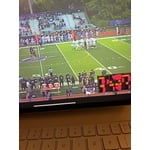
[This review was collected as part of a promotion.] our Samsung tv iamazng, The picture is so bright and the resolution so clear that it makes watching live programs and movies most enjoyable. I can easily stream other videos from my phone or tablets to the TV.

Review from Samsung US
Helpful?1EU281TBRNQA15567708318
May 12, 2026
Reviewer name: Rportvegas
5 out of 5 stars
5 out of 5 stars review

Awesome TV. Fantastic deal.
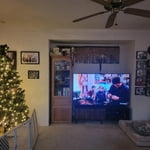
[This review was collected as part of a promotion.] Love our Samsung TV. We replaced a 65 inch with this 75 inch and are enjoying it tremendously The brightness, color, resolution and contrast are top notch. This tv gives our family security to surf the web with no issues

Review from Samsung US
Helpful?1EU281TBRNQA15567708318
May 20, 2026
Reviewer name: Buzzmuffin
5 out of 5 stars
5 out of 5 stars review

Update TV

[This review was collected as part of a promotion.] Absolutely love the 65" Samsung TV. Had a problem watching our wedding on a flash drive. Then realized I was not connected to the internet. Once I connected to the internet, I had an update to the TV. After the update, we were able to watch our wedding, Hallelujah.

Review from Samsung US
Helpful?1EU281TBRNQA15567708318
Apr 20, 2026
Reviewer name: Dandada
4 out of 5 stars
4 out of 5 stars review

Pretty great TVs
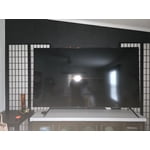
[This review was collected as part of a promotion.] Tv resolution is great , but after months it has several mild blotage on the screen that is permanent as it there on anything you watch. The smart tv features is awesome but not without its issues, one the storage gets full fairly fast and smart functions has problems loading. Needs to clear catch often . Also affects the apps used as it freezes if you don't. To he fair ,the apps work great if you use external devices like Alexa stuck ,ruku, or similar. But it requires you to flip through remotes to use all .If the tv offers smart operations it should work more often than not. But overall it's a great tv with great resolution for the size ,an they are getting better every year. I have a 55" , 2 x 75" and a 85" samsung tv an love them all.

Review from Samsung US
Helpful?1EU281TBRNQA15567708318
Mar 23, 2026
Reviewer name: AReviewer
4 out of 5 stars
4 out of 5 stars review

Samsung TV great visuals, OS needs some work.

[This review was collected as part of a promotion.] The brightness on this screen offers brightness within reasonable ranges for a consumer based entertainment system. Contrast actually excels above comprobable QLED products. Refresh is standard. Resolution offers a crisp 4k. The color vibrancy on this TV is the biggest selling point for me. Watching movies in 4K really jump out on this screen. Another thing to note is it works really well with Samsung SoundBar systems. Ive had success with both Bluetooth and Dolby digital audio. I do have some issues with compatibility with some of the major streaming providers. Often having to completely restart the OS on the TV. Most common issues I have are with HBO Max and Hulu. The other applications work reasonably well and reliably. Its a great TV in terms of picture quality. But the compatibility issues with some of the major service providers for streamer are a problem for me. Overall, I would still recommend this product. Operating system feels a little clunky and difficult to use.

Review from Samsung US
Helpful?1EU281TBRNQA15567708318
Feb 24, 2026
Reviewer name: TvConasure
5 out of 5 stars
5 out of 5 stars review

Awesome quality, amazing picture.

[This review was collected as part of a promotion.] This samsung tv is incredible as the brightness and overall resolution is beyond any other brand. The contrast of the picture is beyond any other with the perfect contrast to whatever your movie/tv preferences are. The color is bright and spot on almost like your in the theater and the interface is easy and hassle free with very easy navigation through options and settings.

Review from Samsung US
Helpful?1EU281TBRNQA15567708318
May 6, 2026
Reviewer name: Live4RetailT
5 out of 5 stars
5 out of 5 stars review

Excellent technology

[This review was collected as part of a promotion.] The vibrancy and resolution of the screen Is Absolutely amazing! Even under 50 inches I Philly immersed and whatever I'm watching. The AI aspect I was in candy and performs with great accuracy. Brightness and contrast are easy to find and control but truly the pre-sets already take care of that… I love my Samsung TV!

Review from Samsung US
Helpful?1EU281TBRNQA15567708318
Mar 23, 2026
Reviewer name: SAB1
5 out of 5 stars
5 out of 5 stars review

Great Smart TV

[This review was collected as part of a promotion.] Great Smart TV that fit our space perfectly. The only thing I wish was a little easier to navigate is the remote control with all the apps. If you hit the wrong button, you have to go back a bunch of menus to get back to where you were.

Review from Samsung US
Helpful?1EU281TBRNQA15567708318
Mar 5, 2026
Reviewer name: cec693
3 out of 5 stars
3 out of 5 stars review

Not great for VHF channels
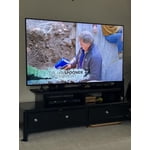
[This review was collected as part of a promotion.] Great resolution and color and easy to pair with bluetooth however this is not a good TV if you want to use over the air antenna VHF channels. The TV will frequently glitch and get stuck on apps like Netflix and not switch back to live, over air TV.

Review from Samsung US
Helpful?1EU281TBRNQA15567708318
reply from Samsung Specialist

cec693, We appreciate you taking the time to let us know about your experience with your Q7FD TV. So that we can better troubleshoot this issue and provide steps towards a solution, please contact Samsung Support at 1-800-SAMSUNG, 8AM – 12AM EST, 7 days a week, or visit our website for LiveChat. ~ Samsung Specialist