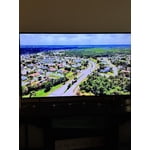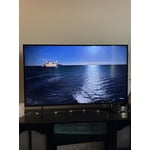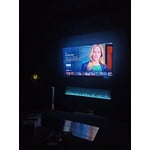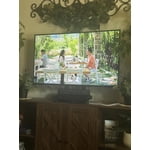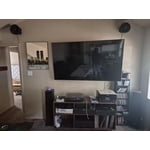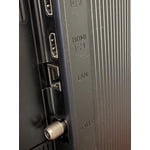
Customer reviews for SAMSUNG 65" Class Q7FD Series 4K QLED Smart TV forCustomer photos


+531 images
Love the 75” size!
[This review was collected as part of a promotion.] I love the 75 inch Samsung TV great for watching sports! Has great color and sound love that it has Alexa love that it has lots of channels with Samsung TV at no extra cost! I would recommend this TV it has great picture, quality, and sound and easy to set up!
Disappointed
[This review was collected as part of a promotion.] I watch movies, sports, soaps. The features are difficult to operate. Its definitely not user friendly. I still cannot figure it out. Very difficult. There is a pop ad from AI wanting me to do somwthing. I dont even understand what it wants me to do. I have to wait for it to clear to continue seeing the tv. I dont need that! I had a smart samsung tv and the picture was great. This tv has an awful picture quality. The images appear olive tone, there are shadows. Sometimes the background is bluish. I get some red freckles sometimes that ruin the vision. The face colors are weird, sometimes olive, sometimes very red. I tried to adjust the picture to no avail. I wish I would have known it was going to be so bad, I would have bought something else. Oh well, live and learn. Will definitely NOT RECOMEND THIS TV TO ANYONE.
Hiker4, Thank you for sharing your feedback with us. To help you get the most from your TV, you can download the full e-Manual and more by visiting Samsung’s website, then navigating to: Support > Manual & Software > TVs & Home Theater. From there, you can search for and select your TV model to view or download the available guides. The e-Manual & User Guide are also conveniently built into your TV: Settings > Support > Tips and User Guides. Your TV includes Learn Menu Screen, an accessibility feature that provides audio guidance for on-screen menus. When enabled, your TV will announce the name and function of each menu item as you scroll, without making any changes. This feature is particularly helpful for users who are visually impaired or new to Smart TV menus. To enable, go to: Settings > All Settings > General & Privacy > Accessibility > Learn Menu Screen. To exit, press the Return key twice. If the image isn’t meeting your expectations, there are several adjustments you can make to improve your viewing experience. First, please ensure your TV is running the latest firmware, as updates may include important picture quality enhancements. Go to: Home > Left directional button > Settings > Support > Software Update > Update Now Then, select a Picture Mode that best fits your environment: Home > Home > left directional key > Settings > All Settings > Picture > Picture Mode 1. Standard – Default mode for general viewing 2. Dynamic – Brighter and clearer in well-lit rooms 3. Eco – Optimized for energy saving 4. Movie – Best for watching in dark environments 5. Filmmaker Mode – Preserves content exactly as intended by creators You can also enhance your experience by enabling AI Mode, which automatically adjusts picture and sound based on your surroundings and usage patterns: Settings > All Settings > Advanced Features > AI Mode Settings > AI Mode If these adjustments don’t improve your picture quality, feel free to contact Samsung Customer Support at 1-800-SAMSUNG, available 8AM – 12AM EST, 7 days a week. You can also LiveChat with an agent or find helpful guides by visiting the ‘Support’ section of our website. ~ Samsung Pro
I love the easy-to-use
[This review was collected as part of a promotion.] I love the resolution, feels like im in the screen. And its easy to used, I downloaded apps and search where I want by my self. I love Samsung, the most of my domestic stuff are from you and its very durable. Thanks
FANTASTIC!
[This review was collected as part of a promotion.] This tv was a real game changer when we upgraded! The screen is so nice and clear. Because we watch a lot of F1 racing our old TV was very pixelated. This is nice and sharp! The sound is great but we also upgraded to a sound bar package that really made the entire viewing experience amazing. We also love the Smart Things features with our phones! Another great perk of owning so many Samsung products!!
Very Affordable and Lots of Features
[This review was collected as part of a promotion.] Bought this TV and particular size to use in the bedroom. I love the ART feature of the TV and it interfaces extremely well with a Samsung soundboard. I have it mounted to the wall which was so easy and Samsung helped me with it all along the way.
Not incentivized honest review
I bought the 98 inch and paired it with the Q990F soundbar system. I have regrets buying this television. The richness of the colors is amazing. I'm most impressed by the deep blacks and how it handles reds. With a lot of tvs red screams “look at me, here I am” but not here. Red stays in its place and does its job and its job only. All other colors are handled just as well…… except white. White seems to bleed beyond its intended borders and comes across as a bit too bright. Keep in mind I have made no adjustments to the tv. These are colors straight out the box. I watched a live sporting event in 4k and the tv handled it superbly. The teams' uniforms were crisp and I could see blades of grass on the field. The fast paced action was also handled with ease. Buy the tv. You won't regret it.
Hello, We appreciate your feedback on the picture quality of Samsung’s Q7F TV. If the image doesn’t quite match your preferences, there are several adjustments you can make to better suit your viewing environment and content type. First, please ensure your TV is running the latest firmware, as updates may include important picture quality enhancements. Go to: Home > Left directional button > Settings > Support > Software Update > Update Now To explore picture mode options, navigate to: Home > Left directional button > Settings > All Settings > Picture > Picture Mode. Options include: • Standard – Ideal for general viewing • Dynamic – Brighter and more vibrant for well-lit spaces • Eco – Optimized for energy efficiency • Movie – Best for viewing in low light • Filmmaker Mode – Preserves the content creator’s intent and disables motion smoothing for supported content You can further customize your image by going to: Settings > All Settings > Picture > Expert Settings, where you can adjust Brightness, Contrast, Color Tone, Sharpness, Contrast Enhancer and more. If you’d like help finding the best picture settings for your preferences, please don’t hesitate to contact Samsung Support at 1-800-SAMSUNG, available 8AM – 12AM EST, 7 days a week. You can also LiveChat with an agent or explore additional resources on our website by clicking the ‘Support’ link. ~ Samsung Specialist
Amazing TV
[This review was collected as part of a promotion.] This is the nicest TV I have ever personally bought and owned. The picture and sound are like nothing i have ever experienced before. Im extremely happy with my purchase and will most definitely buy another samsung when im ready for another TV
Makes TV viewing Fun
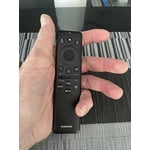
[This review was collected as part of a promotion.] Wow+ So much fun viewing a TV that makes you feel kinda, sorta, like your there - in the scene your viewing! Our other TV's have been much smaller, since we could not find one that had base supports to fit our video/audio stand. This Samsung model has support legs that has multiple locations to insert the support legs and the TV fits perfect on our stand in our limited space - Very Nice! It takes awhile to get use to the very small and slim remote control, but once your acclimated to it, it's fast and easy to use. We are pleased with the color and clarity of this Samsung model and it responds quickly to channel selections. A Smart TV? YES it is very smart, with many varied selections available. Glad we purchased Samsung!
Samsung 65" TV
[This review was collected as part of a promotion.] The only thing that I can say to the negative about Samsung TVs is not because of picture quality it's because of Durability, Dependability, other than that it's a beautiful middle road TV worth what ever you pay
Samsung has outdone themselves with few exceptions
[This review was collected as part of a promotion.] When I purchased my 43" smart t.v., its was actually at the recommendation of my neighbors stating that Samsung had finally grown into its previous reputation of being a reliable brand when it came to the stream ability and ease of use with its casting features. I was kinda reluctant to take my neighbor at his recommended word, but, after having it for only 3 weeks, im glad I did. Getting use to everything its capable of doing has been so easy to figure out and remember that I now doubt that I'll ever settle for any other brand t.v. except for Samsung. Thank you Samsung for proving my doubts to be those made out of ignorance. Im glad you could finally prove my fears to be irrational.