Skip to Main Content
Sam's Club
Sam's Club
All Departments
All Services
Customer reviews for SAMSUNG 65" Class Q7FD Series 4K QLED Smart TV for
SAMSUNG 65" Class Q7FD Series 4K QLED Smart TV
4.6 out of 5 stars
stars
2,413 ratings2,342 reviews
  1. 5 stars77% (1,847)
  2. 4 stars15% (373)
  3. 3 stars4% (103)
  4. 2 stars1% (33)
  5. 1 star2% (57)
Sort by |
Showing 471-480 of 2,342 reviews
Jun 1, 2026
LuvFish
5 out of 5 stars review

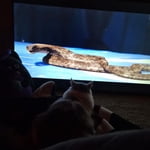
Great fish tank!

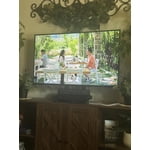
[This review was collected as part of a promotion.] the TV I bought is outstanding for the size of my living room I the color is wonderful as I sit here and watch it thank you for making it

Review from Samsung US
Helpful?1EU281TBRNQA15567708318
Jun 5, 2026
Duckiluv
4 out of 5 stars review

Feels Like a Theater

[This review was collected as part of a promotion.] Biggest TV I ever had that it feels like I'm at a movie theater. Colors are good and resolution is good too.

Review from Samsung US
Helpful?1EU281TBRNQA15567708318
Jun 20, 2026
Gjo1
5 out of 5 stars review

Overall performance!

This tv has enriched our lives so much because we are much older now and it is a blessing! We depend on it for our entertainment because can get all shows now. The only regret is that we didn’t buy it sooner!

Review from Samsung US
Helpful?1EU281TBRNQA15567708318
Jun 13, 2026
Fattdaddyo
5 out of 5 stars review

Love it

[This review was collected as part of a promotion.] I love my Samsung Smart TV. I love the Samsung apps. Better than any other apps on televisions and the picture is so crystal clear. I love it

Review from Samsung US
Helpful?1EU281TBRNQA15567708318
Jun 20, 2026
Codie
5 out of 5 stars review

Very happy

We love our Samsung. As we got older, our old TV was difficult to see detail. Noe the picture is bigger, more clear and wonderfully sharp. We wish the sound was a trifle better, but the set is worlds above our old one.

Review from Samsung US
Helpful?1EU281TBRNQA15567708318
May 28, 2026
Daddybrian
5 out of 5 stars review

Resolution

[This review was collected as part of a promotion.] The resolution on my TV is amazing and so life like that I forget that I'm watching TV. It feels like I'm in a theater watching an actual play.

Review from Samsung US
Helpful?1EU281TBRNQA15567708318
Jun 1, 2026
LittleJoe
5 out of 5 stars review

Qled tv

[This review was collected as part of a promotion.] I got this tv cause my old one gave out and The interface is easy to use, it's bright and easy to see, the resolution is great, it's vibtant with good colors. Contrast is great

Review from Samsung US
Helpful?1EU281TBRNQA15567708318
Jun 5, 2026
Cognac 02
3 out of 5 stars review

Brightness or lack thereof.

[This review was collected as part of a promotion.] In some scenes that are dark, I can't see what's what. My previous Smart TV had a back light for dark scenes.

Review from Samsung US
Helpful?1EU281TBRNQA15567708318
reply from Samsung Specialist

We’re sorry to hear you’re not fully satisfied with the picture quality on your Samsung Q7F TV. If the image appears too dark, we suggest disabling certain energy-saving features, which can automatically adjust brightness and affect how the screen looks. Go to: Settings > All Settings > General & Privacy > Power and Energy Saving, then turn off Brightness Optimization, Energy Saving Solution, Motion Lighting, and/or Contrast Enhancer. You can also adjust the Picture Mode to better suit your environment: Settings > All Settings > Picture > Picture Mode • Standard – Default mode for general viewing • Dynamic – Brighter and clearer, ideal for well-lit rooms • Movie – Best for dark room viewing • Eco – Energy-saving mode • Filmmaker Mode – Preserves content as intended by creators To fine-tune brightness, go to: Home > left directional key > Settings > All Settings > Picture > Expert Settings, then adjust the Brightness level (0–50) to your preference. Lastly, please make sure your TV is running the latest firmware: Home > Home > left directional key > Settings > Support > Software Update > Update Now We hope these tips help improve your viewing experience. If you need further support, feel free to contact us at 1-800-SAMSUNG (8AM – 9PM EST Mon – Fri, 8AM – 6PM Sat – Sun). LiveChat is also available via the ‘Support’ link on our website. ~ Samsung Specialist

Jun 16, 2026
handyman
2 out of 5 stars review

Remote

[This review was collected as part of a promotion.] I don't like the AI remote at all and I haven't been able to scan local channels in with the antenna mode. the picture quality is excellent

Review from Samsung US
Helpful?1EU281TBRNQA15567708318
reply from Samsung Specialist

handyman, Thank you for your review. If your TV isn’t receiving all available channels, first check that your coaxial cable is securely connected. Then, try running Auto Program by going to: Home > left directional key > Settings > All Settings > General & Privacy > Broadcasting > Auto Program If the issue persists, a factory reset may help: Home > left directional key > Settings > All Settings > General & Privacy > Factory Data Reset (this will restore all settings on your TV) Please also note: • Broadcasting settings are only accessible when your source is set to TV. • These settings are not available when watching TV via a cable or satellite box. If you continue to experience issues, please don’t hesitate to contact Samsung Customer Support at 1-800-SAMSUNG (8AM – 9PM EST Mon – Fri, 8AM – 6PM Sat – Sun). LiveChat agents and additional resources are also available through the ‘Support’ link on our Samsung website. ~ Samsung Specialist

Jun 23, 2026
Shadow
5 out of 5 stars review

Great TV

The interface may be the best i have tried. I also have LG tvs and Google tvs but I like this one the best. The menus are quick and responsive. The TV looks great too for everyday watching.

Review from Samsung US
Helpful?1EU281TBRNQA15567708318