Skip to Main Content
Sam's Club
Sam's Club
All Departments
All Services
Customer reviews for SAMSUNG 65" Class Q7FD Series 4K QLED Smart TV for
SAMSUNG 65" Class Q7FD Series 4K QLED Smart TV
4.6 out of 5 stars
stars
3,756 ratings3,682 reviews
  1. 5 stars77% (2,904)
  2. 4 stars15% (546)
  3. 3 stars4% (166)
  4. 2 stars1% (54)
  5. 1 star2% (86)

Member photos

  • +1122 images
Sort by |
Showing 1,991-2,000 of 3,682 reviews
Dec 20, 2025
Reviewer name: Alcook
5 out of 5 stars
5 out of 5 stars review

This is the best TV that I have ever had.

[This review was collected as part of a promotion.] I waited for a lot of years before I purchased this television. It's a QLED style. I couldn't believe the picture quality and the features are fantastic. My family is amazed at how great this is. Keep up the great technologies and you will go along way.

Review from Samsung US
Helpful?1EU281TBRNQA15567708318
Oct 15, 2025
Reviewer name: AnotherSamsungfanatic
5 out of 5 stars
5 out of 5 stars review

Mancavefanatic

[This review was collected as part of a promotion.] I love the clean edges on the big screen. I love how you can add photos of family to be displayed when the TV is off.. I love the brightness of color and the darkness of the black space which makes the pictures almost look like 3-D display. I look forward to watching my favorite movies over again just like they looked in the movies theater. Suddenly, TV is exciting again.

Review from Samsung US
Helpful?1EU281TBRNQA15567708318
Dec 30, 2025
Reviewer name: NoName
5 out of 5 stars
5 out of 5 stars review

FANTASTIC!

[This review was collected as part of a promotion.] This tv was a real game changer when we upgraded! The screen is so nice and clear. Because we watch a lot of F1 racing our old TV was very pixelated. This is nice and sharp! The sound is great but we also upgraded to a sound bar package that really made the entire viewing experience amazing. We also love the Smart Things features with our phones! Another great perk of owning so many Samsung products!!

Review from Samsung US
Helpful?1EU281TBRNQA15567708318
Dec 5, 2025
Reviewer name: domino6378
3 out of 5 stars
3 out of 5 stars review

TV has 2 significant issues as I see them...

[This review was collected as part of a promotion.] A good TV overall but when switching between channels sound varies widely - not supposed to do that as a it has a feature to limit that behavior. 2nd issue - does not correctly expand some SD channels to fit the over-all screen size. No longer has the "stretch" option as did my older Samsung. Specifically, the History channel only fills a very narrow band on the screen and makes for an uncomfortable view. Other than these two issues the color and contrast are outstanding. Some on screen choices are layed out in a confusing fashion and the remote is a toy! But, still a good value for the money!

Review from Samsung US
Helpful?1EU281TBRNQA15567708318
reply from Samsung Specialist

domino6378, Thank you for sharing your experience with volume fluctuations on your Samsung Q7F TV. Sudden changes in volume can often be related to audio settings or content differences between sources or apps. Please try the following adjustments to help stabilize your TV's audio: 1. Enable Auto Volume. Go to: Settings > All Settings > Sound > Expert Settings > Auto Volume. This feature helps maintain a consistent volume level when switching channels or apps. 2. Change Sound Mode. Try a different sound mode to see if one offers a more stable output: Settings > All Settings > Sound > Sound Mode (We recommend Standard or Amplify for more even performance.) 3. Check External Devices. If you're using a soundbar, receiver, or other audio device, check that its volume leveling or dynamic range settings aren’t interfering with the TV’s audio. 4. Update Firmware. Ensure your TV is running the latest software, as updates may include audio improvements: Settings > Support > Software Update > Update Now When adjusting the image size, please keep in mind that available size options may vary depending on the input signal and the type of content you're viewing. To adjust the image size on your TV, navigate to: Home > left directional key > Settings > All Settings > Picture > Picture Size Settings. From there, you can select options like Fit to Screen, Zoom and Position, or choose a Picture Size such as 16:9 Standard, Custom, or 4:3. Should you need more help, we're here for you. You can reach us at 1-800-SAMSUNG (8AM – 12AM EST, 7 days a week), or connect with a LiveChat agent by selecting ‘Support’ on our website. ~ Samsung Specialist

Dec 21, 2025
Reviewer name: Aegian132
5 out of 5 stars
5 out of 5 stars review

Real Step Up

[This review was collected as part of a promotion.] We upgraded our 9 year old Samsung 55" Curved SUHD to this model. I loved the 55" Curved TV, My wife came back with very poor vision on her last optometry appointment. This was a huge upgrade for Colors, text crispness, and has a very panametric fell to the view. It helps her Huge! We were still able to use our older Samsung HW550 Soundbar and it sounds like it was new. Thums up all around.

Review from Samsung US
Helpful?1EU281TBRNQA15567708318
Oct 17, 2025
Reviewer name: Harleydave
5 out of 5 stars
5 out of 5 stars review

This TV has a fantastic picture and great colors.

[This review was collected as part of a promotion.] The TV replaced an older 45" Samsung and is used in the main bedroom for watching programs and movies at this time. Later it will have the DVD and VHS player connected to it to enjoy older moves that have been saved. The owner is wheelchair bound and goes to bed early so this is his main source of entertainment.

Review from Samsung US
Helpful?1EU281TBRNQA15567708318
Dec 8, 2025
Reviewer name: Bigfan
5 out of 5 stars
5 out of 5 stars review

Allot of great features

[This review was collected as part of a promotion.] I really love the picture quality and its a big plus to have all the great apps installed already. It was really easy to setup and login to all the apps with the camera on my phone. I do really love the sound quality as well. So many other tv's sound like your listening to the sound through a tin can but this tv has crystal clear sound as well.

Review from Samsung US
Helpful?1EU281TBRNQA15567708318
Oct 14, 2025
Reviewer name: New2025
4 out of 5 stars
4 out of 5 stars review

New brand to me
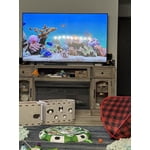
[This review was collected as part of a promotion.] I'm finding this tv to be a little more challenging than my old tv which was a Roku. I can find shows to watch a lot easier on the Roku than I can on this Samsung and I actually installed a Roku stick on this tv for this reason. The remote is also very touchy if I accidentally bump it it changes everything on me and sometimes I don't even know how to change it back plus the Roku remote I can find if I loose it and it also lights up. Plus my cats like to watch the fish aquarium on the roku

Review from Samsung US
Helpful?1EU281TBRNQA15567708318
Nov 15, 2025
Reviewer name: Slomomilla
5 out of 5 stars
5 out of 5 stars review

Best T.V. Picture I Have Ever Seen!!!

[This review was collected as part of a promotion.] The store display Did Not do the picture any justice, but I went with my gut and a couple of friends advice and bought the TV any way. Man am I glad I did, after mounting it on the wall in our living room the picture and detail was so sharp and clear I am still in awe... I have bought Samsung tv's since I was old enough to buy a tv and every time I am Never disappointed. And the amount of Hdmi jacks in the back is perfect as well. So if your stuck on if you should buy this tv, Buy It your family will thank you for it after you get it home!!!

Review from Samsung US
Helpful?1EU281TBRNQA15567708318
Nov 7, 2025
Reviewer name: Veronica
3 out of 5 stars
3 out of 5 stars review

Great picture and sound

[This review was collected as part of a promotion.] Super easy to set up. 11on the bad side, not enough memory for streaming content. Have to reset on the regular or it ceases to work. Slow on connecting to the internet. Good as an alternative room TV, but not as a main room tv. There are better Samsung devices out there.

Review from Samsung US
Helpful?1EU281TBRNQA15567708318
reply from Samsung Specialist

Veronica, We value your feedback regarding the response time of your TV. For the best performance, please ensure the latest firmware version is installed: Home > left directional key > Settings > Support > Software Update You can also improve responsiveness by running the built-in Device Care tool, which checks system memory, clears cached data, and closes background apps: Home > left directional key > Settings > Support > Device Care > Start Device Care If you need further assistance, please contact Samsung Support at 1-800-SAMSUNG, available 8AM – 12AM EST, 7 days a week. LiveChat is also available through the ‘Support’ link on our website. ~ Samsung Specialist