
Skip to Main Content
Sam's Club
Sam's Club
All Departments
All Services
Customer reviews for SAMSUNG 65" Class Q7FD Series 4K QLED Smart TV for
SAMSUNG 65" Class Q7FD Series 4K QLED Smart TV
4.6 out of 5 stars
stars
3,699 ratings3,625 reviews
  1. 5 stars77% (2,859)
  2. 4 stars14% (535)
  3. 3 stars4% (166)
  4. 2 stars1% (54)
  5. 1 star2% (85)

Member photos

  • +1118 images
Sort by |
Showing 1,331-1,340 of 3,625 reviews
Jul 5, 2026
Reviewer name: Deb7
5 out of 5 stars
5 out of 5 stars review

A great product for a reasonable price.

[This review was collected as part of a promotion.] Very satisfied with the product as it delivers the features of a large screen smart TV at a very reasonable price.

Review from Samsung US
Helpful?1EU281TBRNQA15567708318
Jun 22, 2026
Reviewer name: Ronnie
4 out of 5 stars
4 out of 5 stars review

GREAT FEATURES

[This review was collected as part of a promotion.] I really like to know what this is about . controls let me see vibrancy brightness and resolution . so tell me what this is really about . contrast inaccuracy no and accuracy thank you

Review from Samsung US
Helpful?1EU281TBRNQA15567708318
Jun 18, 2026
Reviewer name: MRHood
5 out of 5 stars
5 out of 5 stars review

Samsung Fan!

[This review was collected as part of a promotion.] My third purchase of a Samsung TV The product excellently Is still number one in my book . Easy operation And picture quality Amongst the best if not the best !

Review from Samsung US
Helpful?1EU281TBRNQA15567708318
Jul 20, 2026
Reviewer name: Hollywood
5 out of 5 stars
5 out of 5 stars review

Amazing picture

[This review was collected as part of a promotion.] Thia is one of the best pictures I have ever seen on a TV its so clear realistic you can see nose hairs

Review from Samsung US
Helpful?1EU281TBRNQA15567708318
Jul 20, 2026
Reviewer name: Tony
5 out of 5 stars
5 out of 5 stars review

Samsung very quick to replace a problem

[This review was collected as part of a promotion.] The first TV I received did not work properly, but Samsung was swift on getting me another TV and it's been great. I play video games on the TV so the contrast is very nice on this TV.

Review from Samsung US
Helpful?1EU281TBRNQA15567708318
Jul 5, 2026
Reviewer name: Bobby
1 out of 5 stars
1 out of 5 stars review

Don’t like

[This review was collected as part of a promotion.] Do not like at all. Hair, beards, and skin all look weird. Remotes don’t work half the time. Sound is off. Get a blue or black screen almost every other day.

Review from Samsung US
Helpful?1EU281TBRNQA15567708318
Jun 12, 2026
Reviewer name: Perplexed
5 out of 5 stars
5 out of 5 stars review

No download capability

[This review was collected as part of a promotion.] Unable to download additional apps without Firestick hook up ! Otherwise great picture quality & resolution 👌

Review from Samsung US
Helpful?1EU281TBRNQA15567708318
Jun 8, 2026
Reviewer name: Greenwoman
3 out of 5 stars
3 out of 5 stars review

Kinda hard to move around in
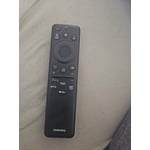
[This review was collected as part of a promotion.] I am struggling to figure out how to use the remote. It doesn't seem to work well with my antenna channels. And to be honest, I just can't figure out how to use it.

Review from Samsung US
Helpful?1EU281TBRNQA15567708318
reply from Samsung Specialist

Greenwoman, We appreciate you sharing your experience with the included remote. To help you get the most from your TV and remote functions, you can download the full e-Manual and more by visiting Samsung’s website then navigating to: Support > Manual & Software > TVs & Home Theater. From there, you can search for and select your Q7FD TV model to view or download the available guides. The e-Manual & Remote Control Guide are also conveniently built into your TV: Settings > Support > Tips and User Guides Learn TV Remote is another feature designed to help users become familiar with the layout and function of each button on the Samsung remote. When enabled, pressing any button (except the Power button, which will still turn off the TV) will prompt the TV to announce the button’s name and its purpose – without affecting TV operation. This teaching mode is especially useful for users who are visually impaired or new to Samsung remotes. To enable this feature, go to: Settings > All Settings > General & Privacy > Accessibility > Learn TV Remote. To exit, simply press the Return key twice. If you’d like more assistance with this feature, please reach Samsung Support at 1-800-SAMSUNG (8AM – 9PM EST Mon – Fri, 8AM – 6PM Sat – Sun). LiveChat agents are also available through the ‘Support’ link on our website. ~ Samsung Specialist

Jun 25, 2026
Reviewer name: Jenniebug
4 out of 5 stars
4 out of 5 stars review

SamsungSmart TV

[This review was collected as part of a promotion.] I do not understand why the picture goes completely black 3 to 4 times when the TV is first cut on

Review from Samsung US
Helpful?1EU281TBRNQA15567708318
Jun 5, 2026
Reviewer name: tshicks
5 out of 5 stars
5 out of 5 stars review

Great Value

[This review was collected as part of a promotion.] Crisp, brilliant colors fitting within same footprint as previous TV without 3 inches of frame around it. All this for half the price of the previous unit.

Review from Samsung US
Helpful?1EU281TBRNQA15567708318








