Skip to Main Content
Sam's Club
Sam's Club
All Departments
All Services
Customer reviews for SAMSUNG 65" Class Q7FD Series 4K QLED Smart TV for
SAMSUNG 65" Class Q7FD Series 4K QLED Smart TV
4.6 out of 5 stars
stars
3,699 ratings3,625 reviews
  1. 5 stars77% (2,859)
  2. 4 stars14% (535)
  3. 3 stars4% (166)
  4. 2 stars1% (54)
  5. 1 star2% (85)

Member photos

  • +1118 images
Sort by |
Showing 1,311-1,320 of 3,625 reviews
Jun 28, 2026
Reviewer name: Luvlice
4 out of 5 stars
4 out of 5 stars review

Great Tv

[This review was collected as part of a promotion.] Great TV slightly laggy when low on internet or on for too long but besides that the quality is nice.

Review from Samsung US
Helpful?1EU281TBRNQA15567708318
Jun 1, 2026
Reviewer name: Rogers
5 out of 5 stars
5 out of 5 stars review

Going to buy another.
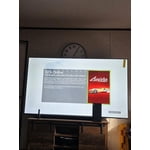
[This review was collected as part of a promotion.] Love this TV. Clear picture large enough to see from the neighbors house. 😆 sound is great. Performs as promised.

Review from Samsung US
Helpful?1EU281TBRNQA15567708318
Jun 1, 2026
Reviewer name: Nate
5 out of 5 stars
5 out of 5 stars review

100% excellent television

[This review was collected as part of a promotion.] The TV runs smooth. It works great with my video games. The movies are crisp and clear. Great variety apps. The sound is nice and clear. I love how bright it gets colors pop.

Review from Samsung US
Helpful?1EU281TBRNQA15567708318
Jun 5, 2026
Reviewer name: DaveSD
5 out of 5 stars
5 out of 5 stars review

Great features
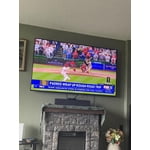
[This review was collected as part of a promotion.] Appreciate the ease of use; brightness, color, contrast, resolution and interface with soundbar all working great

Review from Samsung US
Helpful?1EU281TBRNQA15567708318
Jul 6, 2026
Reviewer name: Jay m
5 out of 5 stars
5 out of 5 stars review

Best TV iv had

[This review was collected as part of a promotion.] has great brightness for great contrast the responsiveness of it is high quality the best TV I've had yet

Review from Samsung US
Helpful?1EU281TBRNQA15567708318
Jun 20, 2026
Reviewer name: Big AL
5 out of 5 stars
5 out of 5 stars review

Overall Best TV out there

[This review was collected as part of a promotion.] Great quality, picture. Price was great for the size and quality. Easy setup! Very bright and sharp picture.

Review from Samsung US
Helpful?1EU281TBRNQA15567708318
Jun 16, 2026
Reviewer name: handyman
2 out of 5 stars
2 out of 5 stars review

Remote

[This review was collected as part of a promotion.] I don't like the AI remote at all and I haven't been able to scan local channels in with the antenna mode. the picture quality is excellent

Review from Samsung US
Helpful?1EU281TBRNQA15567708318
reply from Samsung Specialist

handyman, Thank you for your review. If your TV isn’t receiving all available channels, first check that your coaxial cable is securely connected. Then, try running Auto Program by going to: Home > left directional key > Settings > All Settings > General & Privacy > Broadcasting > Auto Program If the issue persists, a factory reset may help: Home > left directional key > Settings > All Settings > General & Privacy > Factory Data Reset (this will restore all settings on your TV) Please also note: • Broadcasting settings are only accessible when your source is set to TV. • These settings are not available when watching TV via a cable or satellite box. If you continue to experience issues, please don’t hesitate to contact Samsung Customer Support at 1-800-SAMSUNG (8AM – 9PM EST Mon – Fri, 8AM – 6PM Sat – Sun). LiveChat agents and additional resources are also available through the ‘Support’ link on our Samsung website. ~ Samsung Specialist

Jun 5, 2026
Reviewer name: Buddy
3 out of 5 stars
3 out of 5 stars review

Not as expected
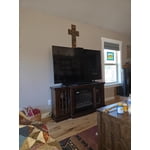
[This review was collected as part of a promotion.] This is by far the worst Samsung TV we've ever had. We are not happy with the resolution, the sound quality and the difficulty in use.

Review from Samsung US
Helpful?1EU281TBRNQA15567708318
reply from Samsung Specialist

We appreciate your feedback on the picture quality of Samsung’s Q7FD TV. First, make sure your TV is up to date. Firmware updates often include picture quality enhancements. To check for the latest version, go to: Home > Left directional button > Settings > Support > Software Update > Update Now If the image doesn’t quite match your preferences after updating/checking for updates, there are several settings you can adjust to better suit your viewing environment. To explore picture mode options, go to: Home > Left directional button > Settings > All Settings > Picture > Picture Mode. Available modes include: 1. Standard – Default mode for general viewing 2. Dynamic – Brighter and sharper for well-lit rooms 3. Eco – Optimized for energy saving 4. Movie – Best for dark room viewing 5. Filmmaker Mode – Preserves the director’s intended look and feel (automatically enabled for supported content) You can also fine-tune settings like brightness, contrast, sharpness, and more by navigating to: All Settings > Picture > Expert Settings If you’d like help finding the best setup for your preferences, please don’t hesitate to contact Samsung Customer Support at 1-800-SAMSUNG (8AM – 9PM EST Mon – Fri, 8AM – 6PM Sat – Sun). You can also LiveChat with an agent or find helpful guides by visiting the ‘Support’ section of our website. ~ Samsung Specialist

Jun 14, 2026
Reviewer name: EnriqueSC15
5 out of 5 stars
5 out of 5 stars review

Once of the better tv i had

[This review was collected as part of a promotion.] Nothing, the tv y working really good, and I can play video games when a use gaming hub and the gamen look really good

Review from Samsung US
Helpful?1EU281TBRNQA15567708318
Jun 1, 2026
Reviewer name: LittleJoe
5 out of 5 stars
5 out of 5 stars review

Qled tv

[This review was collected as part of a promotion.] I got this tv cause my old one gave out and The interface is easy to use, it's bright and easy to see, the resolution is great, it's vibtant with good colors. Contrast is great

Review from Samsung US
Helpful?1EU281TBRNQA15567708318