Skip to Main Content
Sams Club
Sams Club
Customer reviews for SAMSUNG 55” Class Q7FD Series 4K QLED Smart TV for
SAMSUNG 55” Class Q7FD Series 4K QLED Smart TV
4.7 out of 5 stars
stars2,010 ratings2,008 reviews
  1. 5 stars81% (1,627)
  2. 4 stars14% (277)
  3. 3 stars3% (61)
  4. 2 stars1% (13)
  5. 1 star2% (32)

Member photos

  • +604 images
Sort by |
Showing 151-160 of 2,008 reviews
Apr 5, 2026
Picky Viewer
5 out of 5 stars review

A Great TV

[This review was collected as part of a promotion.] This is a great TV. The picture is sharp and bright for the shows and sports that I watch. I find it to be more vibrant than any set that I've had before. I've long been a Samsung fan and this product has reinforced that loyalty.

Review from Samsung US
Helpful?1LI0EAPX5OHH15551574995
Apr 19, 2026
Princess
5 out of 5 stars review

Great TV

[This review was collected as part of a promotion.] The 2025 Samsung 75" Q7FD QLED 4K Vision AI TV is an entry-level QLED designed for budget-conscious users, offering vibrant color volume, decent SDR picture quality, and smart AI features at a 60Hz refresh rate

Review from Samsung US
Helpful?1LI0EAPX5OHH15551574995
Apr 3, 2026
Big Dub
5 out of 5 stars review

Exceptional Samsung 65" QLED

[This review was collected as part of a promotion.] We had a 15 year old 42" plasma TV in our larger Family Room. I finally convinced my wife to "Go Big" and we got the Samsung 65" QLED. What a difference in the picture, resolution, brightness and sharpness of the picture.! It has everything I wanted and set up was so easy. Even better was the price at a wholesale warehouse and their free extended warranty!

Review from Samsung US
Helpful?1LI0EAPX5OHH15551574995
Apr 5, 2026
Alex
5 out of 5 stars review

An upgrade for sure

[This review was collected as part of a promotion.] This was an upgrade from my old Samsung and it did not disappoint. The resolution and brightness are far superior. The color is very crisp. It has all the same and more smart features. Very easy to setup, also added a sound bar which is necessary when wall mounting. For the price it is a great value and don't regret my purchase on bit.

Review from Samsung US
Helpful?1LI0EAPX5OHH15551574995
Apr 5, 2026
Janti
5 out of 5 stars review

Long time avid samsung user

[This review was collected as part of a promotion.] I had ben an avid samsung user since early 2000. Since then i want my appliance/s will be samsung (tv, fridge, washing machine and dryer). That's why when i moved to our new house, i purchased Samsung. Since our technology are evolving and so as samsung. Choosing Samsung will not regret your decision for buying it. From my experience, i hadn't encounter any problem/s.

Review from Samsung US
Helpful?1LI0EAPX5OHH15551574995
Apr 8, 2026
H0td0g0
5 out of 5 stars review

its good tbh

[This review was collected as part of a promotion.] honestly this tv just works like i didnt really have to mess with anything. picture looks really good not like too crazy but just right and smooth. setup was easy didnt take long at all and everything loads fine. design is nice too nothing extra but looks clean. sound is ok i guess better with a soundbar but yeah overall no complaints it does what it need to do 👍

Review from Samsung US
Helpful?1LI0EAPX5OHH15551574995
Apr 13, 2026
Cruise
5 out of 5 stars review

Everything you look for in picture

[This review was collected as part of a promotion.] Excellent product, the image has a very good definition, in game mode it is great, it is as if I had a cinema at home the sounds are clear the size is fair, it is everything I was looking for on a TV, and as I have a PC and a Samsung cell phone I have everything complete.

Review from Samsung US
Helpful?1LI0EAPX5OHH15551574995
Apr 8, 2026
Bobank
5 out of 5 stars review

AWESOME TV !

[This review was collected as part of a promotion.] AMAZING!!! I literally felt like I could jump into thewater while watching a nature show. Everything is Bright, vivid, crystal clear , Contrast actually seems 3 dimensional. Like you can touch things. Very easy to set up and connect gaming systems if you have any. Timing while gaming is perfect, very smooth fast reaction time .t easily deserves the 5 stars. If they had 10 , I'd give it a 10☆☆☆☆☆☆☆☆☆☆ Love it !!!

Review from Samsung US
Helpful?1LI0EAPX5OHH15551574995
Mar 31, 2026
Redsonjia
5 out of 5 stars review

This t.v is amazing

[This review was collected as part of a promotion.] I absolutely love my t.v if I could buy another newer one I will. Ive always stuck but Samsung products. It might also not hit its mark ( ear buds ) but this t.v is fantastic. The color the picture the interface the extra lil channels you get just by having the t.v very nice.

Review from Samsung US
Helpful?1LI0EAPX5OHH15551574995
Apr 20, 2026
CG1234
1 out of 5 stars review

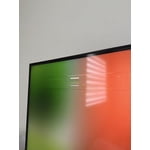
Horrible color

[This review was collected as part of a promotion.] There is too much red, people have lips looking like bright red lipstick. Other times faces are bright red. I adjusted the color lowering the red and it is slightly better but still horrible. For a new tv I shouldn't be adjusting color to try to get it normal.

Review from Samsung US
Helpful?1LI0EAPX5OHH15551574995
reply from Samsung Specialist

CG1234, We appreciate your feedback on the picture quality of Samsung’s Q7F TV. If the image doesn’t quite match your preferences, there are several adjustments you can make to better suit your viewing environment and content type. First, please ensure your TV is running the latest firmware, as updates may include important picture quality enhancements. Go to: Home > Left directional button > Settings > Support > Software Update > Update Now To explore picture mode options, navigate to: Home > Left directional button > Settings > All Settings > Picture > Picture Mode. Options include: • Standard – Ideal for general viewing • Dynamic – Brighter and more vibrant for well-lit spaces • Eco – Optimized for energy efficiency • Movie – Best for viewing in low light • Filmmaker Mode – Preserves the content creator’s intent and disables motion smoothing for supported content You can further customize your image by going to: Settings > All Settings > Picture > Expert Settings, where you can adjust Brightness, Contrast, Color Tone, Sharpness, Contrast Enhancer and more. If you’d like help finding the best picture settings for your preferences, please don’t hesitate to contact Samsung Support at 1-800-SAMSUNG (8AM – 9PM EST Mon – Fri, 8AM – 6PM Sat – Sun). You can also LiveChat with an agent or explore additional resources on our website by clicking the ‘Support’ link. ~ Samsung Specialist