Skip to Main Content
Sams Club
Sams Club
Customer reviews for SAMSUNG 55” Class Q7FD Series 4K QLED Smart TV for
SAMSUNG 55” Class Q7FD Series 4K QLED Smart TV
4.7 out of 5 stars
stars2,010 ratings2,008 reviews
  1. 5 stars81% (1,627)
  2. 4 stars14% (277)
  3. 3 stars3% (61)
  4. 2 stars1% (13)
  5. 1 star2% (32)

Member photos

  • +604 images
Sort by |
Showing 131-140 of 2,008 reviews
Mar 29, 2026
Toratula
5 out of 5 stars review

Absolutely gorgeous color and quality

[This review was collected as part of a promotion.] The color on this TV is absolutely outstanding, I've had no issues with sound and the user interface is absolutely flawless, I've had no lag or screen issues unlike many other brands I've used in the past.

Review from Samsung US
Helpful?1LI0EAPX5OHH15551574995
Apr 10, 2026
Farmerj
5 out of 5 stars review

Amazing

[This review was collected as part of a promotion.] The only complaint that I have is if you try to run any programs on the TV while connected to a wireless internet connection, the TV tends to freeze. Neede a minute to a buffer if you throw a wired internet connection to it, this thing's basically a computer the size of a wall

Review from Samsung US
Helpful?1LI0EAPX5OHH15551574995
Apr 6, 2026
Sunny
5 out of 5 stars review

Great Features!

[This review was collected as part of a promotion.] We are very pleased with the quality, features, brightness (vivid color), contrast and resolution of the 43" Class QLED Q7F 4K Vision AI Smart TV. It's a great TV, and the perfect size for the area we placed it in. We have been very satisfied with the Samsung brand.

Review from Samsung US
Helpful?1LI0EAPX5OHH15551574995
Apr 20, 2026
Lynd
5 out of 5 stars review

Outstanding quality, lightning speed responsive

[This review was collected as part of a promotion.] This is a really top of the line TV. Lightning fast interface that doesn't stick or hang finally. Powerful chip inside. The color is bright and powerful vibrant contrast. 4k resolution 75inch tv that has a wonderfully hanging EXCELLENT wall mount hangs flawlessly.

Review from Samsung US
Helpful?1LI0EAPX5OHH15551574995
Apr 7, 2026
NanaR
5 out of 5 stars review

Amazing TV

[This review was collected as part of a promotion.] This TV is the way yo go when considering long-lasting budget-friendly options!!! Its Brightness and contrast work hand in hand to provide an amazing and vibrancy. The resolution is great, and it looks wonderfull anc can refresh the room when wall mounted.

Review from Samsung US
Helpful?1LI0EAPX5OHH15551574995
Mar 29, 2026
BradW
1 out of 5 stars review

What the heck did they do to the interface?!

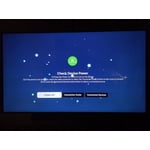
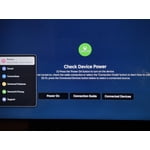
We replaced our 2018ish Samsung tv with this after an accident broke the old one. As a tv, it's great. The screen is vibrant and nice! But the interface and lag is absolutely unacceptable. They got rid of the old system that was seamless, easy to use for anyone and looked great. Now they've replaced it with a jumbled mess that take several seconds to load every screen. It looks terrible and EVERYTHING now has ads, even when the internet isn't connected. I'm an IT guy and it took me a LONG time to figure out the new setup. Especially changing inputs. Instead of just pushing a button like the old tv, you now have to do 3-5 confusing steps to change it. It's supposed to use “ai” to change inputs but it NEVER works. This tv was a huge disappointment and we're looking to replace it with the old version because it's so bad.

Review from Samsung US
Helpful?1LI0EAPX5OHH15551574995
reply from Samsung Specialist

BradW, We appreciate your feedback regarding your TV’s performance. If you're experiencing freezing or lag in general response time, please try the following steps: 1. Check for firmware updates – Keeping your TV up to date can resolve many performance issues: Home > left directional key > Settings > Support > Software Update > Update Now 2. Run Device Care – This tool checks system memory, frees up cached data, and closes background apps that could be slowing things down: Home > left directional key > Settings > Support > Device Care > Start Device Care 3. Cold boot your TV – With the TV powered on, press and hold the Power button on your remote for 5+ seconds until the TV restarts. This helps refresh the system. If you're still noticing performance snags after these steps, please contact Samsung Support at 1-800-SAMSUNG (8AM – 9PM EST Mon – Fri, 8AM – 6PM Sat – Sun). You can also connect with a LiveChat agent via the ‘Support’ link on our website. ~ Samsung Specialist

Apr 6, 2026
Cheme
4 out of 5 stars review

sound and remote

[This review was collected as part of a promotion.] The voice is not the greatest and sometimes I have to increase the voice to listen and it is loud after a little moment. Besides the remote lags and has to hold on a certain position in order to work.

Review from Samsung US
Helpful?1LI0EAPX5OHH15551574995
Apr 20, 2026
Buffle_flo
5 out of 5 stars review

Great features and beautiful Tv.

[This review was collected as part of a promotion.] TV is beautiful, vibrant colors and resolution .My only [minor] complaint with this beautiful TV, is that it would be very nice if the instruction packet came with writing large enough for people with visual problems to see better..

Review from Samsung US
Helpful?1LI0EAPX5OHH15551574995
Apr 20, 2026
CG1234
1 out of 5 stars review

Horrible color

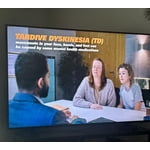
[This review was collected as part of a promotion.] There is too much red, people have lips looking like bright red lipstick. Other times faces are bright red. I adjusted the color lowering the red and it is slightly better but still horrible. For a new tv I shouldn't be adjusting color to try to get it normal.

Review from Samsung US
Helpful?1LI0EAPX5OHH15551574995
reply from Samsung Specialist

CG1234, We appreciate your feedback on the picture quality of Samsung’s Q7F TV. If the image doesn’t quite match your preferences, there are several adjustments you can make to better suit your viewing environment and content type. First, please ensure your TV is running the latest firmware, as updates may include important picture quality enhancements. Go to: Home > Left directional button > Settings > Support > Software Update > Update Now To explore picture mode options, navigate to: Home > Left directional button > Settings > All Settings > Picture > Picture Mode. Options include: • Standard – Ideal for general viewing • Dynamic – Brighter and more vibrant for well-lit spaces • Eco – Optimized for energy efficiency • Movie – Best for viewing in low light • Filmmaker Mode – Preserves the content creator’s intent and disables motion smoothing for supported content You can further customize your image by going to: Settings > All Settings > Picture > Expert Settings, where you can adjust Brightness, Contrast, Color Tone, Sharpness, Contrast Enhancer and more. If you’d like help finding the best picture settings for your preferences, please don’t hesitate to contact Samsung Support at 1-800-SAMSUNG (8AM – 9PM EST Mon – Fri, 8AM – 6PM Sat – Sun). You can also LiveChat with an agent or explore additional resources on our website by clicking the ‘Support’ link. ~ Samsung Specialist

Apr 20, 2026
lordyz
5 out of 5 stars review

awesome picture!!!!

[This review was collected as part of a promotion.] I own 2 of these in a 50 inch and 1 in a 32 inch. I wish I had purchased this model in my 2nd 32 inch. but I had bought the previous model. Great picture!!! sounds is fantastic. I use one in my home and one in my travel trailer. it's so clear and easy to use. I honestly believe I got the best bang for my buck.

Review from Samsung US
Helpful?1LI0EAPX5OHH15551574995