Skip to Main Content
Sam's Club
Sam's Club
All Departments
All Services
Customer reviews for SAMSUNG 55” Class Q7FD Series 4K QLED Smart TV for
SAMSUNG 55” Class Q7FD Series 4K QLED Smart TV
4.6 out of 5 stars
stars
3,564 ratings3,561 reviews
  1. 5 stars78% (2,765)
  2. 4 stars15% (517)
  3. 3 stars4% (160)
  4. 2 stars1% (48)
  5. 1 star2% (74)

Member photos

  • +1105 images
Sort by |
Showing 1,301-1,310 of 3,561 reviews
Jun 1, 2026
Reviewer name: Brina
4 out of 5 stars
4 out of 5 stars review

Great features 👏

[This review was collected as part of a promotion.] Love this television. Im so happy I was able to purchase this. It has great features as I said earlier and does everything it explains in the description.

Review from Samsung US
Helpful?1LI0EAPX5OHH15551574995
Jun 1, 2026
Reviewer name: Anonymous
5 out of 5 stars
5 out of 5 stars review

Great and futuristic

[This review was collected as part of a promotion.] Excellent colors the resolution optima brightness and contrast beautifully the interface work extraordinary

Review from Samsung US
Helpful?1LI0EAPX5OHH15551574995
Jun 26, 2026
Reviewer name: Kikie68
5 out of 5 stars
5 out of 5 stars review

Great TV

[This review was collected as part of a promotion.] This tv is crisp and fits on our wall perfectly. The sound is very clear. Easy to install. If i knew how to send a photo to you I would.

Review from Samsung US
Helpful?1LI0EAPX5OHH15551574995
Jun 5, 2026
Reviewer name: New_Dad_91
5 out of 5 stars
5 out of 5 stars review

Great starter TV for a new family
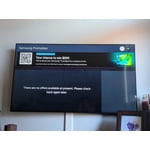
[This review was collected as part of a promotion.] The TV is bright, vivid and easy to hang when baby proofing, as a great first television for our family for a comfortable price.

Review from Samsung US
Helpful?1LI0EAPX5OHH15551574995
Jun 5, 2026
Reviewer name: Bonnie
5 out of 5 stars
5 out of 5 stars review

Samsung OLED TV

[This review was collected as part of a promotion.] We love our Samsung OLED TV. The picture is great and we enjoy watching our videos on a 65 inch screen. The apps and features are easy to work with.

Review from Samsung US
Helpful?1LI0EAPX5OHH15551574995
Jun 1, 2026
Reviewer name: Nate
5 out of 5 stars
5 out of 5 stars review

100% excellent television

[This review was collected as part of a promotion.] The TV runs smooth. It works great with my video games. The movies are crisp and clear. Great variety apps. The sound is nice and clear. I love how bright it gets colors pop.

Review from Samsung US
Helpful?1LI0EAPX5OHH15551574995
May 23, 2026
Reviewer name: The Nippers
5 out of 5 stars
5 out of 5 stars review

Great TV

[This review was collected as part of a promotion.] We like the TV very much setup was easy, but our soundbar doesn't connect all the time. We then have to manually connect it thru the settings.

Review from Samsung US
Helpful?1LI0EAPX5OHH15551574995
Jun 5, 2026
Reviewer name: Bigbob0612
5 out of 5 stars
5 out of 5 stars review

Samsung Quality abound

[This review was collected as part of a promotion.] Samsung never disappoint's, this will be our 3rd TV and Surround Sound Systems. True Vibrant Colors and resolutions.

Review from Samsung US
Helpful?1LI0EAPX5OHH15551574995
Jun 5, 2026
Reviewer name: Kate
1 out of 5 stars
1 out of 5 stars review

Terrible remote

[This review was collected as part of a promotion.] The TV itself is just fine! However, the remote is a nightmare to use. I would never buy this Samsung TV again with this type of remote. It is impossible to use, horrible.

Review from Samsung US
Helpful?1LI0EAPX5OHH15551574995
reply from Samsung Specialist

We appreciate you sharing your experience with the included remote. To help you get the most from your TV and remote functions, you can download the full e-Manual and more by visiting Samsung’s website then navigating to: Support > Manual & Software > TVs & Home Theater. From there, you can search for and select your Q7F TV model to view or download the available guides. The e-Manual & Remote Control Guide are also conveniently built into your TV: Settings > Support > Tips and User Guides Learn TV Remote is another feature designed to help users become familiar with the layout and function of each button on the Samsung remote. When enabled, pressing any button (except the Power button, which will still turn off the TV) will prompt the TV to announce the button’s name and its purpose – without affecting TV operation. This teaching mode is especially useful for users who are visually impaired or new to Samsung remotes. To enable this feature, go to: Settings > All Settings > General & Privacy > Accessibility > Learn TV Remote. To exit, simply press the Return key twice. If you’d like more assistance with this feature, please reach Samsung Support at 1-800-SAMSUNG (8AM – 9PM EST Mon – Fri, 8AM – 6PM Sat – Sun). LiveChat agents are also available through the ‘Support’ link on our website. ~ Samsung Specialist

Jun 15, 2026
Reviewer name: Eas1988
4 out of 5 stars
4 out of 5 stars review

Good choice TV!
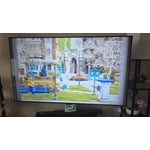
[This review was collected as part of a promotion.] I recently upgraded to the Samsung 65" Q7F, and overall, it's a massive upgrade for our living room.

Review from Samsung US
Helpful?1LI0EAPX5OHH15551574995